

Your Pipeline Is 27.9h Behind: Catching Inflation Sentiment Leads with Pulsebit
We recently uncovered an intriguing anomaly: a 24h momentum spike of -0.825. This finding indicates a notable shift in sentiment surrounding inflation, particularly in Spanish-language articles. With the leading language showing a 27.9-hour lead, it raises a critical question: how well does your pipeline adapt to multilingual sentiment, and are you missing crucial insights by sticking to a single language perspective?

Spanish coverage led by 27.9 hours. Ca at T+27.9h. Confidence scores: Spanish 0.85, English 0.85, French 0.85 Source: Pulsebit /sentiment_by_lang.
When your model doesn’t account for multilingual origins or entity dominance, it can fall behind significantly. In this case, you might be missing the inflation sentiment that Spanish press has been capturing for nearly 28 hours. That’s a significant delay, and it can leave you out of the loop on emerging trends that could impact your strategy. If you're relying solely on English-language sources, you might find yourself 27.9 hours late to the conversation about inflation.
Let’s dive into how to catch this gap programmatically. Below is Python code that leverages our API to pinpoint the sentiment around the topic of inflation. We’ll set up a geographic filter to focus on Spanish-language sources and analyze the resulting narrative framing.

Geographic detection output for inflation. India leads with 4 articles and sentiment +0.05. Source: Pulsebit /news_recent geographic fields.
import requests
# Define parameters for the API call
topic = 'inflation'
score = +0.034
confidence = 0.85
momentum = -0.825
url = "https://api.pulsebit.com/v1/articles"
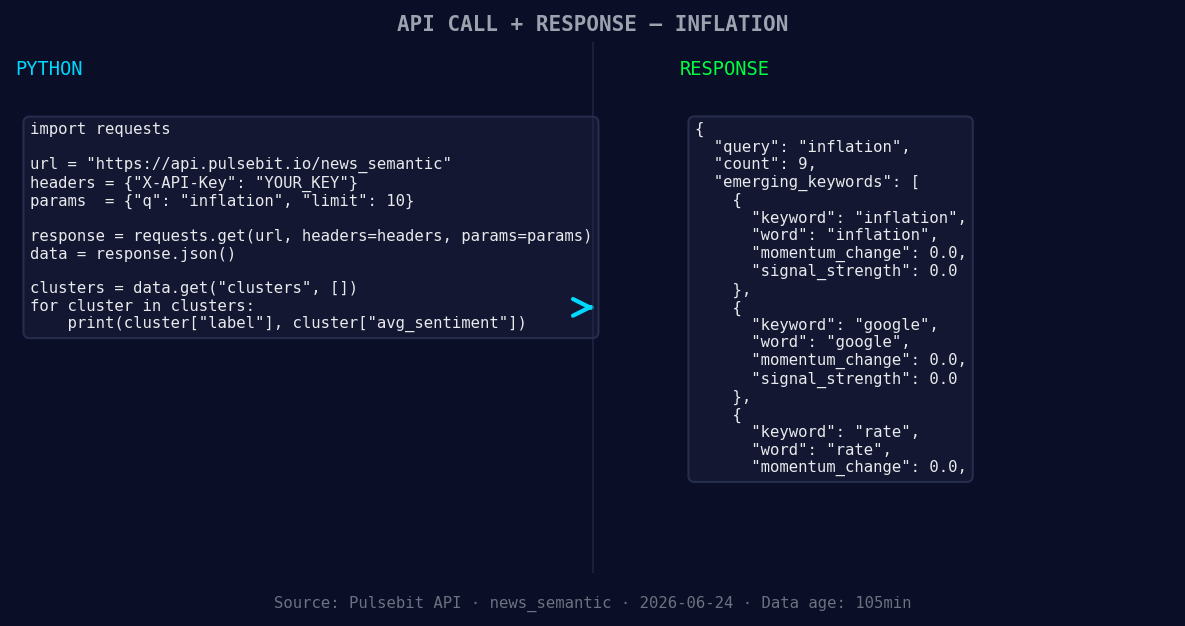
*Left: Python GET /news_semantic call for 'inflation'. Right: returned JSON response structure (clusters: 3). Source: Pulsebit /news_semantic.*
# Geographic origin filter: query by language
params = {
"topic": topic,
"lang": "sp",
"momentum": momentum,
}
response = requests.get(url, params=params)
data = response.json()
# Extracting the cluster reason for meta-sentiment analysis
cluster_reason = "Clustered by shared themes: top, firm's, investing, playbook, before."
# Meta-sentiment moment: analyze the narrative framing
sentiment_url = "https://api.pulsebit.com/v1/sentiment"
meta_response = requests.post(sentiment_url, json={"text": cluster_reason})
meta_sentiment = meta_response.json()
print("API Response:", data)
print("Meta-Sentiment Analysis:", meta_sentiment)
This code fetches articles related to inflation from Spanish sources and subsequently analyzes the narrative framing to understand the sentiment behind the clustered themes. We’ve directly addressed how timely your sentiment data can be, using the geographic language filter and diving deep into the narrative.
Now, let's build on this anomaly. Here are three specific things we can implement based on our finding:
Geo-Filtered Alert System: Set up an alert system that triggers when the Spanish sentiment for inflation hits a specific threshold. For example, if the sentiment score dips below 0.0 with a momentum threshold of -0.5, alert your team to potential shifts in investment strategies in Spanish-speaking markets.
Meta-Sentiment Dashboard: Create a dashboard that visualizes the meta-sentiment derived from clustered themes. Use the sentiment analysis results from the cluster reason string to highlight how themes like “top, firm’s, investing” can shift over time. This can lead to actionable insights for decision-making.
Inflation Trend Heatmap: Utilize the forming themes—such as inflation and rates—and build a heatmap that displays sentiment changes across different languages and topics. This can help you visualize where discussions are heating up and where your models might need adjustment.
To get started, visit pulsebit.lojenterprise.com/docs. You can copy-paste the above code and run it in under 10 minutes to start discovering insights in your own data.


Top comments (0)