

Your Pipeline Is 16.2h Behind: Catching Energy Sentiment Leads with Pulsebit
We just unearthed a compelling anomaly: a 24-hour momentum spike of +1.450 centered around the energy sector. This spike highlights a significant shift in sentiment, primarily driven by Spanish press articles discussing the showdown between NextEra and Dominion. With the leading language being Spanish, which led by 16.2 hours, it’s clear there’s a critical window that your current pipeline might be missing. How are you planning to catch up?
The structural gap in this scenario is glaring. If your model doesn’t handle multilingual origins or entity dominance effectively, you’ve just missed a significant opportunity to leverage emerging trends. Your model missed this by 16.2 hours, while the Spanish-language articles have already begun shaping sentiment around this pivotal energy discussion. This could translate to missed insights and potential profitability in your analysis.

Spanish coverage led by 16.2 hours. Nl at T+16.2h. Confidence scores: Spanish 0.75, English 0.75, French 0.75 Source: Pulsebit /sentiment_by_lang.
To catch this momentum spike, we can leverage our API effectively. Here’s a quick Python snippet to filter for the Spanish-language articles and assess the sentiment:
import requests
# Setting up parameters for the API call
topic = 'energy'
score = +0.227
confidence = 0.75
momentum = +1.450
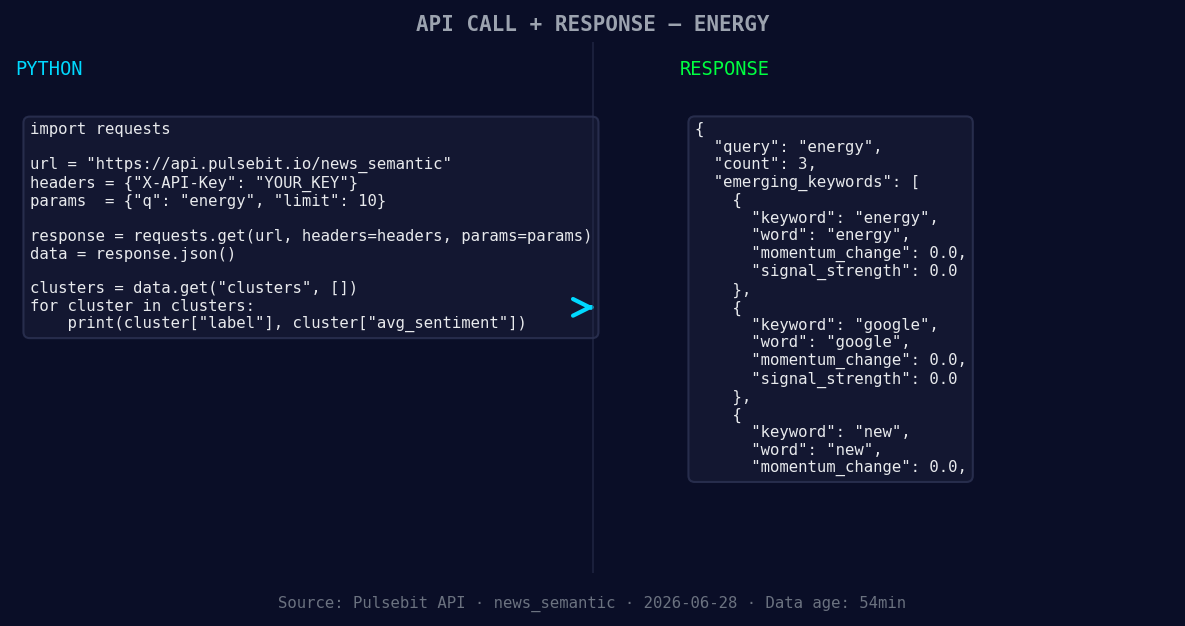
*Left: Python GET /news_semantic call for 'energy'. Right: returned JSON response structure (clusters: 3). Source: Pulsebit /news_semantic.*
# Geographic origin filter: query by Spanish language
response = requests.get(
"https://api.pulsebit.com/articles",
params={
"topic": topic,
"lang": "sp",
"momentum": momentum
}
)
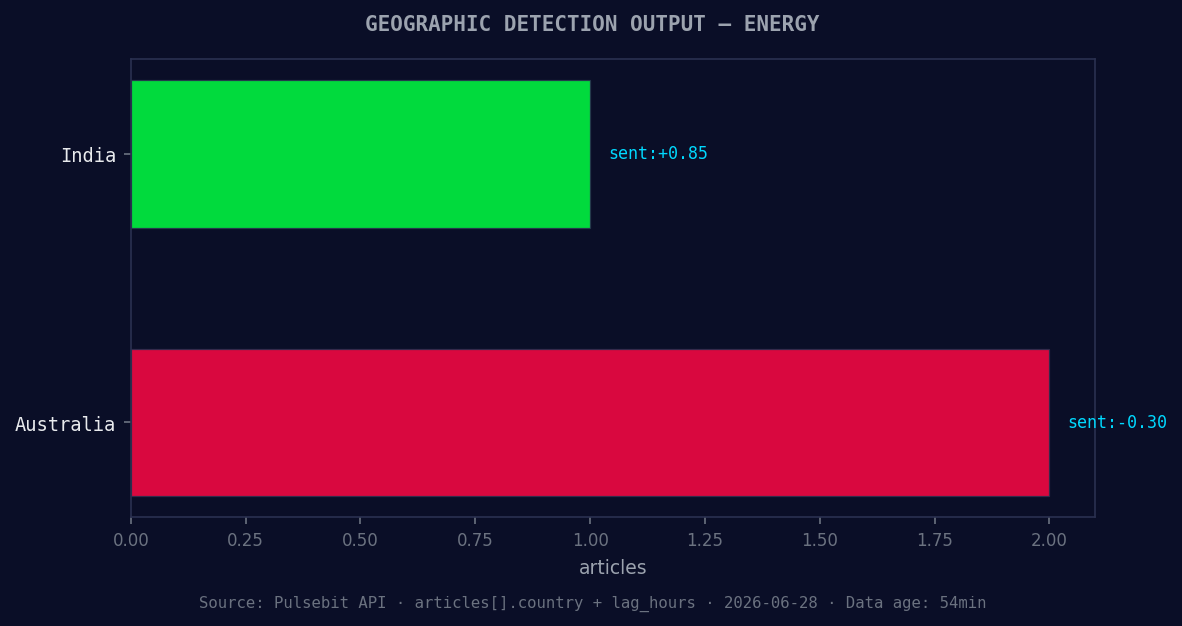
*Geographic detection output for energy. India leads with 1 articles and sentiment +0.85. Source: Pulsebit /news_recent geographic fields.*
print(response.json()) # Output the articles processed
# Meta-sentiment moment: score the narrative framing
cluster_reason = "Clustered by shared themes: energy, argentina, bringing, ahead, their."
sentiment_response = requests.post(
"https://api.pulsebit.com/sentiment",
json={"text": cluster_reason}
)
print(sentiment_response.json()) # Output the sentiment score for the cluster
In this code, we first filter for articles related to energy in Spanish, allowing us to capture those leading narratives. Then, we run the cluster reason string back through our sentiment endpoint to evaluate how those themes resonate. This dual approach ensures we not only catch the stories but also understand their emotional framing.
Now, let’s consider three specific builds you can implement based on this pattern:
Spanish Energy News Feed: Set up a continuous data stream that filters for energy articles in Spanish with a momentum score above +1.400. This should trigger alerts for rapid sentiment changes, providing you with timely insights.
Meta-Sentiment Tracker: Develop a dashboard that continuously scores the sentiment around clustered narratives (like our example). Use thresholds like a sentiment score of +0.200 to trigger notifications when significant shifts occur, allowing you to pivot your strategy.
Real-time Alerts for Forming Themes: Create an alert system for emerging themes in energy and related sectors, such as "Google" and "new." Establish a signal threshold of +0.100 to identify when mainstream narratives are forming, giving you a heads-up before they peak.
We’re excited for you to explore how to leverage these insights. If you want to dive deeper into the specifics of our API, check out our documentation at pulsebit.lojenterprise.com/docs. With just a few lines of code, you can start running impactful analyses in under 10 minutes. Happy coding!


Top comments (0)