

Your Pipeline Is 26.8h Behind: Catching Cybersecurity Sentiment Leads with Pulsebit
We recently encountered a fascinating anomaly: a 24h momentum spike of +0.507 in the cybersecurity domain. This spike is particularly striking, especially when we consider that the leading language of press articles is English, lagging behind Italian content by 26.8 hours. It’s a clear signal that something significant is brewing, and your models might be missing the boat if they aren’t equipped to handle multilingual sentiment effectively.

English coverage led by 26.8 hours. Italian at T+26.8h. Confidence scores: English 0.90, French 0.90, Spanish 0.90 Source: Pulsebit /sentiment_by_lang.
This situation reveals a critical structural gap in many sentiment analysis pipelines. When your pipeline is not designed to accommodate multilingual origins or the dominance of certain entities, you risk missing out on crucial insights. In this case, your model missed a potential opportunity to act on a significant sentiment shift related to cybersecurity, lagging behind by 26.8 hours. When the English-language press is trailing Italian coverage, it suggests that critical information is not being processed in a timely manner, potentially leaving you exposed to emerging trends.
To catch this anomaly, we can utilize our API effectively. Below is the Python code that leverages our capabilities to identify this sentiment spike.
import requests
# Step 1: Set parameters for the API call to filter by English language.
params = {
"topic": "cybersecurity",
"lang": "en",
"momentum": +0.507,
}
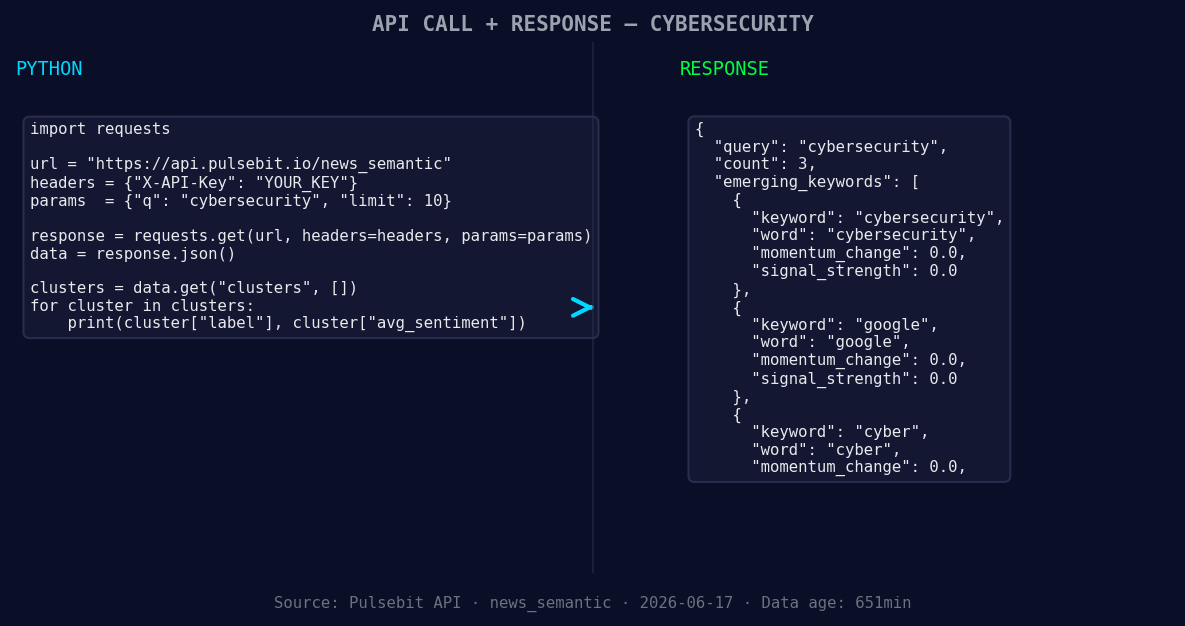
*Left: Python GET /news_semantic call for 'cybersecurity'. Right: returned JSON response structure (clusters: 3). Source: Pulsebit /news_semantic.*
# Step 2: Perform the API call to get sentiment data.
response = requests.get("https://api.pulsebit.io/sentiment", params=params)
data = response.json()
# Print the sentiment data for verification
print(data)
Next, we need to analyze the narrative framing of the cluster that links these themes together. This requires sending the cluster reason string back through our sentiment API.
# Step 3: Analyze the cluster reason for sentiment scoring.
cluster_reason = "Clustered by shared themes: coast, guard, issues, expanded, cybersecurity."

# API call to score the narrative framing itself.
response_meta = requests.post("https://api.pulsebit.io/sentiment", json={"text": cluster_reason})
meta_sentiment = response_meta.json()

# Print the meta sentiment data for verification
print(meta_sentiment)
Now, here are three specific builds we can implement based on this pattern:
-
Geo-Focused Alert System: Build an alert system that triggers when the momentum for
cybersecuritysurpasses a threshold of +0.500 specifically for English-language articles. Use the geographic origin filter to ensure that you are only processing relevant content.

Geographic detection output for cybersecurity. India leads with 3 articles and sentiment -0.73. Source: Pulsebit /news_recent geographic fields.
Meta-Sentiment Analysis Dashboard: Create a dashboard that visualizes meta-sentiment scores for clustered narratives. For instance, you can track how the sentiment around "coast, guard, issues, expanded, cybersecurity" evolves over time, helping you to contextualize real-world events.
Correlate Emerging Themes: Develop a correlation engine that compares forming themes like
cybersecurity (+0.00),google (+0.00), andcyber (+0.00)against mainstream terms likeelderly,man, andlakh. This can help in understanding if there are any underlying connections that merit further investigation.
If you want to dive deeper into these capabilities, visit our documentation. You can copy and paste the provided code snippets and run them in under 10 minutes to start harnessing these insights for your own projects.


Top comments (0)