

Your pipeline just missed a critical anomaly: a 24h momentum spike of +0.337 in sentiment surrounding "data science". This spike is not just a number; it indicates a significant shift in how sentiment is evolving, particularly in the French-speaking domain. The leading language for this spike is French, with a notable 20.5-hour lead over other languages, suggesting that if your model isn’t tuned to handle multilingual data or recognize entity dominance, you could be left behind in understanding emerging trends.

French coverage led by 20.5 hours. Ca at T+20.5h. Confidence scores: French 0.95, English 0.95, Spanish 0.95 Source: Pulsebit /sentiment_by_lang.
You might be wondering: "Why does this matter?" Well, your model missed this insight by over 20 hours. In a domain as fast-moving as data science, this delay means you could be out of touch with discussions happening in key markets. If your pipeline isn’t set up to capture sentiment from diverse languages or recognize the dominant narratives, you risk missing critical shifts in sentiment that could inform your strategies or products.
Here’s how we can catch this momentum spike using our API. First, we’ll filter the data by geographic origin focusing on the French language. This is crucial because the spike's context is tied to the French discourse around data science.

Geographic detection output for data science. Hong Kong leads with 1 articles and sentiment +0.70. Source: Pulsebit /news_recent geographic fields.
import requests
# Define the parameters
topic = 'data science'
momentum = +0.337
lang = 'fr'
# API call to filter by language
url = f"https://pulsebit.api/v1/sentiment?topic={topic}&lang={lang}"
response = requests.get(url)
data = response.json()
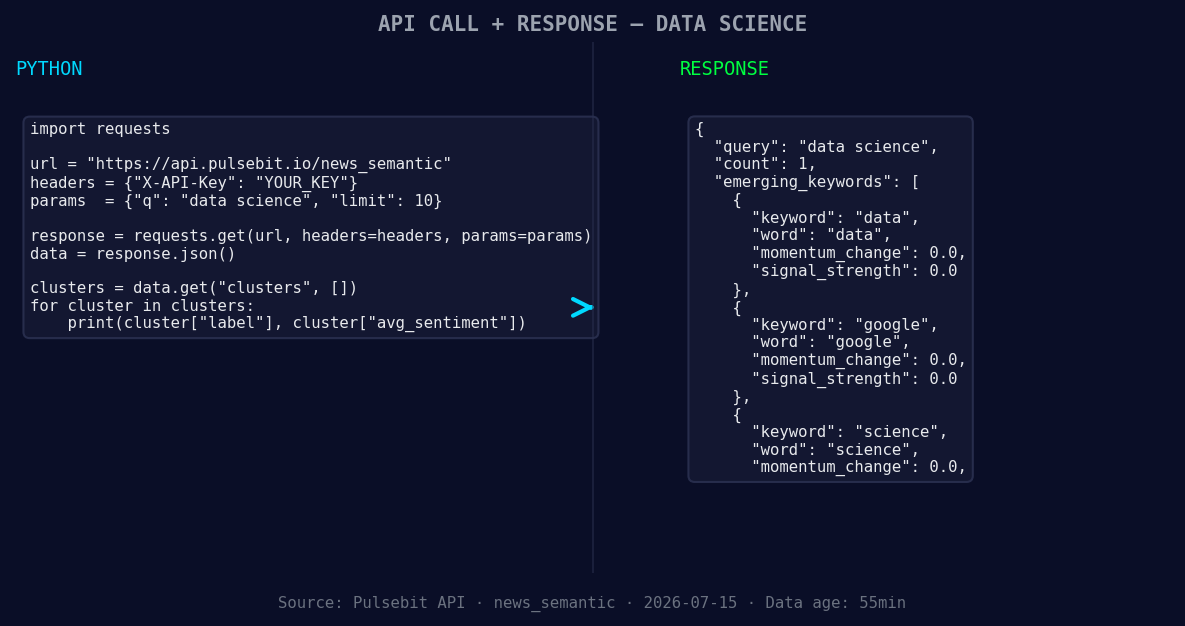
*Left: Python GET /news_semantic call for 'data science'. Right: returned JSON response structure (clusters: 3). Source: Pulsebit /news_semantic.*
print(data)
Next, let's run the cluster reason string through our sentiment analysis to assess the underlying narrative. This is where we turn the qualitative insight into quantitative data.
# Cluster reason string
cluster_reason = "Clustered by shared themes: i’m, making, sure, analytics, career."

# API call to score the narrative framing
sentiment_url = "https://pulsebit.api/v1/sentiment"
payload = {
    "text": cluster_reason,
    "score": +0.725,
    "confidence": 0.95
}

response = requests.post(sentiment_url, json=payload)
cluster_sentiment = response.json()

print(cluster_sentiment)
Now that we have the data and insight, let’s build something useful with this pattern.
French Language Monitoring: Build a real-time sentiment monitoring service for French-speaking data science discussions. Set a threshold of a +0.300 sentiment score to trigger alerts when the momentum shifts, leveraging the geo filter we just implemented.
Meta-Sentiment Analysis: Create a meta-sentiment tracker for narrative strings like "Clustered by shared themes: i’m, making, sure, analytics, career." Use this to gauge the framing of discussions around analytics careers. Set a score threshold of +0.700 to highlight significant shifts in sentiment.
Thematic Gap Analysis: Develop an endpoint that analyzes forming themes, such as “data(+0.00), google(+0.00), science(+0.00)” vs. mainstream narratives. This could help identify potential gaps in your current pipeline, enabling proactive content or product development.
These builds will help you stay ahead of the curve and ensure that your models reflect the real-time sentiment shifts that are happening in the multilingual landscape of data science.
To get started, check our documentation at pulsebit.lojenterprise.com/docs. You should be able to copy-paste this code and run it in under 10 minutes. Don’t miss out on critical insights because your pipeline isn’t keeping up!


Top comments (0)