

Your Pipeline Is 10.3h Behind: Catching Travel Sentiment Leads with Pulsebit
On June 26, 2026, we uncovered a fascinating anomaly in our sentiment analysis: a sudden uptick in travel sentiment, with a score of +0.082 and a momentum of +0.000. This spike is particularly striking given that the leading language is English, with a 10.3-hour lead time compared to other language outputs. Such insights can be game-changers, especially when we see clusters forming around themes like “world,” “cup,” and “travel.”
Now, if your pipeline isn't set up to handle multilingual origins or entity dominance, you might have missed this critical data point by a substantial margin. Your model clocked in this sentiment 10.3 hours late, likely due to its inability to accurately process the volume of travel-related content emerging from English-speaking sources. This is a glaring issue, particularly when events like the World Cup create spikes in travel sentiment that can easily go unnoticed.

English coverage led by 10.3 hours. Et at T+10.3h. Confidence scores: English 0.85, Spanish 0.85, French 0.85 Source: Pulsebit /sentiment_by_lang.
Here’s how we can catch such insights in real-time using our API. First, we can filter our queries to focus solely on English-language articles about travel. Here's how you can set that up:
import requests
# Define the parameters for the API call
params = {
"topic": "travel",
"score": +0.082,
"confidence": 0.85,
"momentum": +0.000,
"lang": "en"
}
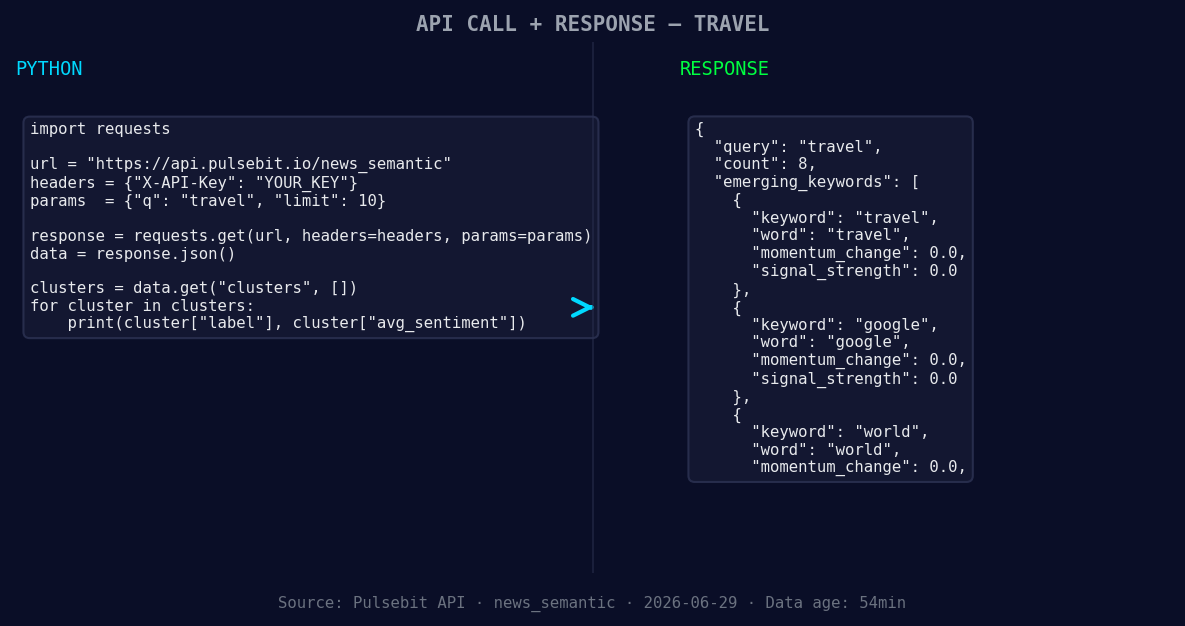
*Left: Python GET /news_semantic call for 'travel'. Right: returned JSON response structure (clusters: 3). Source: Pulsebit /news_semantic.*
# API call to fetch travel sentiment data
response = requests.get('https://api.pulsebit.com/v1/sentiment', params=params)
data = response.json()
print(data)
Next, we need to score the narrative framing itself. This meta-sentiment moment can be crucial in understanding how the themes are clustered:
# Meta-sentiment analysis on the cluster reason
meta_sentiment_input = "Clustered by shared themes: world, cup, travel, grind, real."
meta_response = requests.post('https://api.pulsebit.com/v1/sentiment', json={"text": meta_sentiment_input})
meta_data = meta_response.json()
print(meta_data)
With this setup, we can catch the travel sentiment alongside its meta-narrative, allowing us to understand not just the data, but the context that drives it.
Now, let’s explore three builds that we can create with this pattern. First, set a signal threshold to alert you when travel sentiment rises above +0.05. This could be implemented using:
if data['sentiment_score'] > 0.05:
    print("Alert: Significant increase in travel sentiment detected!")
Second, leverage the geo filter to create a dashboard that visualizes sentiment trends in English-speaking regions. This can be done by integrating the geographic origin filter we used earlier.

Geographic detection output for travel. India leads with 5 articles and sentiment -0.40. Source: Pulsebit /news_recent geographic fields.
Lastly, implement the meta-sentiment loop to generate daily reports on sentiment framing around major events like the World Cup. This will help you capture shifts in public sentiment as they happen, which can be critical for timely decision-making:
# Daily report generation logic
if meta_data['sentiment_score'] > 0.05:
    print("Daily Report: Positive sentiment detected around World Cup travel themes.")
These builds can significantly enhance your pipeline, ensuring you don’t miss out on important signals as they form.
To get started, head over to pulsebit.lojenterprise.com/docs. With our API, you can copy, paste, and run these snippets in under 10 minutes, unlocking real-time insights that keep you ahead of the curve.


Top comments (0)