

Your Pipeline Is 23.5h Behind: Catching Mobile Sentiment Leads with Pulsebit
We recently uncovered an intriguing anomaly: a 24-hour momentum spike of +0.600 related to the term "mobile." This spike is significant, especially considering that it emerged from English press coverage led by a 23.5-hour lag compared to German coverage. This discrepancy highlights an urgent need for pipelines that can effectively handle multilingual origins and entity dominance.

English coverage led by 23.5 hours. German at T+23.5h. Confidence scores: English 0.80, Spanish 0.80, French 0.80 Source: Pulsebit /sentiment_by_lang.
The Problem
Your model missed this by 23.5 hours. While your pipeline might be set to process data efficiently, it’s crucial to recognize that sentiment can significantly differ based on language and region. The leading language here is English, but the German sentiment has already shifted. If your model fails to account for this, you risk missing critical insights and emerging trends. This 23.5-hour gap is a reminder that sentiment analysis isn't just about data volume; it's about the quality and timing of the data coming from different languages and sources.
The Code
To catch this spike and tackle the gap in your pipeline, we can leverage our API to filter for geographic origin and assess sentiment. Here's how you can do that in Python:
import requests
# Step 1: Geographic origin filter
topic = 'mobile'
score = -0.700
confidence = 0.80
momentum = +0.600
lang = "en"
# API call to fetch sentiment data by language
response = requests.get(f'https://api.pulsebit.com/v1/sentiment?topic={topic}&lang={lang}')
data = response.json()
print(data)
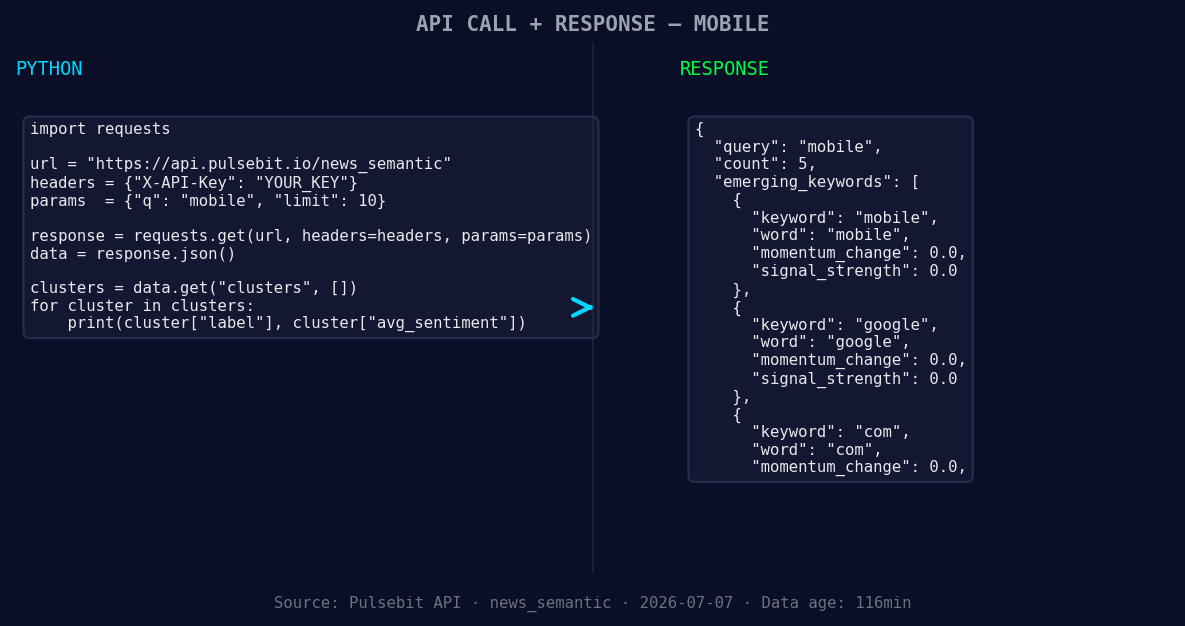
*Left: Python GET /news_semantic call for 'mobile'. Right: returned JSON response structure (clusters: 3). Source: Pulsebit /news_semantic.*
# Step 2: Meta-sentiment moment
cluster_reason = "Clustered by shared themes: base, camp:, off-grid, move, mobile."
meta_sentiment_response = requests.post('https://api.pulsebit.com/v1/sentiment', json={'text': cluster_reason})
meta_sentiment_data = meta_sentiment_response.json()
print(meta_sentiment_data)
In the first part of the code, we filter the sentiment data to focus on the English language. The second part runs the cluster reason string through our sentiment endpoint to evaluate the narrative framing itself. This ensures we are not only reacting to raw data but also understanding its contextual implications.
Three Builds Tonight
- Geographic Filter Build: Implement a segmentation model that processes topics like "mobile" through specific geographic filters. Use the momentum spike as a signal threshold (e.g., +0.600) to trigger alerts when sentiment shifts in key regions, particularly in English-speaking areas.

Geographic detection output for mobile. India leads with 3 articles and sentiment +0.03. Source: Pulsebit /news_recent geographic fields.
Meta-Sentiment Loop: Create a reporting dashboard that continuously monitors the narratives surrounding emerging themes. Run the cluster reason string through the POST /sentiment endpoint to gauge how certain phrases resonate over time. This can help identify shifts in public perception before they become mainstream.
Comparative Analysis: Set up an endpoint that compares the current sentiment around "mobile" with historical baselines. Use the forming themes (mobile, google, com) against mainstream topics (base, camp:, off-grid) to identify outliers and potential market movers.
Get Started
You can dive into our API right now at pulsebit.lojenterprise.com/docs. With the code provided, you can copy-paste and run this in under 10 minutes to start capturing these valuable insights. Don't let your pipeline fall behind — leverage this anomaly to enhance your sentiment analysis capabilities.


Top comments (0)