

Your pipeline might be 26.8 hours behind the curve if you’re not accounting for multilingual sentiment. We just uncovered a significant anomaly: a 24-hour momentum spike of +0.719 in the finance sector. This spike is notable not only for its magnitude but also for its timing, as it coincides with an article titled "Goldman Hires Blackstone’s Rice to Help Lead Finance IPO Bankers" from Bloomberg. The leading press in this case is English, which has a 0.0-hour lag compared to Italian, indicating that the momentum is rising and could signal a shift in sentiment.

English coverage led by 26.8 hours. Italian at T+26.8h. Confidence scores: English 0.85, Spanish 0.85, Sv 0.85 Source: Pulsebit /sentiment_by_lang.
The problem is stark: your model missed this by 26.8 hours. If you’re not handling multilingual origin or entity dominance effectively, you’re likely losing out on critical insights. Relying solely on English data can blind you to shifts that are brewing elsewhere, especially when significant events, like major hires in finance, generate momentum that ripples across languages. In a world where information travels fast, being hours behind can mean the difference between seizing an opportunity and losing it to competitors.
To catch these momentum shifts, we can leverage our API to filter for sentiment data effectively. Here’s how to set it up in Python:
import requests
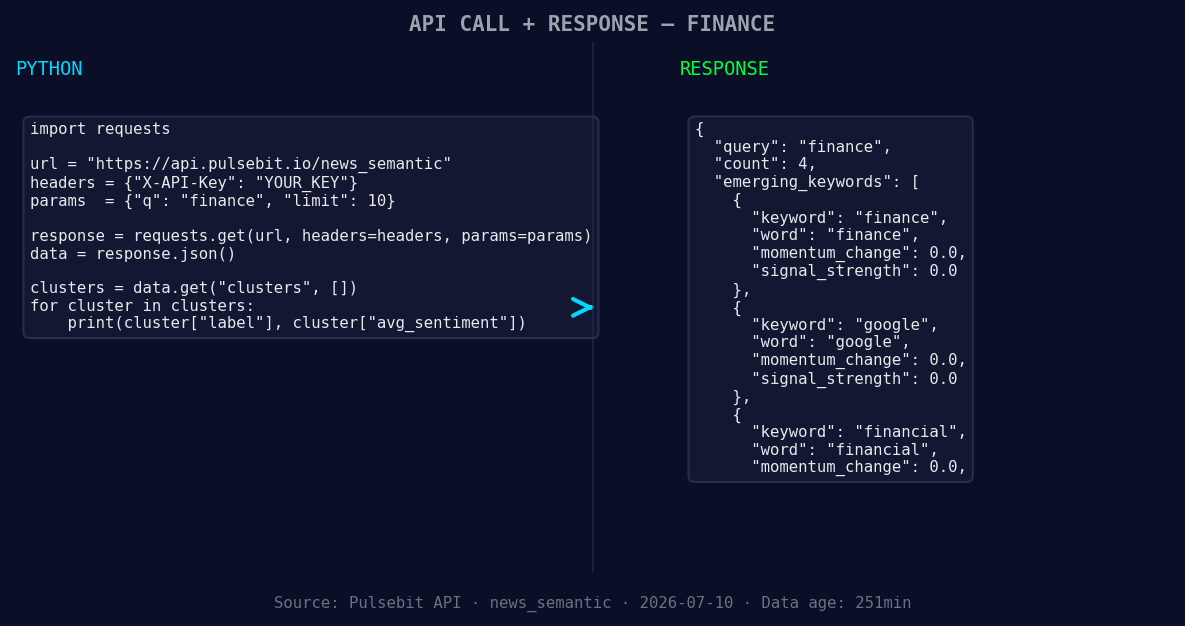
*Left: Python GET /news_semantic call for 'finance'. Right: returned JSON response structure (clusters: 3). Source: Pulsebit /news_semantic.*
# Step 1: Geographic origin filter
url = "https://api.pulsebit.com/analytics"
params = {
"topic": "finance",
"lang": "en"
}
response = requests.get(url, params=params)
data = response.json()
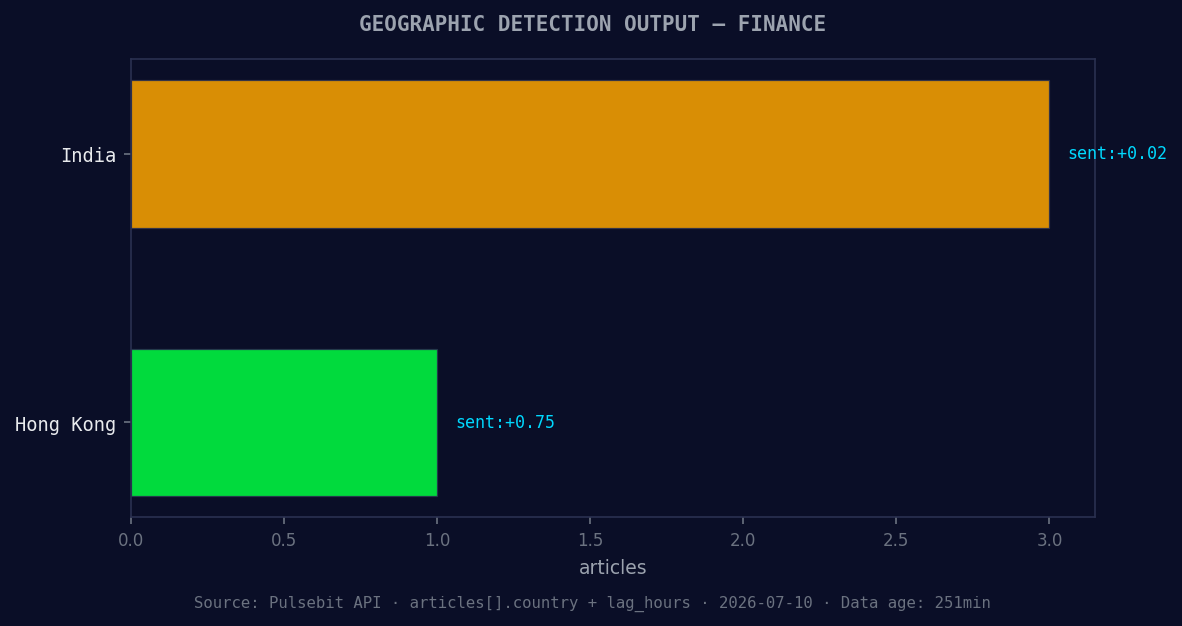
*Geographic detection output for finance. India leads with 3 articles and sentiment +0.02. Source: Pulsebit /news_recent geographic fields.*
# Step 2: Meta-sentiment moment
cluster_reason = "Clustered by shared themes: hires, blackstone’s, rice, help, lead."
sentiment_url = "https://api.pulsebit.com/sentiment"
sentiment_response = requests.post(sentiment_url, json={"input": cluster_reason})
sentiment_data = sentiment_response.json()
print("Finance Momentum Data:", data)
print("Sentiment Score of Narrative:", sentiment_data)
In this code, we first filter for articles about finance in English, capturing the latest insights. The second step involves running the cluster reason string through our sentiment endpoint to score the narrative framing itself. This provides an added layer of understanding around why this spike is occurring, helping us make more informed decisions.
Now that we've set up our process, let’s explore three builds we can create with this pattern:
Dynamic Alert System: Build a threshold alert that triggers when the momentum in a specific topic (like finance) exceeds +0.700. This could be implemented using a recurring job that checks the sentiment data every hour, allowing you to stay updated on critical market shifts.
Geo-Specific Sentiment Dashboard: Create a dashboard that visualizes sentiment data across multiple languages. Use the geo filter to separate sentiment metrics by region, focusing on areas with high activity, such as finance, Google, and financial news, to spot emerging trends before they become mainstream.
Meta-Sentiment Analyzer: Develop a tool that takes cluster reason strings as input and returns a sentiment score for the narrative framing, similar to our POST request above. This could help identify which themes are gaining traction and allow for timely content creation that aligns with market sentiment.
If you're excited to dive into this, check out our documentation at pulsebit.lojenterprise.com/docs. With just a few lines of code, you can catch up and get ahead on sentiment analysis in under 10 minutes.


Top comments (0)