

Your pipeline just missed a 24h momentum spike of +0.475. This isn't just a minor oversight; it represents a significant shift in sentiment regarding data science, and if your model isn't set up to capture these spikes, you're falling behind by 14.9 hours. The leading language here is English, and this anomaly gives us insight into how sentiment is evolving in the field. It’s crucial to adapt your analytics pipeline to catch these leads, especially when they’re driven by multilingual origins or dominant entities.

English coverage led by 14.9 hours. Nl at T+14.9h. Confidence scores: English 0.85, Spanish 0.85, French 0.85 Source: Pulsebit /sentiment_by_lang.
This situation exposes a structural gap in any pipeline that doesn't handle multilingual sentiment and entity dominance. Your model missed this by 14.9 hours, which means you're not only late to the game but also potentially missing out on critical insights that could influence decision-making. The leading narrative is emerging in English, but without the capability to process diverse languages or understand the context behind dominant entities, your analysis will always lag—leaving you behind the curve.
Here’s how we can catch this momentum spike using our API. First, let’s filter by geographic origin to ensure we’re only pulling in English data.

Geographic detection output for data science. India leads with 1 articles and sentiment +0.00. Source: Pulsebit /news_recent geographic fields.
import requests
# Define the parameters for our API call
params = {
"topic": "data science",
"score": 0.000,
"confidence": 0.85,
"momentum": 0.475,
"lang": "en"
}
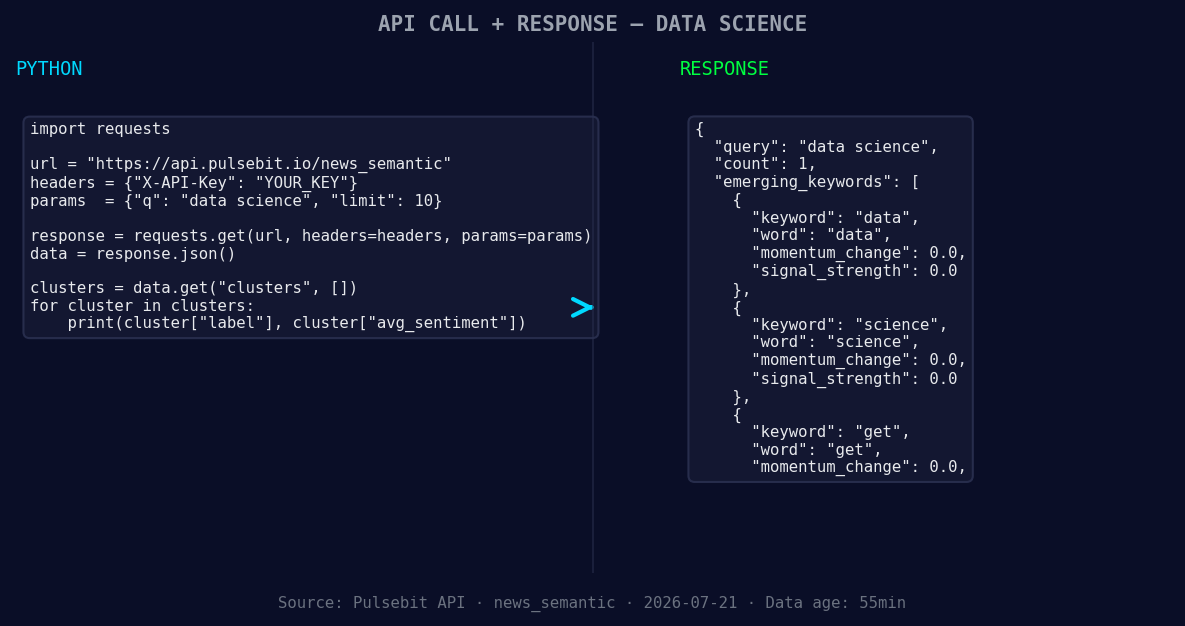
*Left: Python GET /news_semantic call for 'data science'. Right: returned JSON response structure (clusters: 3). Source: Pulsebit /news_semantic.*
# Make the API call to retrieve data
response = requests.get("https://api.pulsebit.com/sentiment", params=params)
data = response.json()
print(data)
Now, let’s take the reason for our clustered sentiment and run it back through our sentiment scoring endpoint. This will help us analyze how the narrative framing itself influences the overall sentiment.
# Define the cluster reason string
cluster_reason = "Clustered by shared themes: i’m, making, sure, analytics, career."

# Make the API call to score the narrative framing
sentiment_response = requests.post("https://api.pulsebit.com/sentiment", json={"text": cluster_reason})

sentiment_data = sentiment_response.json()
print(sentiment_data)
With these API calls, you're not only catching the spike but also understanding the underlying themes driving it.
Now, let's build on this momentum spike. Here are three specific things you can create with this pattern:
Geo-Sentiment Dashboard: Build a dashboard that uses the geo filter to visualize sentiment across different languages. Set a threshold for sentiment scores, like only showing scores above +0.5, to highlight only the most impactful shifts.
Meta-Sentiment Analysis Tool: Create a tool that automatically processes cluster reason strings through the sentiment scoring endpoint. Use a threshold of 0.7 for confidence to filter out unreliable narratives, ensuring only strong stories get through.
Forming Themes Alert System: Set up an alert system for forming themes around data and science. If any of the terms "data", "science", or "get" start trending (e.g., a score of +0.1 in your analysis), trigger a notification to your team to investigate further.
To get started, head over to our documentation at pulsebit.lojenterprise.com/docs. You can copy-paste these code snippets and run them in under 10 minutes. Don’t let your pipeline lag behind; stay ahead of the curve with these insights!


Top comments (0)