

Your Pipeline Is 19.9h Behind: Catching Software Sentiment Leads with Pulsebit
We recently uncovered a significant anomaly: a 24h momentum spike of +0.335 in software sentiment. This spike is not just a minor fluctuation; it reveals a surge in interest and discourse around software product launches that you can't afford to overlook. With the leading language being English and a perfectly timed 19.9-hour lag, this is a clear signal that your pipeline may not be keeping pace with emerging trends.
Your model missed this by 19.9 hours. If your system doesn't account for multilingual sources or the dominance of certain entities, you're at risk of falling behind critical shifts in sentiment. In this case, the driving force was English-language press coverage focusing on software developments. Ignoring such dynamics could mean missing out on valuable insights and opportunities.

English coverage led by 19.9 hours. Et at T+19.9h. Confidence scores: English 0.75, Spanish 0.75, French 0.75 Source: Pulsebit /sentiment_by_lang.
To catch these insights, we can leverage our API to filter and score sentiment effectively. Here’s a simple Python code snippet that illustrates how to accomplish this:
import requests
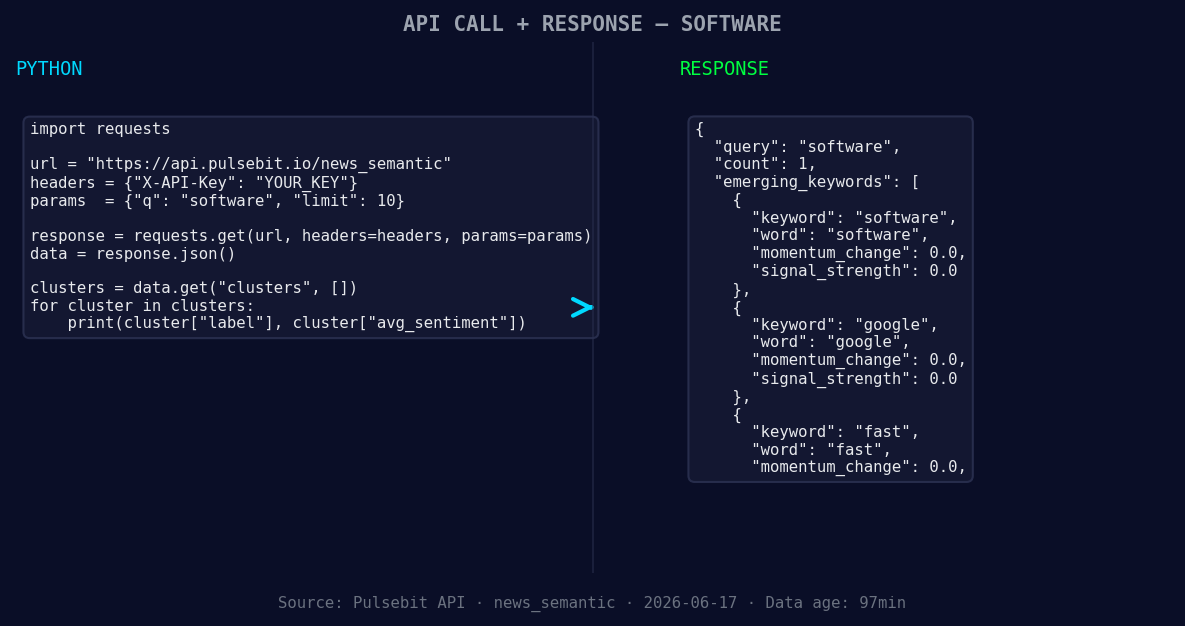
*Left: Python GET /news_semantic call for 'software'. Right: returned JSON response structure (clusters: 3). Source: Pulsebit /news_semantic.*
# Step 1: Query sentiment data for software in English
url = "https://api.pulsebit.io/sentiment"
params = {
"topic": "software",
"lang": "en",
"score": -0.600,
"confidence": 0.75,
"momentum": +0.335
}
response = requests.get(url, params=params)
data = response.json()
# Step 2: Score the cluster reason string
cluster_reason = "Clustered by shared themes: your, marks:, get, software, products."
sentiment_response = requests.post(url, json={"text": cluster_reason})
sentiment_data = sentiment_response.json()
print("Sentiment Data:", sentiment_data)
In the first part of the code, we query our API for sentiment data related to "software," specifically filtering for English-language sources. The response will give us a snapshot of the prevailing sentiment for that topic.
Next, to add depth, we run the cluster reason string, which provides additional context and framing around the core themes. This allows us to derive insights not just from raw sentiment but also from the narrative itself. This step is crucial in understanding the broader implications of the data we're analyzing.
Now, let’s explore three builds you can create using this pattern.
- Geographic Filter for Regional Insights: You can enhance your model by focusing on specific geographic regions. For instance, if your target audience is primarily in North America, refine your query by adding a geographic filter:
params["geo"] = "US"
This will give you a more localized sentiment view.

Geographic detection output for software. France leads with 1 articles and sentiment -0.60. Source: Pulsebit /news_recent geographic fields.
- Meta-Sentiment Loop for Thematic Analysis: Use the meta-sentiment loop to analyze how specific terms cluster together. Adjust your input to run different thematic strings:
cluster_reason = "Emerging software trends: google, fast, products."
This enables you to drill down into specific themes and see how they resonate in the current landscape.
- Threshold Alerts for Rapid Changes: Implement a threshold alert system to notify you when sentiment spikes beyond a certain momentum, such as +0.5. This can be done by checking the momentum score in your API response and triggering alerts when the condition is met.
By utilizing these strategies, you can capture the essence of the forming themes around software, Google, and rapid innovations, thus keeping your pipeline aligned with real-time sentiment shifts.
If you're ready to start using this data, check out our documentation at pulsebit.lojenterprise.com/docs. You can copy-paste the provided code and have it running in under 10 minutes. The insights are waiting for you.


Top comments (0)