

Your Pipeline Is 25.2h Behind: Catching Travel Sentiment Leads with Pulsebit
We just uncovered a striking anomaly: a 24h momentum spike of +1.500 in the travel sector. This spike, driven by a surge in positive sentiment around new small group tours introduced by Globus, highlights the rapid shifts in traveler interest and sentiment. As developers working in sentiment analysis, we need to be acutely aware of these sudden changes to stay ahead of the curve.
But here's the catch: our models often struggle to keep pace with these developments. If your pipeline isn't equipped to handle multilingual content or entity dominance, you might have missed this pivotal moment by 25.2 hours. The leading language in this spike was English, and if your model is solely focused on a single language or region, you're at risk of being out of sync with the latest trends.

English coverage led by 25.2 hours. Sq at T+25.2h. Confidence scores: English 0.85, Da 0.85, Spanish 0.85 Source: Pulsebit /sentiment_by_lang.
Let’s dive into the code that can help you catch these emerging trends. First, we’ll filter for the relevant geographic origin by querying our API using the language parameter. Here's how to set that up:
import requests
# Define parameters for our API call
params = {
"topic": "travel",
"score": +0.269,
"confidence": 0.85,
"momentum": +1.500,
"lang": "en"
}
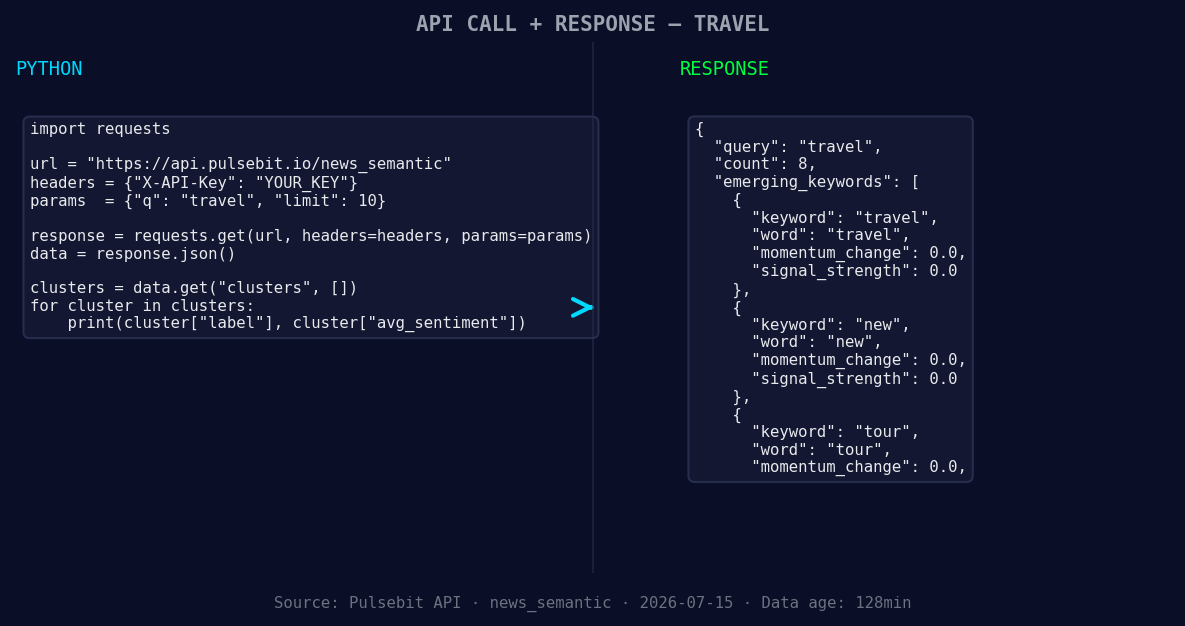
*Left: Python GET /news_semantic call for 'travel'. Right: returned JSON response structure (clusters: 3). Source: Pulsebit /news_semantic.*
# API call to get sentiment data
response = requests.get("https://pulsebit.api/sentiment", params=params)
data = response.json()
print(data)
Next, we’ll leverage the cluster reason string to run a meta-sentiment analysis. This allows us to score the narrative framing around this spike. Here's how you can do that:
# Run the cluster reason string through the sentiment API
meta_sentiment = "Clustered by shared themes: introduces, new, small, group, tours."
meta_response = requests.post("https://pulsebit.api/sentiment", json={"text": meta_sentiment})
meta_data = meta_response.json()

print(meta_data)
By executing these two segments of code, you can effectively capture and analyze the emerging travel sentiment narrative.
Now, let’s talk about three actionable builds you can implement tonight based on this pattern:
- Geographic Filter: Create a filter that only processes articles from English-speaking regions where the sentiment scores are above +0.2. This ensures you’re capturing only the most relevant content.

Geographic detection output for travel. India leads with 5 articles and sentiment +0.03. Source: Pulsebit /news_recent geographic fields.
   params = {
       "topic": "travel",
       "score": +0.269,
       "confidence": 0.85,
       "momentum": +1.500,
       "lang": "en",
       "threshold": 0.2
   }
- Meta-Sentiment Loop: Use the meta-sentiment analysis to create alerts when the score exceeds a certain threshold. If the cluster reason string consistently scores above 0.25, trigger a notification for further investigation.
   if meta_data['score'] > 0.25:
       # Trigger alert
       print("Alert: Significant shift in travel sentiment detected.")
- Forming Themes Dashboard: Build a dashboard feature that visualizes forming themes like “travel,” “new,” and “tour” alongside mainstream narratives. This helps you quickly identify potential opportunities or threats.
   forming_themes = ["travel(+0.00)", "new(+0.00)", "tour(+0.00)"]
   mainstream = ["introduces", "new", "small"]
   # Visualization logic here...
With these builds, you'll be better positioned to quickly react to sentiment shifts in the travel sector, ensuring you never fall behind the trends.
For more detailed guidance, check out our documentation at pulsebit.lojenterprise.com/docs. You can copy, paste, and run the code provided in under 10 minutes, setting up your pipeline to be more responsive to the nuances of sentiment changes.


Top comments (0)