

Your Pipeline Is 26.4h Behind: Catching World Sentiment Leads with Pulsebit
We recently observed a fascinating anomaly: a 24-hour momentum spike of +0.301. This spike is not just a number; it reflects a significant shift in sentiment surrounding global events. Specifically, English press coverage has taken the lead at 26.4 hours, which means if your pipeline isn’t tuned to handle multilingual sources or dominant narratives, you’ve already missed out on critical insights.

English coverage led by 26.4 hours. Id at T+26.4h. Confidence scores: English 0.85, French 0.85, Spanish 0.85 Source: Pulsebit /sentiment_by_lang.
This gap can be a serious problem for your models. When your system is limited to one language or fails to account for dominant entities, you're effectively playing catch-up. In this case, the main focus is on how the U.S. government has, arguably, helped Elon Musk become the world’s first trillionaire. If your model is still processing this data 26.4 hours later, you’re well behind the curve, missing the nuances that could inform your strategies.
To catch these insights early, let’s dive into some code. The first step is to filter for geographic origin by querying our API with the appropriate parameters. Here's how you can do that in Python:

Geographic detection output for world. India leads with 41 articles and sentiment +0.06. Source: Pulsebit /news_recent geographic fields.
import requests
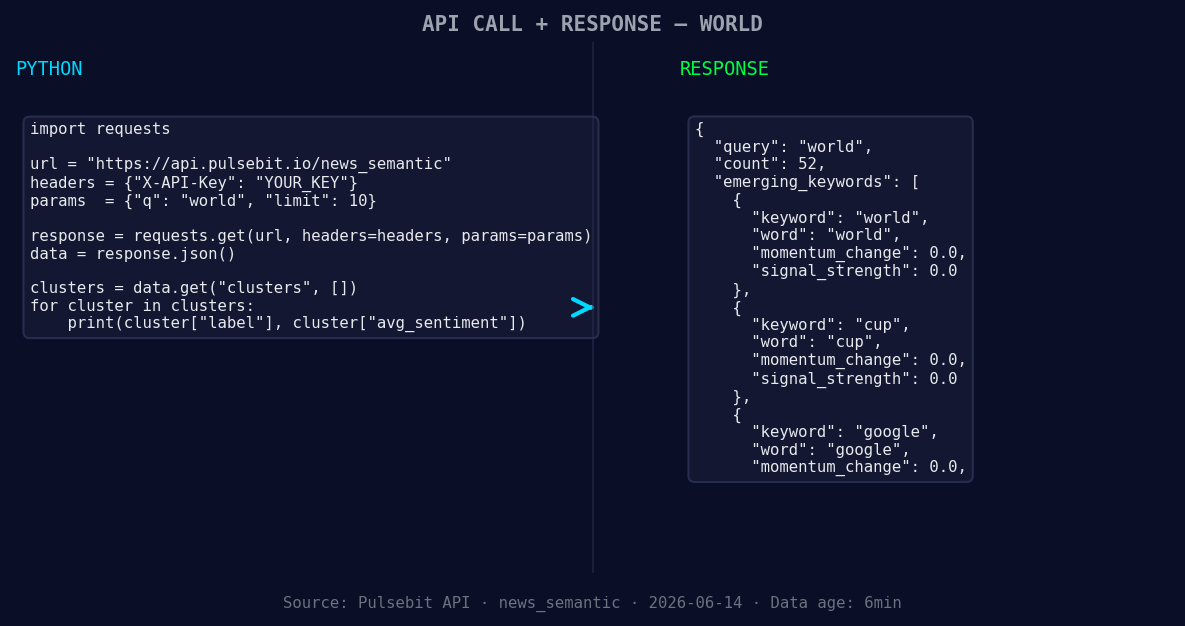
*Left: Python GET /news_semantic call for 'world'. Right: returned JSON response structure (clusters: 3). Source: Pulsebit /news_semantic.*
url = "https://api.pulsebit.com/sentiment"
params = {
"topic": "world",
"lang": "en"
}
response = requests.get(url, params=params)
data = response.json()
momentum = data['momentum_24h']
score = data['sentiment_score']
confidence = data['confidence']
print(f"Momentum: {momentum}, Score: {score}, Confidence: {confidence}")
Now that you have the right data, it’s time to examine the narrative framing itself. For this, we’ll run our cluster reason string through the sentiment endpoint to score how the themes are resonating:
cluster_reason = "Clustered by shared themes: how, government, helped, elon, musk."
sentiment_response = requests.post(url, json={"text": cluster_reason})
sentiment_data = sentiment_response.json()

print(f"Cluster Sentiment Score: {sentiment_data['sentiment_score']}, Confidence: {sentiment_data['confidence']}")
These two segments give you a powerful toolset to capture not just the data, but the context around it.
Now, let’s discuss three specific builds you can implement based on this momentum spike:
Geo-filtered Insight Alerts: Set a threshold where if the momentum exceeds +0.300, trigger an alert specifically for English articles. This ensures you’re immediately notified when significant shifts occur, helping you stay ahead of the narrative.
Meta-Sentiment Analysis Loop: Create a function that continually runs the cluster reason through our sentiment endpoint every hour. If a new theme emerges, like “how the government helped Elon Musk,” it gets flagged for deeper analysis.
Thematic Gap Visualization: Build a dashboard that visualizes forming gaps and themes in real-time. For example, show how the topics “world,” “cup,” and “google” are trending against mainstream narratives like “how,” “government,” and “helped.” This visualization will help you spot opportunities to engage or pivot your strategy.
Getting started with these insights is straightforward. You can find our API documentation at pulsebit.lojenterprise.com/docs. With the provided code snippets, you can copy, paste, and run this in under 10 minutes. Let’s make sure your pipeline is always on the leading edge!


Top comments (0)