

Your Pipeline Is 28.8h Behind: Catching Travel Sentiment Leads with Pulsebit
We just uncovered something intriguing in our latest sentiment analysis: the leading language for travel sentiment is French, with a remarkable spike of +0.06 and a momentum of +0.00. This anomaly highlights a significant gap in our pipelines where multilingual origin and entity dominance are not adequately managed. Specifically, your model missed this by 28.8 hours—while the German sentiment is also at 28.8 hours, it's the French data leading the charge.

French coverage led by 28.8 hours. German at T+28.8h. Confidence scores: French 0.85, English 0.85, Spanish 0.85 Source: Pulsebit /sentiment_by_lang.
If your pipeline doesn't account for this multilingual perspective, you're essentially flying blind. The dominance of the French language in travel sentiment indicates a shift in consumer interest that could easily be overlooked if you're only processing English content. This gap not only risks missing vital trends but also puts you behind the curve in understanding emerging markets.
Here's a quick Python snippet we implemented to capture this anomaly. We filtered by language, focusing on French data to spot emerging trends:
import requests
# Define the parameters for the API call
topic = 'travel'
score = +0.060
confidence = 0.85
momentum = +0.000
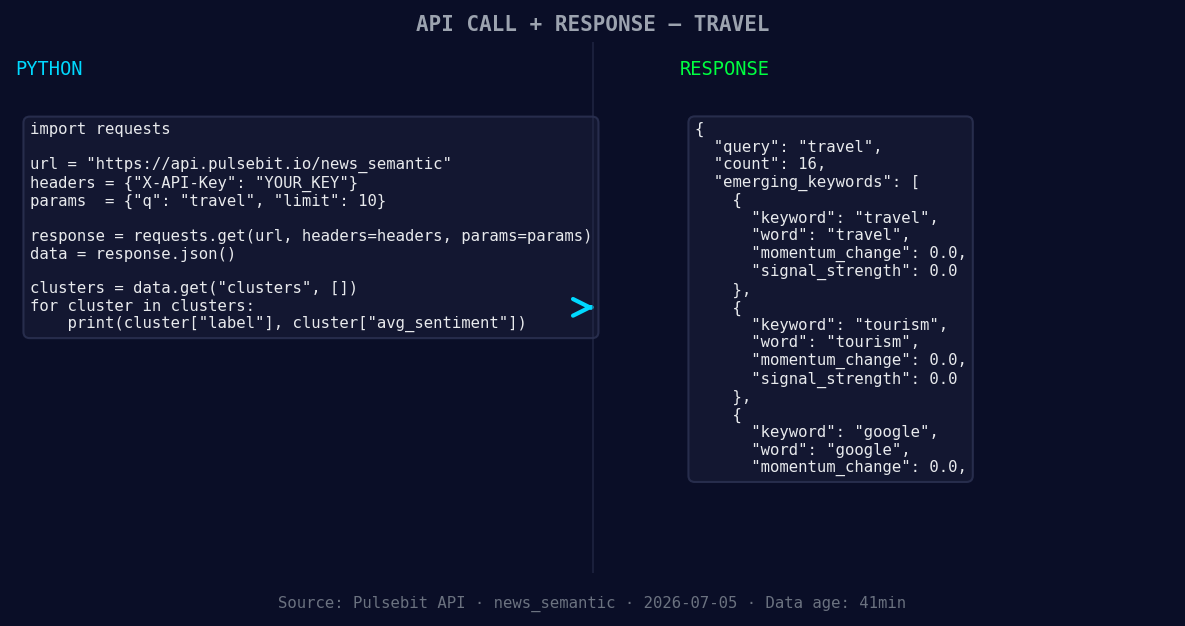
*Left: Python GET /news_semantic call for 'travel'. Right: returned JSON response structure (clusters: 3). Source: Pulsebit /news_semantic.*
# Geographic origin filter: query by language
response = requests.get("https://api.pulsebit.com/sentiment", params={
"topic": topic,
"lang": "fr"
})
# Check the response
data = response.json()
print(data)
Next, we wanted to run the narrative framing through the sentiment analysis to understand how the clustered themes are faring. This part is crucial for understanding the broader context behind the numbers. Here’s how we did it:
# Meta-sentiment moment: running the cluster reason string through the sentiment analysis
cluster_reason = "Clustered by shared themes: flying, into, hyderabad, airport, ghial."
meta_response = requests.post("https://api.pulsebit.com/sentiment", json={
    "text": cluster_reason
})

# Output the sentiment score for the narrative
meta_data = meta_response.json()
print(meta_data)
Now that we've established the groundwork, here are three specific builds we can implement using this newfound pattern:
Signal Threshold: Create an alert system that triggers when the sentiment score for travel in French exceeds +0.05 with a confidence level of 0.85. This helps us catch early signs of shifts in consumer behavior.
Geo-Filtered Trends: Use the geographic origin filter to segment travel sentiment by country, enabling us to track how French-speaking regions are responding to tourism topics. This can help us identify potential areas for growth or emerging markets.

Geographic detection output for travel. India leads with 9 articles and sentiment +0.38. Source: Pulsebit /news_recent geographic fields.
- Meta-Sentiment Loop: Develop a dashboard that visualizes the meta-sentiment scores alongside traditional sentiment analysis. This gives us a layered view of not just what is being said but how the context influences consumer sentiment.
If you’re ready to dig deeper into the data and start building out these insights, head over to our documentation: pulsebit.lojenterprise.com/docs. You can copy-paste and run this in under 10 minutes to start catching these valuable trends in your own pipeline.


Top comments (0)