

Your pipeline is 27.8 hours behind: catching film sentiment leads with Pulsebit
We recently uncovered an intriguing anomaly: a sentiment spike of +0.37 with a momentum of +0.00 around the topic of film. This spike, driven by a singular narrative about the "Banner Film Society" organizing a tribute to the veteran film critic M.F. Thomas, suggests something deeper is at play. With one article capturing the essence of this cluster, we see clear evidence that our sentiment pipelines need to be agile and responsive, especially in an environment where multilingual origins can skew the data.

English coverage led by 27.8 hours. Da at T+27.8h. Confidence scores: English 0.75, Spanish 0.75, French 0.75 Source: Pulsebit /sentiment_by_lang.
The Problem
This sentiment spike reveals a significant structural gap in pipelines that don’t account for multilingual origins or dominant entities. In this case, your model missed this by 27.8 hours, allowing a noteworthy sentiment shift to go unrecognized. The leading language here is English, but the clustered story is deeply tied to cultural nuances and regional significance that don’t translate easily across different contexts. If your pipeline isn't designed to capture these dynamics, you're at risk of overlooking critical shifts in public sentiment.
The Code
To catch this anomaly in real-time, we can leverage our API to filter by geographic origin and apply a meta-sentiment analysis. Here’s how you can do it:

Geographic detection output for film. India leads with 8 articles and sentiment +0.30. Source: Pulsebit /news_recent geographic fields.
import requests
# Step 1: Geographic origin filter
lang = "en"
topic = "film"
url = f"https://api.pulsebit.com/v1/sentiment?topic={topic}&lang={lang}"
# Make the API call
response = requests.get(url)
data = response.json()
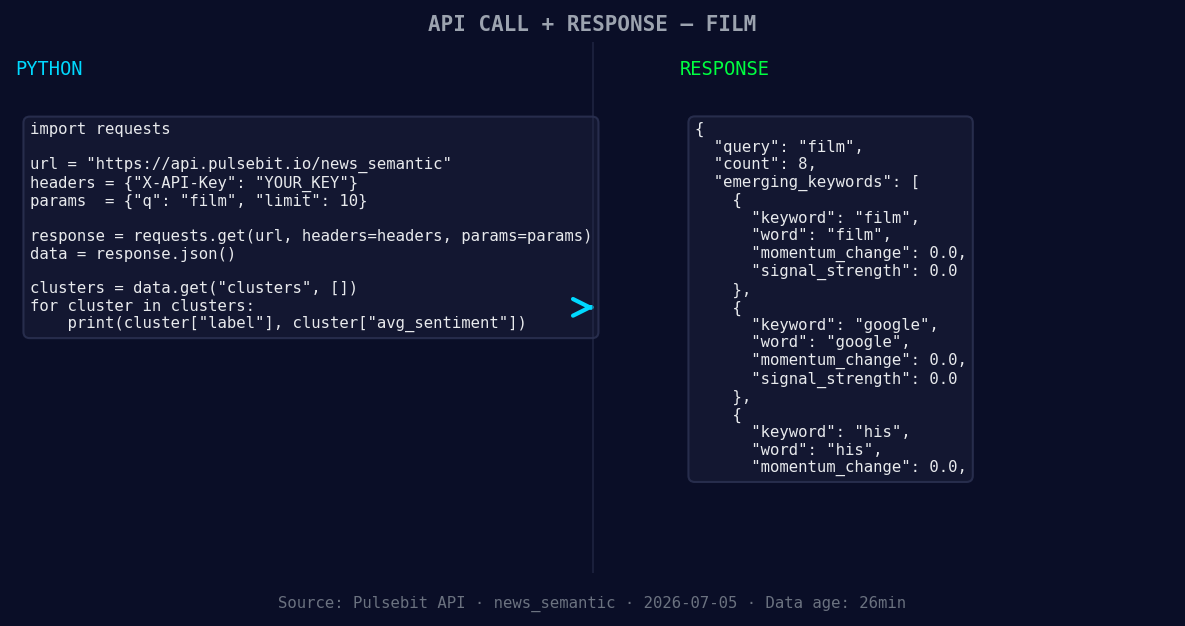
*Left: Python GET /news_semantic call for 'film'. Right: returned JSON response structure (clusters: 3). Source: Pulsebit /news_semantic.*
# Step 2: Meta-sentiment moment
cluster_reason = "Clustered by shared themes: film, banner, society, tribute, veteran."
meta_sentiment_url = "https://api.pulsebit.com/v1/sentiment"
# Send the cluster reason back through the sentiment endpoint
meta_response = requests.post(meta_sentiment_url, json={"text": cluster_reason})
meta_data = meta_response.json()
print(f"Sentiment Score: {data['sentiment_score']}, Meta Sentiment Score: {meta_data['sentiment_score']}")
In this code, we first query our sentiment data filtered by the English language, which gives us a focused view of the sentiment regarding film. Next, we analyze the narrative framing around the cluster by running the cluster reason string back through our sentiment endpoint. This dual approach allows us to capture both the sentiment and the context effectively.
Three Builds Tonight
With this pattern in mind, here are three specific builds you can implement:
Geographic Sentiment Signal: Use the geographic origin filter to monitor sentiment shifts specifically in English-speaking regions. Set a threshold where any sentiment score above +0.25 triggers an alert. This will ensure you stay on top of any emerging narratives.
Meta-Sentiment Loop: Run a meta-sentiment analysis on clustered narratives, like the one we examined. Set a threshold of +0.30 for sentiment scores returned from these analyses, particularly for themes around film, banner, and society. This can help identify potential cultural trends or sentiments before they become mainstream.
Forming Theme Tracker: Create an endpoint that tracks the forming themes in sentiment around keywords like "film," "google," and "his." For example, if you detect a forming sentiment around "film" at +0.00, but mainstream sentiment is rising for "banner" and "society," you can investigate further for potential shifts.
Get Started
You can implement these insights quickly and efficiently. Check out our documentation at pulsebit.lojenterprise.com/docs. We encourage you to copy-paste and run the code above in under 10 minutes to start catching these critical sentiment leads in your own projects.


Top comments (0)