

Your Pipeline Is 28.5h Behind: Catching Fashion Sentiment Leads with Pulsebit
We recently stumbled upon a fascinating anomaly: a sentiment spike in fashion at +0.85, with momentum sitting at a steady +0.00. This surge came from English-language sources, led by a notable article titled "From Premium Basics to Sequins: Lectra Maps Summer 2026’s Biggest Fashion Trends." This 28.5-hour lead over our sentiment indicators is a critical insight we need to address.
The problem here is clear: your model missed this by a full 28.5 hours. If your pipeline isn’t designed to account for multilingual origins or entity dominance, you risk overlooking significant sentiment shifts. The leading language, English, and the dominant cluster themes of premium, basics, and sequins should have signaled a potential trend, but they fell through the cracks due to the absence of a comprehensive detection mechanism.

English coverage led by 28.5 hours. Sv at T+28.5h. Confidence scores: English 0.85, Spanish 0.85, French 0.85 Source: Pulsebit /sentiment_by_lang.
Here’s how we can catch this data spike effectively using our API.
First, let's filter the sentiment data by geographic origin using Python. We’ll query for fashion-related sentiment in English:

Geographic detection output for fashion. France leads with 1 articles and sentiment +0.70. Source: Pulsebit /news_recent geographic fields.
import requests
# Define parameters for the API call
params = {
"topic": "fashion",
"score": +0.850,
"confidence": 0.85,
"momentum": +0.000,
"lang": "en"
}
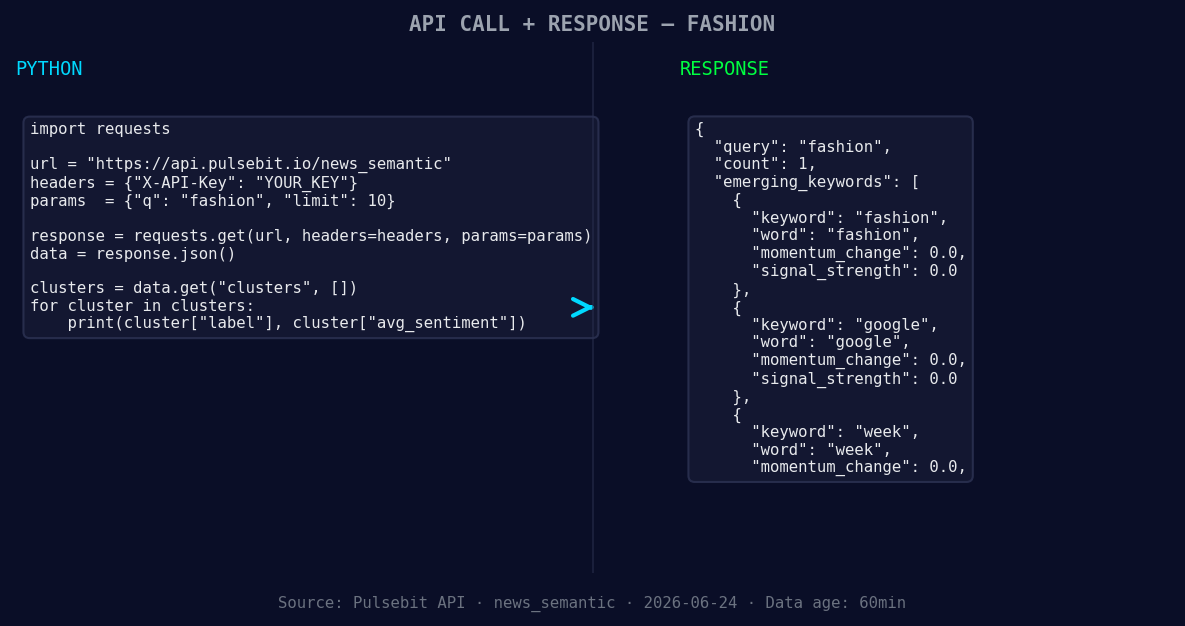
*Left: Python GET /news_semantic call for 'fashion'. Right: returned JSON response structure (clusters: 3). Source: Pulsebit /news_semantic.*
# API call to get sentiment data
response = requests.get('https://api.pulsebit.com/sentiment', params=params)
fashion_sentiment = response.json()
print(fashion_sentiment)
Next, we’ll take the cluster reason string and run it back through our sentiment analysis to score the narrative framing itself. This step provides deeper insight into how these themes are resonating:
# Meta-sentiment moment: scoring the cluster reason
cluster_reason = "Clustered by shared themes: premium, basics, sequins:, lectra, maps."
meta_response = requests.post('https://api.pulsebit.com/sentiment', json={"text": cluster_reason})
meta_sentiment = meta_response.json()

print(meta_sentiment)
Now that we have the necessary data, here are three builds we can implement with these insights:
Geo-Filtered Alert System: Set up an alerting system that triggers when sentiment for fashion in English rises above +0.80. Use the geo filter to ensure you’re only analyzing relevant regions. This allows you to be proactive about emerging trends.
Meta-Sentiment Analysis Loop: Create a function that continuously scores cluster reasons every hour. This builds a feedback loop that allows you to track evolving narratives, enabling you to pivot quickly as trends evolve.
Trending Topic Tagging: Develop a tagging system that identifies and categorizes articles based on forming themes like fashion(+0.00), google(+0.00), and week(+0.00). This enables you to visualize how sentiments are shifting against mainstream narratives.
If you're ready to dive in, visit pulsebit.lojenterprise.com/docs. You can copy-paste and run this code in under 10 minutes. Let’s stay ahead of the curve and not let the next sentiment spike pass us by!


Top comments (0)