

Your Pipeline Is 28.6h Behind: Catching Travel Sentiment Leads with Pulsebit
We recently stumbled upon an intriguing anomaly: a sentiment score of +0.80 for travel-related topics, with momentum sitting at +0.00. What’s particularly striking is that we found this sentiment spike leading by 28.6 hours with no lag against the emerging themes surrounding F1 students and immigration. It’s a clear signal that certain conversations are taking off, and if you’re not tuned in, your pipeline is missing out.
But what does this really mean? If your model isn’t set up to handle multilingual origins or dominant entities, you’re potentially missing timely insights by a significant margin—28.6 hours, to be precise. In this case, the leading language was English, and the dominant topic had a clear connection to travel and immigration, specifically a "4-year fixed stay for F1 students." If your pipeline isn’t capable of incorporating these nuances, it might fall behind crucial developments.

English coverage led by 28.6 hours. Et at T+28.6h. Confidence scores: English 0.85, Spanish 0.85, Tl 0.85 Source: Pulsebit /sentiment_by_lang.
To catch this anomaly, we can leverage our API. Here’s a straightforward way to fetch the relevant data. We’ll filter by the English language and score the narrative framing using a meta-sentiment loop.
import requests
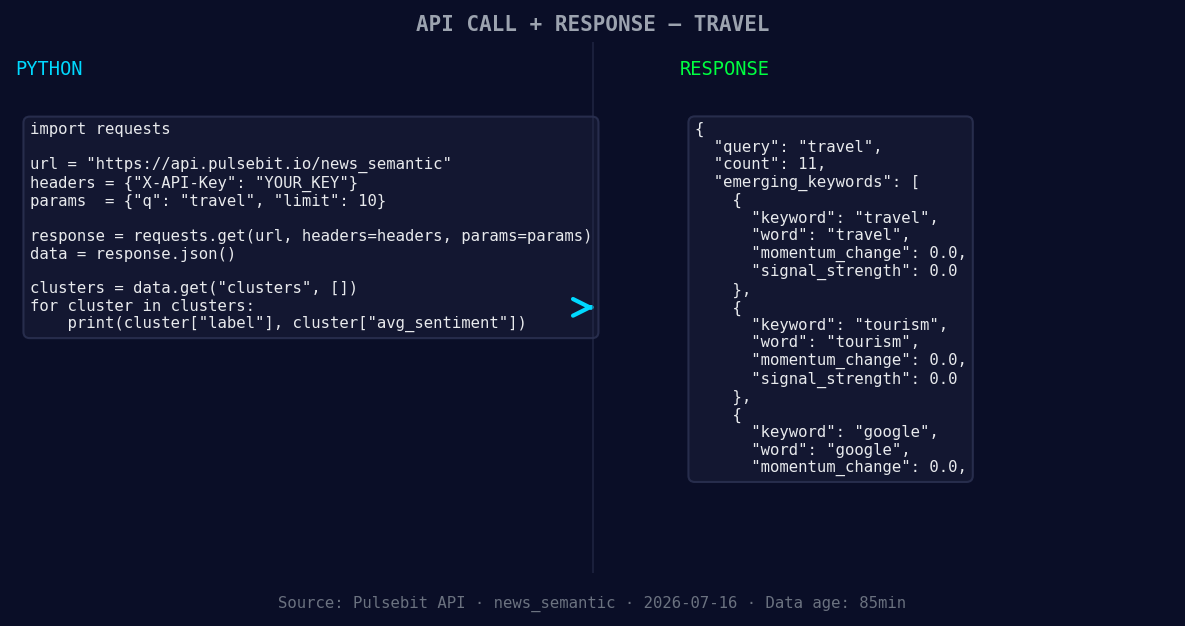
*Left: Python GET /news_semantic call for 'travel'. Right: returned JSON response structure (clusters: 3). Source: Pulsebit /news_semantic.*
# Step 1: Fetch sentiment data for travel in English
url = "https://api.pulsebit.io/sentiment"
params = {
"topic": "travel",
"score": +0.800,
"confidence": 0.85,
"momentum": +0.000,
"lang": "en"
}
response = requests.get(url, params=params)
travel_data = response.json()
print(travel_data)
# Step 2: Score the narrative framing
meta_sentiment_input = "Clustered by shared themes: 4-year, fixed, stay, students:, immigration."
meta_sentiment_response = requests.post(url, json={"text": meta_sentiment_input})
meta_sentiment_score = meta_sentiment_response.json()
print(meta_sentiment_score)
This code first retrieves sentiment data specifically for the topic "travel" while filtering for the English language. Then, we run the cluster reason string through a POST request to score its narrative framing. This two-step process allows us to track the sentiment trend while also validating the context in which it appears—crucial for understanding the underlying dynamics.
Now, let’s consider three specific builds we can create based on this pattern:
- Geo-filtered Insights: Set a threshold to monitor sentiment spikes in travel related to specific countries. For instance, if sentiment for “travel” exceeds +0.800 in the US, trigger a notification.

Geographic detection output for travel. India leads with 8 articles and sentiment +0.62. Source: Pulsebit /news_recent geographic fields.
   if travel_data['sentiment_score'] > 0.800:
       print("Alert: Travel sentiment in the US is rising!")
Meta-sentiment Analysis: Create an automated report that runs the meta-sentiment loop regularly. If the narrative framing score falls below a certain threshold (e.g., 0.600), flag it for review.
Dynamic Content Optimization: Use the API to adjust your content strategy based on forming themes. For instance, if travel sentiment is neutral (+0.00) but immigration sentiment is rising, pivot your content towards immigration-related travel topics to capture emerging interest.
With these builds, you can stay ahead of the curve and ensure your models are capturing the nuances of real-time sentiment shifts.
Ready to get started? Check out our documentation at pulsebit.lojenterprise.com/docs. You can copy, paste, and run this code in under 10 minutes to start catching those critical insights.


Top comments (0)