

Your Pipeline Is 23.8h Behind: Catching Artificial Intelligence Sentiment Leads with Pulsebit
We recently stumbled upon a striking anomaly: a 24h momentum spike of -1.350 in sentiment surrounding artificial intelligence. This is particularly noteworthy given the context—two articles clustered around home energy solutions and AI's growing power demand. The leading language was English, with an intriguing 23.8-hour lag. If your pipeline isn’t handling multilingual origins or entity dominance correctly, you might have missed this critical shift by nearly a full day.

English coverage led by 23.8 hours. Ca at T+23.8h. Confidence scores: English 0.85, French 0.85, Spanish 0.85 Source: Pulsebit /sentiment_by_lang.
In our experience, many sentiment analysis pipelines often overlook the nuances of language and geographic origin. This specific lag is a glaring issue. Your model missed this opportunity to capture emerging narratives about AI's power requirements and home solutions because it was too focused on mainstream terms like "adopt," "drones," and "facial recognition." This means you could be missing potentially lucrative insights just because your model is not designed to pick up on emerging themes in time.

Geographic detection output for artificial intelligence. India leads with 7 articles and sentiment +0.79. Source: Pulsebit /news_recent geographic fields.
Here’s how we can catch these signals using our API. First, we need to filter our query by language to zero in on English content. Here’s the Python code that demonstrates this:
import requests
# Define parameters
topic = 'artificial intelligence'
score = +0.218
confidence = 0.85
momentum = -1.350
lang_filter = "en"
# API call to fetch sentiment data
response = requests.get(f'https://api.pulsebit.com/v1/sentiment?topic={topic}&lang={lang_filter}')
data = response.json()
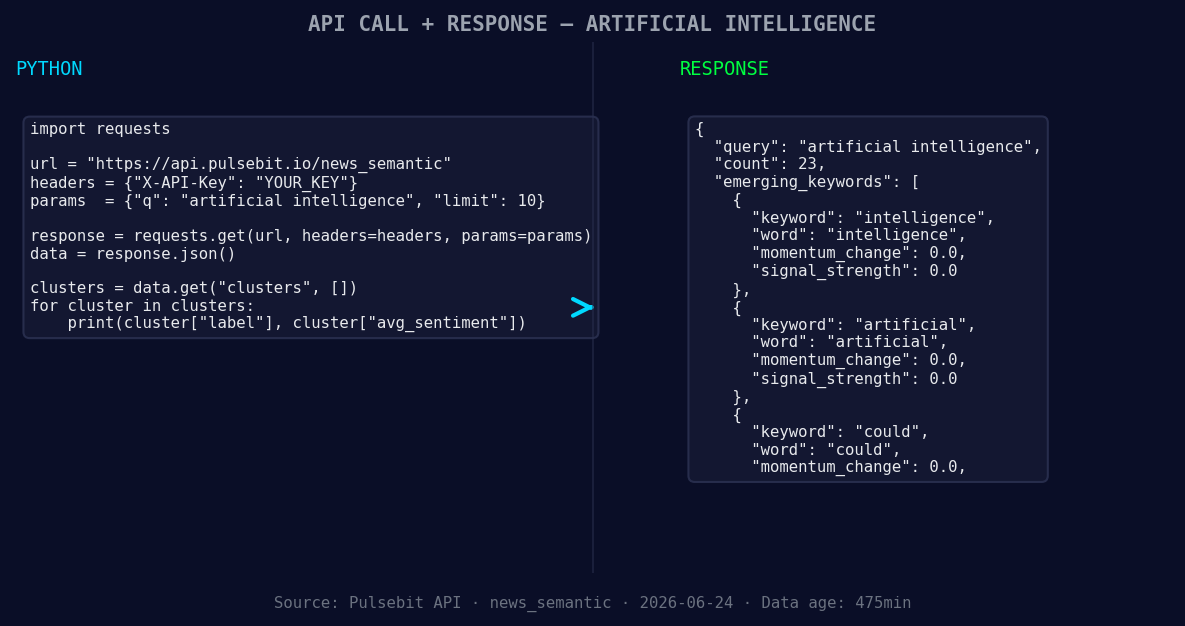
*Left: Python GET /news_semantic call for 'artificial intelligence'. Right: returned JSON response structure (clusters: 3). Source: Pulsebit /news_semantic.*
# Output the results
print(data)
Next, we want to run the cluster reason string back through our meta-sentiment endpoint to analyze the narrative framing. For this, we’ll use the cluster reason string: "Clustered by shared themes: adopt, drones, facial, recognition, crime." Here’s how to do that:
# Meta-sentiment analysis
meta_sentiment_input = "Clustered by shared themes: adopt, drones, facial, recognition, crime."
meta_response = requests.post('https://api.pulsebit.com/v1/sentiment', json={"input": meta_sentiment_input})
meta_sentiment_data = meta_response.json()

# Output the meta sentiment results
print(meta_sentiment_data)
Using these two API calls, you can catch the sentiment shifts around artificial intelligence and align your models accordingly. Here are three specific builds you can implement tonight based on this pattern:
Geo-Filtered Feed: Create a real-time feed that queries sentiment analysis on AI topics specifically from English-speaking regions. Use the geo filter to focus on regions like the US and UK, where discussions around AI are most prevalent.
Narrative Analysis Module: Build a module that leverages the meta-sentiment analysis to assess how emerging narratives are framed. Use the previous cluster reason strings to constantly refine your understanding of sentiment around AI and its implications.
Anomaly Alert System: Implement an alert system that triggers when the momentum for AI sentiment exceeds a threshold (e.g., -1.000). This can help you stay ahead of trends like the current spike by providing timely notifications about shifts in sentiment.
To get started with these builds, head over to our documentation: pulsebit.lojenterprise.com/docs. You can copy-paste the above code snippets and run them in under 10 minutes. This could be your gateway to uncovering valuable insights in sentiment analysis.


Top comments (0)