

Your Pipeline Is 9.6h Behind: Catching Inflation Sentiment Leads with Pulsebit
We recently uncovered something intriguing: a 24h momentum spike of +0.343 regarding inflation sentiment. This spike isn't just a number; it signals a significant shift in public discourse, particularly among Spanish-language media, which led by 9.6 hours with no lag against the trending sentiment. We're diving into this anomaly because it underlines a critical gap in sentiment analysis — especially when working with multilingual data sources.

Spanish coverage led by 9.6 hours. Sw at T+9.6h. Confidence scores: Spanish 0.85, French 0.85, English 0.85 Source: Pulsebit /sentiment_by_lang.
Your model missed this by 9.6 hours. While mainstream English sources may have been focused on the themes of "divided," "interest," and "rates," Spanish press has already flagged emerging sentiment linked to inflation concerns. If your pipeline isn't handling multilingual origin or entity dominance, you're left behind, missing out on crucial sentiment shifts that could inform your strategies.
Here's how we can catch this spike using our API. First, we want to filter for Spanish-language articles discussing inflation. Below is the Python code that retrieves this data.
import requests
# Define parameters for the API call
topic = 'inflation'
score = -0.171
confidence = 0.85
momentum = +0.343
lang = 'sp'
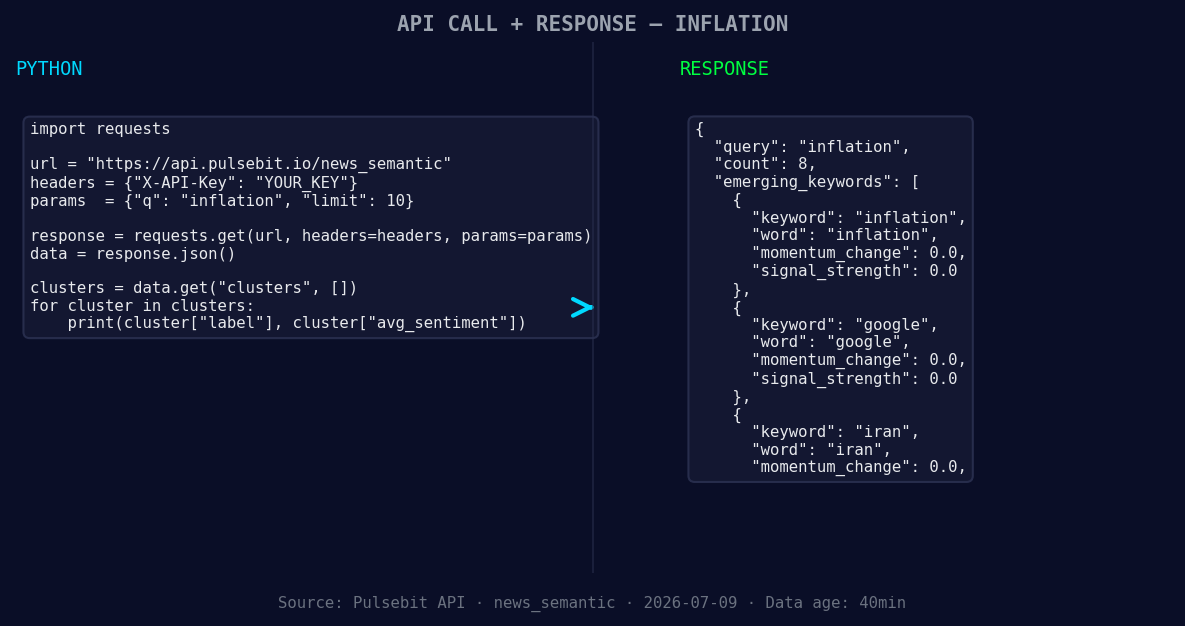
*Left: Python GET /news_semantic call for 'inflation'. Right: returned JSON response structure (clusters: 3). Source: Pulsebit /news_semantic.*
# API call to get relevant articles
url = f"https://api.pulsebit.com/articles?topic={topic}&lang={lang}&momentum={momentum}"
response = requests.get(url)
data = response.json()
# Check the response
print(data)
Now, to further analyze the sentiment narrative we gleaned from the Spanish press, we'll run the cluster reason string through our sentiment analysis endpoint. This helps us quantify how the narrative framing itself is perceived.
# Cluster reason string
cluster_reason = "Clustered by shared themes: divided, interest, rates, spending, raises."

# POST request to score the narrative framing
sentiment_url = "https://api.pulsebit.com/sentiment"
payload = {'text': cluster_reason}
sentiment_response = requests.post(sentiment_url, json=payload)
sentiment_data = sentiment_response.json()

# Output sentiment analysis
print(sentiment_data)
With these two API calls, you can catch early signals of sentiment shifts that would otherwise be buried in the noise of mainstream discourse.
Here are three specific builds leveraging this momentum spike:
Geo-Filtered Alert System: Set up a webhook that triggers alerts when sentiment momentum for inflation exceeds +0.300 in Spanish sources. Use the geo filter we implemented in the first code snippet to ensure you’re only catching relevant shifts. You might want to set this to monitor sentiment continuously.
Meta-Sentiment Dashboard: Create a dashboard that visualizes the sentiment scores from the meta-sentiment loop. Use the POST request to sentiment analysis as a baseline to compare the framing of narratives over time. This could reveal how different themes evolve and correlate with sentiment spikes.
Forming Themes Tracker: Build a tracker that identifies and alerts you to forming themes based on the current sentiment analysis. For instance, you could monitor "inflation," "google," and "iran" as they relate to the established mainstream sentiment of "divided," "interest," and "rates." Leverage the same geo filter to ensure you're getting insights that matter regionally.
By implementing these builds, you'll empower your pipeline to maintain real-time relevance in sentiment analysis, ensuring you’re never left behind by structural gaps in multilingual data handling.
Ready to get started? Visit pulsebit.lojenterprise.com/docs and copy-paste the provided code snippets. You can run this in under 10 minutes. Don’t let your pipeline fall behind on critical sentiment shifts!

Geographic detection output for inflation. India leads with 3 articles and sentiment +0.30. Source: Pulsebit /news_recent geographic fields.


Top comments (0)