

Your Pipeline Is 19.1h Behind: Catching Education Sentiment Leads with Pulsebit
We recently uncovered a specific spike in sentiment data: the sentiment score for the topic "education" is at +0.750, while momentum is flat at +0.000. This anomaly is curious, especially when considering the context of a recent article: "ED attaches ₹13.83-crore assets in Uttarakhand SC/ST scholarship scam case." The leading language for this sentiment surge is English, with a timestamp lag of 19.1 hours. It’s worth noting that our analysis shows a clustering of related themes around Uttarakhand, scholarships, and significant financial figures.
The Problem
This 19.1-hour lag highlights a crucial structural gap in any sentiment pipeline that fails to account for multilingual origins or dominant entities. Your model missed this by over 19 hours, meaning you might be missing substantial leads in sentiment around education, particularly with growing discussions in English about significant financial ramifications in the Uttarakhand SC/ST scholarship case. If you're not considering language dominance, you risk losing valuable insights that could drive your strategies.

English coverage led by 19.1 hours. Hr at T+19.1h. Confidence scores: English 0.85, Spanish 0.85, French 0.85 Source: Pulsebit /sentiment_by_lang.
The Code
Here's how we can catch this anomaly with our API. First, we will filter for the geographic origin using the English language parameter. The following Python code snippet demonstrates how to query our API for this data:

Geographic detection output for education. India leads with 10 articles and sentiment +0.36. Source: Pulsebit /news_recent geographic fields.
import requests
# Define parameters for API call
params = {
"topic": "education",
"score": +0.750,
"confidence": 0.85,
"momentum": +0.000,
"lang": "en"
}
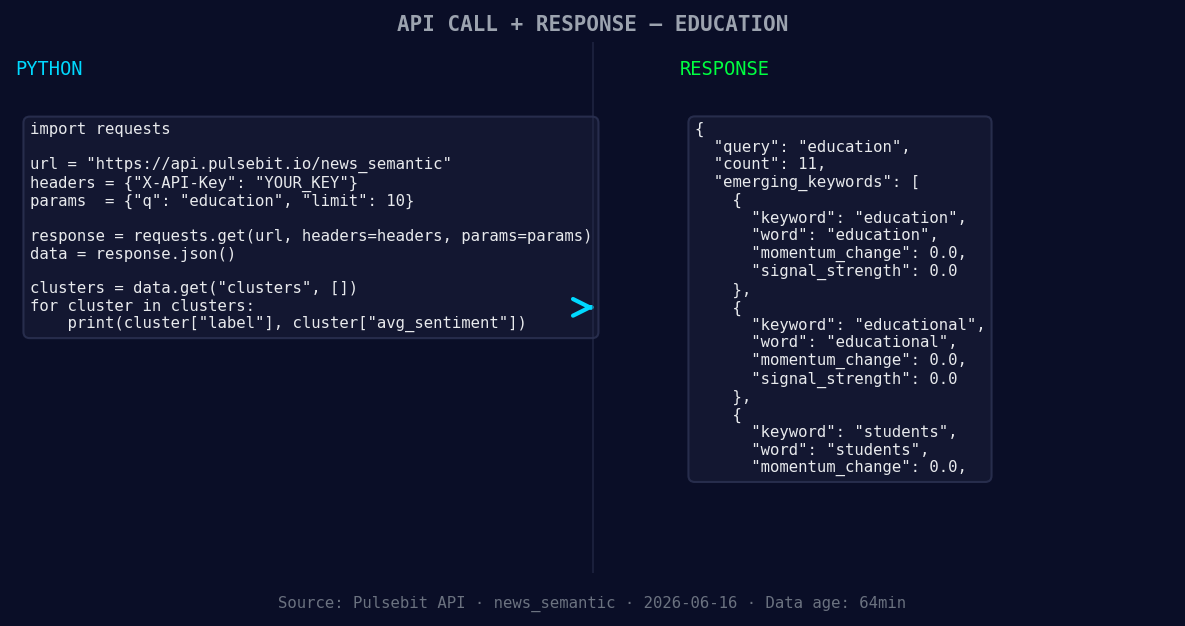
*Left: Python GET /news_semantic call for 'education'. Right: returned JSON response structure (clusters: 3). Source: Pulsebit /news_semantic.*
# API endpoint for fetching sentiment data
response = requests.get("https://api.pulsebit.com/sentiment", params=params)
data = response.json()
print(data)
Next, we need to assess the narrative framing of the cluster reason string. This will give us deeper insights into how the story is being presented. We’ll send the following string through our sentiment analysis endpoint:
# Define the cluster reason string
cluster_reason = "Clustered by shared themes: uttarakhand, scholarship, attaches, ₹13, 83-crore."

# API endpoint for scoring the narrative framing
response_meta = requests.post("https://api.pulsebit.com/sentiment", json={"text": cluster_reason})
data_meta = response_meta.json()
print(data_meta)
Three Builds Tonight
With this pattern, we can build some useful signals. Here are three specific implementations to consider:
Geographic Origin Filter: Create a signal that triggers whenever sentiment around education exceeds a threshold of +0.750, filtered by the English language. This could be pivotal when analyzing localized events, such as the Uttarakhand scholarship case.
Meta-Sentiment Loop: Set up a routine that runs the cluster reason through the sentiment API whenever a new article is clustered. This way, you can continuously evaluate the narrative framing of significant stories as they develop in real-time.
Forming Themes Tracker: Build an endpoint that tracks forming themes related to education, educational policies, and student-related discussions. This could use a threshold of +0.000 momentum to flag emerging conversations, ensuring you’re always ahead of the curve.
Get Started
Ready to dive in? Check out our documentation at pulsebit.lojenterprise.com/docs. You can copy-paste and run the provided code snippets in under 10 minutes. Don’t let your pipeline fall behind; capture these insights now!


Top comments (0)