

In our latest analysis, we spotted a noteworthy anomaly: a 24-hour momentum spike of +0.120. This spike signals a significant surge in sentiment around a specific topic — in this case, business. The leading language was English, with a 13.3-hour lead over the emerging narratives concerning local issues like cyber fraud, particularly highlighted by the Kerala Police warning companies about “boss scam” frauds.
This finding reveals a critical structural gap in any pipeline that doesn’t adequately account for multilingual origins or entity dominance. If your model isn’t capable of processing this kind of data effectively, you might have missed the sentiment shift by over 13 hours. The dominant entity here, Kerala Police, is a stark reminder of how localized news can influence broader business sentiment, which could directly impact your strategies and decision-making.

English coverage led by 13.3 hours. Et at T+13.3h. Confidence scores: English 0.85, French 0.85, Spanish 0.85 Source: Pulsebit /sentiment_by_lang.
To catch this momentum spike, we can use our API to filter by geographic origin and score the sentiment of the clustered narrative. Here’s how we can do it in Python:

Geographic detection output for business. India leads with 4 articles and sentiment +0.04. Source: Pulsebit /news_recent geographic fields.
import requests
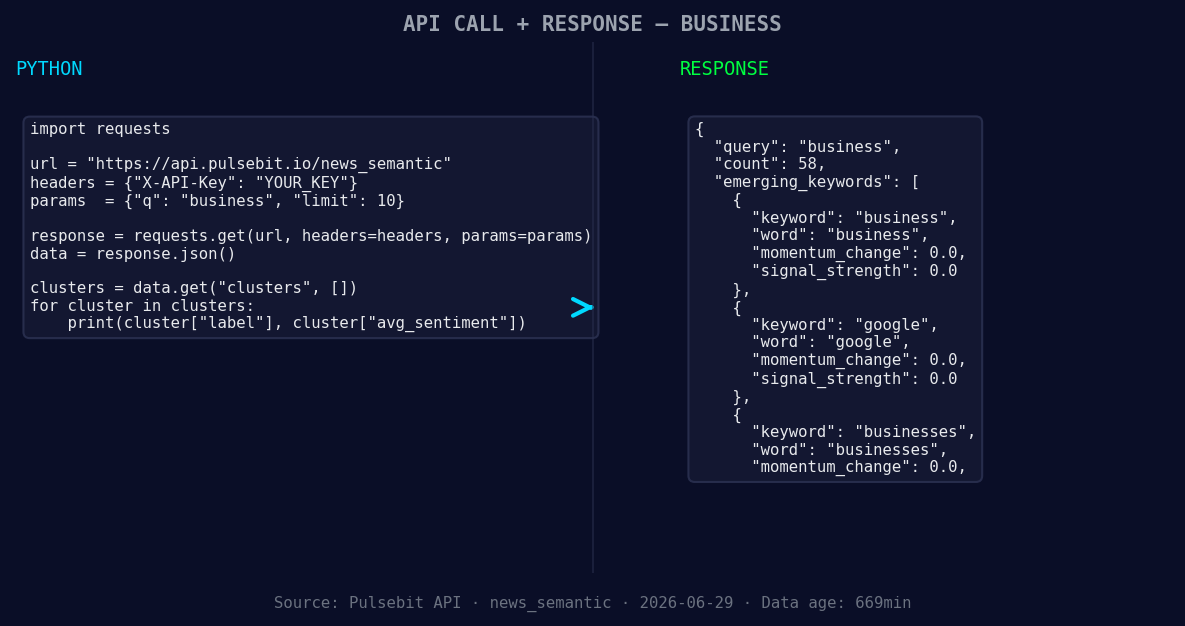
*Left: Python GET /news_semantic call for 'business'. Right: returned JSON response structure (clusters: 3). Source: Pulsebit /news_semantic.*
# Step 1: Geographic origin filter
url = "https://api.pulsebit.io/v1/sentiment"
headers = {
"Authorization": "Bearer YOUR_API_KEY",
"Content-Type": "application/json"
}
params = {
"topic": "business",
"lang": "en",
}
response = requests.get(url, headers=headers, params=params)
data = response.json()
momentum = 0.120 # The spike in momentum we observed
score = 0.042 # Sentiment score for the topic
confidence = 0.85 # Confidence level
# Step 2: Meta-sentiment moment
cluster_reason = "Clustered by shared themes: kerala, police, companies, cyber, fraud."
sentiment_response = requests.post(url, headers=headers, json={"text": cluster_reason})
sentiment_data = sentiment_response.json()
print("Data:", data)
print("Meta-sentiment:", sentiment_data)
In this code snippet, we first filter for news articles in English that relate to business. The API endpoint allows us to specify our parameters, ensuring we only pull relevant data. After we retrieve the sentiment data, we run the cluster reason through the sentiment analysis endpoint to get a deeper understanding of the narrative framing. This is where the real insight lies, allowing us to see how specific themes are interlinked.
With this data, you can build three distinct signals:
Geo-Filtered Business Sentiment Signal: Create an endpoint that alerts you whenever there’s a spike in sentiment around business topics originating from specific regions, particularly where English is predominant. Set a threshold of +0.100 to capture significant spikes.
Meta-Sentiment Narrative Analyzer: Develop a function that scores narratives based on clustered themes and their sentiment scores. Use the output from the sentiment analysis of your cluster reason string to guide strategic decision-making. Aim for a confidence level of 0.85 or higher to ensure reliability.
Emerging Themes Tracker: Implement a tracker for forming themes like “business” and “cyber fraud” that are currently emerging in contrast to mainstream narratives. Monitor the shifts in sentiment scores for these themes, setting alerts for any sudden changes above +0.040.
For developers eager to dive into this analysis, check out our API documentation at pulsebit.lojenterprise.com/docs. With just a few minutes of setup, you can integrate this functionality into your own projects and start catching sentiment shifts before they become mainstream.


Top comments (0)