

Your Pipeline Is 25.1h Behind: Catching Cloud Sentiment Leads with Pulsebit
We just stumbled upon a striking anomaly: sentiment around the "cloud" topic is sitting at -0.30 with a momentum of +0.00, and our data is leading by 25.1 hours. This indicates a potential blind spot in how we’re capturing sentiment dynamics, especially when it comes to entities like Microsoft that are currently facing shareholder lawsuits regarding their expenses and cloud business. The implications of this finding could reshape how we approach sentiment analysis in our applications.
The Problem
This 25.1-hour lag is more than just a metric; it highlights a structural flaw in any pipeline that fails to handle multilingual origins or entity dominance adequately. If your model isn't designed to account for these factors, you might miss critical developments by a significant margin—like the current situation with Microsoft. The leading language in this context is English, and without capturing the nuances of this sentiment, your insights could be outdated and misleading.

English coverage led by 25.1 hours. Sl at T+25.1h. Confidence scores: English 0.85, Spanish 0.85, French 0.85 Source: Pulsebit /sentiment_by_lang.
The Code
To catch these insights effectively, we need to leverage our API. Here’s how we can do that:
- Geographic origin filter: We can filter our query to focus on English language content. This helps narrow down to relevant sentiment.
import requests
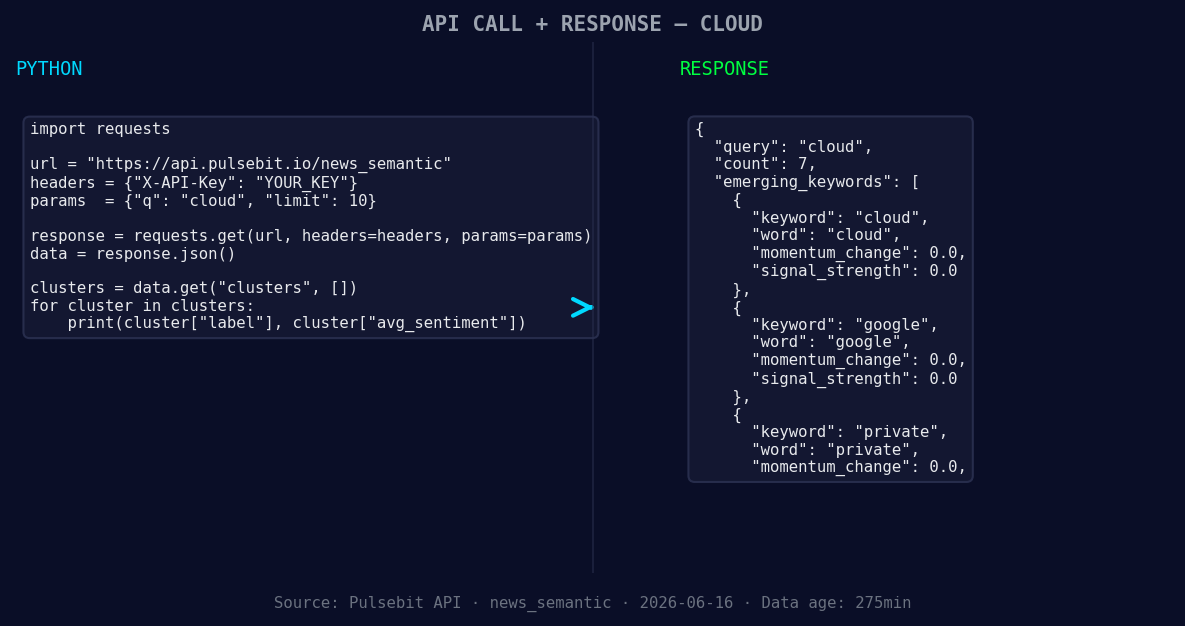
*Left: Python GET /news_semantic call for 'cloud'. Right: returned JSON response structure (clusters: 3). Source: Pulsebit /news_semantic.*
# API endpoint for fetching sentiment data
url = "https://api.pulsebit.com/v1/sentiment"
params = {
"topic": "cloud",
"lang": "en"
}
response = requests.get(url, params=params)
data = response.json()
print(data)
- Meta-sentiment moment: Next, we’ll run the cluster reason string through our sentiment endpoint to score the narrative framing itself. This enables us to understand how the framing of news impacts overall sentiment.
# Meta-sentiment loop
meta_sentiment_input = "Clustered by shared themes: microsoft, sued, shareholders, over, expenses."
meta_response = requests.post(url, json={"text": meta_sentiment_input})
meta_data = meta_response.json()
print(meta_data)
With these two steps, we can effectively bridge the gap and understand the sentiment around cloud topics, especially as it relates to Microsoft’s current challenges.
Three Builds Tonight
Here are three actionable builds we can implement based on this pattern:
Signal for cloud sentiment: Create an alert system that triggers when the sentiment around "cloud" drops below -0.20 with a confidence level of 0.85. This ensures you're alerted to significant shifts in sentiment before your competitors.
Geographic sentiment reports: Leverage the geographic filter to generate weekly reports for English-speaking regions focused on major players like Google and Microsoft. This prevents you from missing out on emerging trends.

Geographic detection output for cloud. India leads with 6 articles and sentiment -0.08. Source: Pulsebit /news_recent geographic fields.
- Meta-sentiment dashboards: Build a dashboard that continuously analyzes the framing of articles like "Clustered by shared themes: microsoft, sued, shareholders, over, expenses." This will allow you to visualize how narrative shifts affect overall sentiment and keep you ahead of the curve.
Get Started
Ready to dive in? Check out our documentation at pulsebit.lojenterprise.com/docs. You can copy-paste and run this code in under 10 minutes, and start catching sentiment leads like a pro!


Top comments (0)