

Your pipeline just missed a 24h momentum spike of +0.461, highlighting a significant sentiment shift around a critical business narrative: “CRED's Major Investment from Meta.” The anomaly reveals a gap in your model's ability to handle multilingual sources effectively, especially since the leading language was English, which was ahead by 21.5 hours compared to Hindi. This is a reminder that in a globalized environment, missing out on timely sentiment data can leave your analysis trailing behind, potentially costing you insights into emerging trends.

English coverage led by 21.5 hours. Hindi at T+21.5h. Confidence scores: English 0.85, Spanish 0.85, French 0.85 Source: Pulsebit /sentiment_by_lang.
If your pipeline isn't designed to accommodate multilingual origins or entity dominance, you've just missed a critical signal. Your model overlooked this spike by 21.5 hours, failing to capture the nuances of sentiment emanating from different linguistic contexts. As the leading language was English, while Hindi lagged behind, it emphasizes the need for comprehensive sentiment analysis that respects language diversity. This gap could lead to missed investment opportunities or misguided business strategies if not addressed.
Let’s catch this anomaly using our API effectively. Here’s a Python snippet that demonstrates how to retrieve sentiment data, focusing specifically on the topic of "business" and applying a geographic filter for English-speaking origins:

Geographic detection output for business. India leads with 7 articles and sentiment +0.60. Source: Pulsebit /news_recent geographic fields.
import requests
# Define the API endpoint and parameters
url = "https://api.pulsebit.lojenterprise.com/v1/sentiment"
params = {
"topic": "business",
"lang": "en",
"score": -0.090,
"confidence": 0.85,
"momentum": +0.461
}
# Make the API call
response = requests.get(url, params=params)
data = response.json()
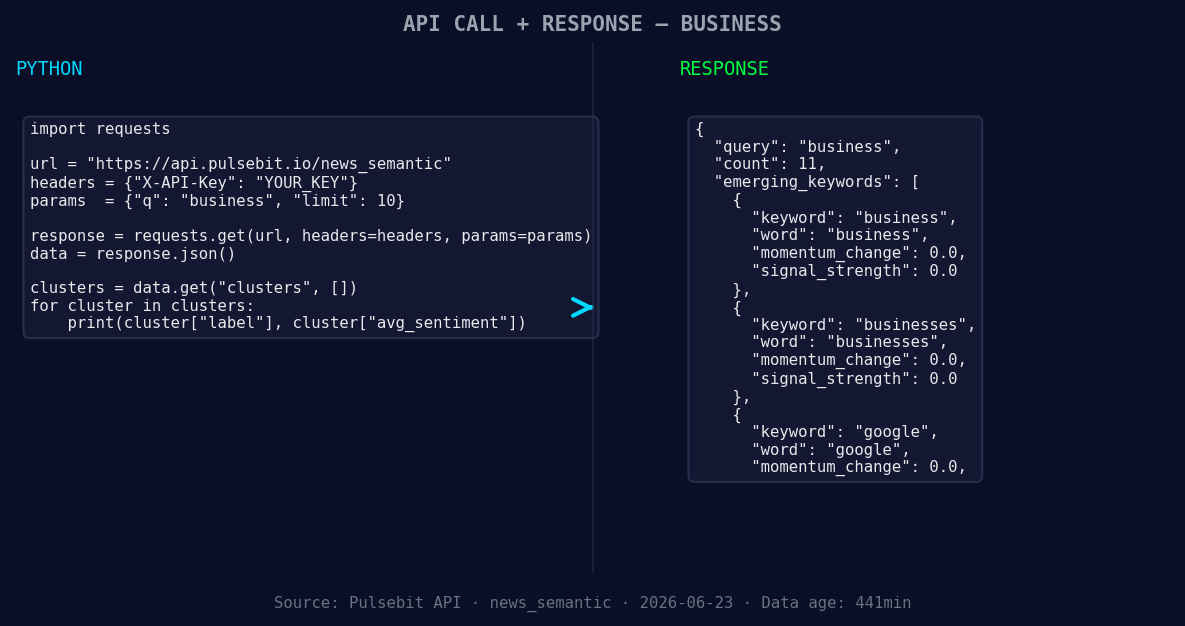
*Left: Python GET /news_semantic call for 'business'. Right: returned JSON response structure (clusters: 3). Source: Pulsebit /news_semantic.*
print(data)
Next, we need to score the narrative framing itself. We’ll run the cluster reason string through the POST /sentiment endpoint to assess its meta-sentiment. Here’s how to do that:
import requests

# Define the API endpoint for meta-sentiment
url = "https://api.pulsebit.lojenterprise.com/v1/sentiment"
meta_sentiment_input = "Clustered by shared themes: india, cred, raise, inr, 550."

# Make the API call to score the meta-sentiment
response = requests.post(url, json={"text": meta_sentiment_input})
meta_sentiment_data = response.json()

print(meta_sentiment_data)
With this setup, you can effectively catch sentiment spikes and their context, ensuring that your analysis is timely and relevant.
Here are three specific builds we suggest implementing with this pattern:
Geo-Filtered Insights: Create a signal that tracks sentiment in English articles related to "business" and sets a threshold of momentum above +0.4. This will ensure you are alerted only when significant shifts occur in this domain.
Meta-Sentiment Loop: Use the meta-sentiment scoring to evaluate narratives that emerge around clustered topics. For instance, if you get a positive cluster score while tracking “india, cred, raise,” you can build automated alerts when sentiment diverges from positive.
Forming Themes Monitoring: Set up a monitoring endpoint that checks for the formation of themes like "business," "businesses," and "google." When these themes have a sentiment score of 0.00, investigate further, especially when they emerge alongside mainstream terms like "india" and "cred."
These builds will help you leverage the insights gained from our API, ensuring you are always ahead of the curve in sentiment analysis.
For more details on how to get started with our API, check out our documentation at pulsebit.lojenterprise.com/docs. You can copy-paste the provided code snippets and run them in under 10 minutes to start catching these critical signals in your sentiment analysis workflow.


Top comments (0)