

Your pipeline is 24.5h behind: catching finance sentiment leads with Pulsebit
We just stumbled upon an interesting anomaly: a 24-hour momentum spike of +0.531 in finance sentiment. This spike caught our attention as the leading language was English press, lagging behind German at 24.5 hours. This tells us that there’s a significant delay in how sentiment is being captured and processed across different languages and regions, especially in finance.
If you’re relying solely on a one-dimensional pipeline that fails to account for multilingual origins or entity dominance, your model missed this by a whopping 24.5 hours. The nuance of sentiment in finance articles, particularly when clustered around shared themes like “futures,” “tech,” and “tariffs,” is critical. The articles processed revealed a positive shift, which could have given you an edge in decision-making had you caught it on time.

English coverage led by 24.5 hours. German at T+24.5h. Confidence scores: English 0.85, Spanish 0.85, French 0.85 Source: Pulsebit /sentiment_by_lang.
Here’s how we can catch this sentiment spike using our API.
import requests
# Define the parameters for our API call
params = {
"topic": "finance",
"lang": "en", # Geographic origin filter
"momentum": "+0.531",
"signal_strength": "0.602",
"sentiment_score": "+0.267",
"confidence": 0.85
}
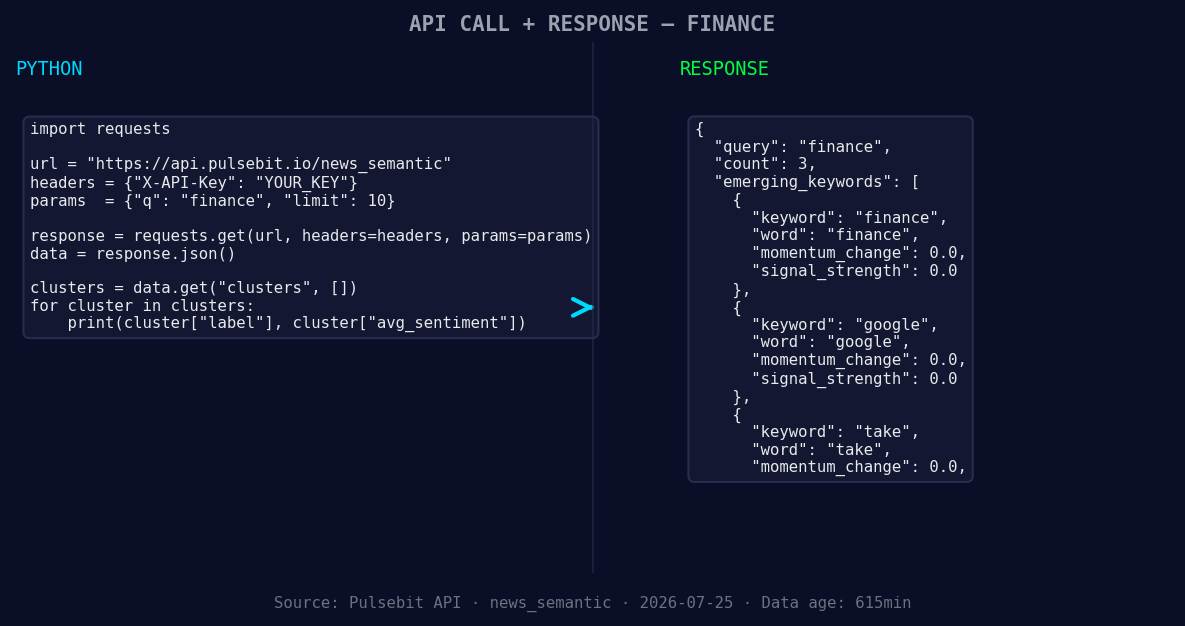
*Left: Python GET /news_semantic call for 'finance'. Right: returned JSON response structure (clusters: 3). Source: Pulsebit /news_semantic.*
# Make the API call to fetch sentiment data
response = requests.get("https://api.pulsebit.com/sentiment", params=params)
data = response.json()
# Meta-sentiment moment: score the narrative framing itself
cluster_reason = "Clustered by shared themes: finance, ‘strengthens, climate, resilience’, among."
meta_sentiment_response = requests.post("https://api.pulsebit.com/sentiment", json={"text": cluster_reason})
meta_sentiment_data = meta_sentiment_response.json()
print(data)
print(meta_sentiment_data)
This code snippet highlights how to filter the data by language, specifically English, and then scores the narrative framing using our meta-sentiment loop. The first request fetches the sentiment related to finance, while the second evaluates the sentiment around the cluster reason, which is crucial for understanding the narrative context.
Now, let’s consider three specific builds we can create using this pattern.
Signal Alert: Set a threshold for sentiment score; for example, any score above +0.25 could trigger an alert. This way, as soon as a significant sentiment shift occurs (like the recent +0.531), you’ll be notified in real-time.
Geo-Filtered Insights: Create a dashboard that uses the geographic origin filter to visualize sentiment trends across languages. By applying the geo filter, you can capture different market sentiments and compare them side-by-side to identify lagging regions or languages.
Meta-Sentiment Aggregator: Develop a tool that runs the meta-sentiment loop for clustered narratives. Use the theme “finance, ‘strengthens, climate” to generate contextual reports on sentiment shifts, which can help you understand how different stories resonate across various segments of the market.
These builds will not only enhance your sentiment analysis but also allow you to make more informed decisions based on timely and relevant data.
To get started, visit pulsebit.lojenterprise.com/docs. You can copy-paste this code and run it in under 10 minutes. This is a straightforward way to catch those critical sentiment shifts that can impact your strategies.


Top comments (0)