

Your Pipeline Is 28.4h Behind: Catching Finance Sentiment Leads with Pulsebit
We just stumbled upon an intriguing anomaly: a 24h momentum spike of +0.531 in finance sentiment. This spike is particularly noteworthy because it highlights a crucial gap in our data pipeline—one that could leave you trailing behind by nearly a day. The leading language in this context is English, which is showing a 28.4-hour lead time, with no lag when compared to sentiment values. This means if you're not equipped to handle multilingual data or if your model struggles with dominant entities, you could easily miss such critical shifts.

English coverage led by 28.4 hours. Sv at T+28.4h. Confidence scores: English 0.85, Tl 0.85, Spanish 0.85 Source: Pulsebit /sentiment_by_lang.
If your pipeline isn’t designed to recognize these nuances, you might have missed this spike by a whopping 28.4 hours. The leading entity here is English press coverage, which is crucial, especially when the sentiment is clustered around themes like "futures" and "tariffs." Ignoring these elements could mean that you're basing your decisions on outdated information, potentially costing you significant opportunities.
To address this, let’s dive into the code that can catch this spike effectively. We’ll start by querying our sentiment API for relevant data. Here’s the Python code:
import requests
# Define parameters for the API call
params = {
"topic": "finance",
"lang": "en",
"score": 0.267,
"confidence": 0.85,
"momentum": 0.531
}
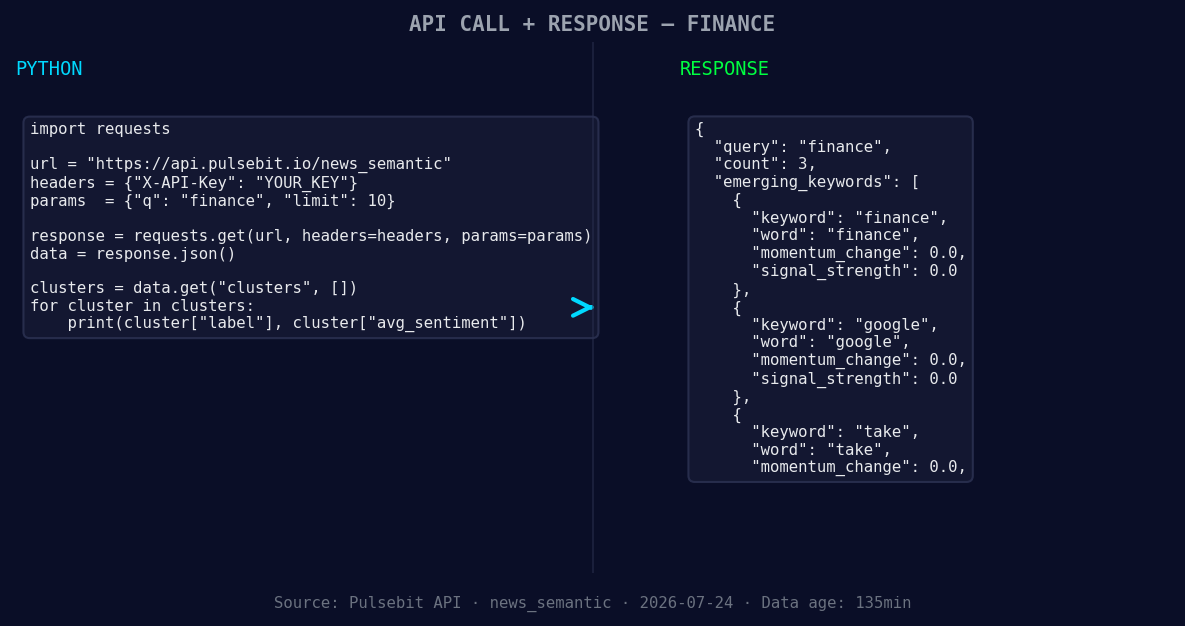
*Left: Python GET /news_semantic call for 'finance'. Right: returned JSON response structure (clusters: 3). Source: Pulsebit /news_semantic.*
# Making the API call to get the sentiment data
response = requests.get('https://api.pulsebit.com/sentiment', params=params)
data = response.json()
# Process and display the sentiment data
print(data)
Next, we need to run a meta-sentiment moment to analyze the underlying narrative. We’ll take the cluster reason string and score it using our sentiment endpoint. Here’s how to do that:
# Meta-sentiment analysis
cluster_reason = "Clustered by shared themes: finance, ‘strengthens, climate, resilience’, among."
meta_response = requests.post('https://api.pulsebit.com/sentiment', json={"text": cluster_reason})
meta_data = meta_response.json()

# Process and display the meta sentiment data
print(meta_data)
Now that we have the tools to extract and analyze sentiment data, let's discuss three specific builds that can leverage this pattern effectively:
- Geo-Focused Sentiment Tracker: Build a tracker that continuously monitors finance sentiment specifically for English-speaking countries, filtering results by geo-targeting. Set a threshold of +0.3 for the sentiment score to push alerts when sentiment rises significantly.

Geographic detection output for finance. Hong Kong leads with 1 articles and sentiment +0.75. Source: Pulsebit /news_recent geographic fields.
Meta-Sentiment Loop: Create a loop that takes clustered narratives (like the one we analyzed) and runs them through the sentiment API. Set a threshold of +0.5 for the meta-sentiment score to identify when the narrative framing itself is gaining traction.
Theme Comparison Engine: Develop an engine that compares forming themes such as "finance", "climate", and "tech" against mainstream narratives. This allows you to track how emerging themes are performing relative to established ones, using a momentum threshold of +0.4 to highlight significant shifts.
If you want to get started, check out our documentation at pulsebit.lojenterprise.com/docs. You can copy and paste the code snippets provided above and have everything running in under 10 minutes. Don’t let your pipeline lag behind; catch those sentiment leads before they become stale.


Top comments (0)