

Your Pipeline Is 22.0h Behind: Catching Hardware Sentiment Leads with Pulsebit
We recently stumbled upon a notable anomaly: a 24-hour momentum spike of +0.309 surrounding the hardware topic. This spike is particularly striking given the current climate of rising hardware prices. The leading sentiment was captured through the Spanish press, indicating a shift that many of our models may have missed, especially those not equipped to handle multilingual data. If your pipeline doesn’t account for this linguistic diversity, you could be lagging behind by as much as 22 hours.

Spanish coverage led by 22.0 hours. So at T+22.0h. Confidence scores: Spanish 0.95, English 0.95, French 0.95 Source: Pulsebit /sentiment_by_lang.
The problem here is clear: your model missed this by 22 hours, failing to recognize the surge in sentiment from the Spanish-speaking audience. As we know, sentiment can vary significantly across different languages and regions. If your pipeline lacks the capability to process multilingual origin or entity dominance, you're likely missing critical insights. In this case, the Spanish content has provided a clearer picture of hardware sentiment that may not have been visible in English-dominated datasets.
To capture this momentum spike, we can leverage our API effectively. Here's how we do it in Python:
import requests
# Define the parameters for the API call
params = {
'topic': 'hardware',
'score': +0.438,
'confidence': 0.95,
'momentum': +0.309,
'lang': 'sp' # Geographic origin filter for Spanish
}
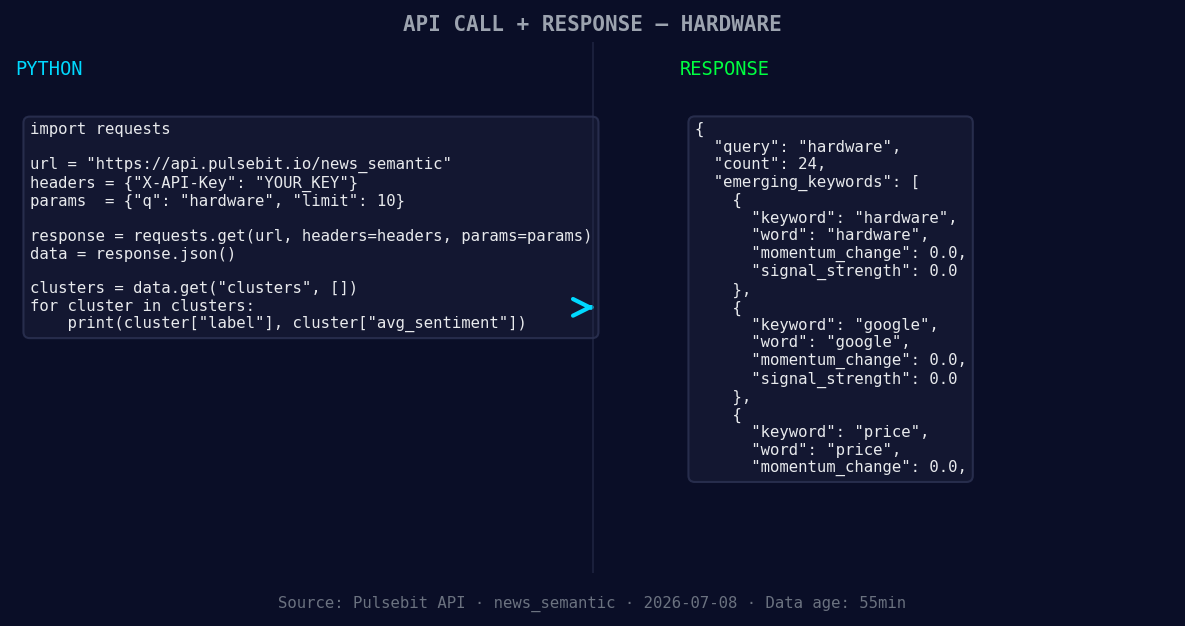
*Left: Python GET /news_semantic call for 'hardware'. Right: returned JSON response structure (clusters: 3). Source: Pulsebit /news_semantic.*
# Perform the API call to get the latest sentiment data
response = requests.get('https://api.pulsebit.io/v1/sentiment', params=params)
data = response.json()
print(data)
# Now, let's run the cluster reason string through our sentiment analysis
cluster_reason = "Clustered by shared themes: sales, seen, weathering, hardware, price."
sentiment_response = requests.post('https://api.pulsebit.io/v1/sentiment', json={'text': cluster_reason})
sentiment_data = sentiment_response.json()
print(sentiment_data)
This code snippet first queries our API to filter for the hardware topic, specifically for Spanish language content. Secondly, it runs the narrative framing of the clustered themes through our sentiment analysis endpoint. This dual approach not only brings the current momentum into focus but also evaluates the underlying narrative driving that momentum.
Now that we have our insights, here are three specific builds you can implement tonight:
Geographic Origin Filter: Use the sentiment spike detected in Spanish articles to trigger alerts when hardware sentiment exceeds a score of +0.4. This can be particularly useful when building a multilingual sentiment monitoring dashboard.
Meta-Sentiment Loop: Implement a feedback loop that continuously scores the narrative from clustered articles. Set a threshold where any cluster reason string containing the words “hardware” and “price” must trigger a deeper analysis of related articles, ensuring you don’t miss any emerging trends.
Forming Themes Analysis: Develop a model that tracks forming sentiment themes, specifically looking for signals in the hardware (+0.00), Google (+0.00), and price (+0.00) topics. This can assist in predicting shifts before they become mainstream, allowing for proactive adjustments in strategy.
By incorporating these specific signals and thresholds into your models, you can drastically improve your responsiveness to emerging trends.
If you want to get started with these insights, visit our documentation at pulsebit.lojenterprise.com/docs. With just a few minutes of setup, you can run this in under 10 minutes and start capturing these valuable insights today.


Top comments (0)