

Your Pipeline Is 25.6h Behind: Catching Culture Sentiment Leads with Pulsebit
We recently observed a compelling anomaly: a 24h momentum spike of +0.224 in the culture topic. This spike reflects a significant shift in sentiment, particularly around the announcement of Dawn Richard's new album, "Creole Culture," highlighted by English press coverage. With such a sharp rise, it’s crucial to understand how we can leverage this information effectively.
The problem is evident when we consider the structural gaps in many sentiment analysis pipelines. If your model isn't equipped to handle multilingual origins or account for entity dominance, you could be missing out on critical insights. In this case, your model missed this spike by 25.6 hours, trailing the English-language press coverage that led the conversation. As a result, you might find yourself reacting to sentiment shifts much too late.

English coverage led by 25.6 hours. Et at T+25.6h. Confidence scores: English 0.85, Spanish 0.85, Da 0.85 Source: Pulsebit /sentiment_by_lang.
To catch this momentum spike, we can utilize our API with a focus on geographic origin. Here’s how to filter by language and score the sentiment accurately:
import requests
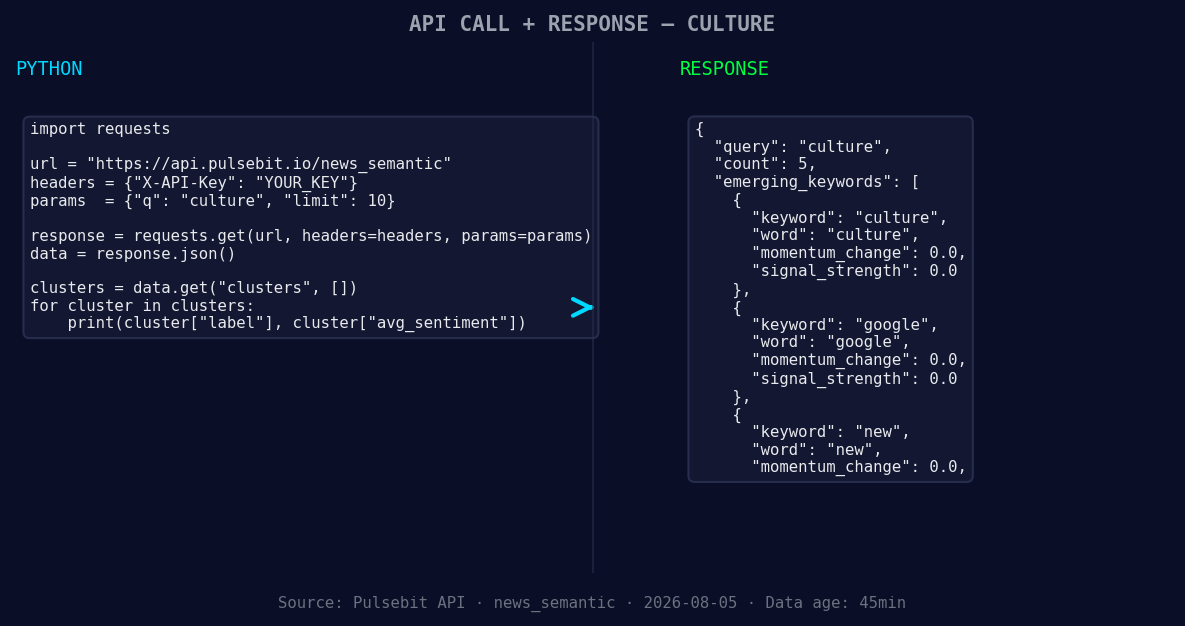
*Left: Python GET /news_semantic call for 'culture'. Right: returned JSON response structure (clusters: 3). Source: Pulsebit /news_semantic.*
# Step 1: Geographic origin filter
url = "https://api.pulsebit.com/sentiment"
params = {
"topic": "culture",
"lang": "en",
}
response = requests.get(url, params=params)
data = response.json()
# Step 2: Meta-sentiment moment
cluster_reason = "Clustered by shared themes: china’s, new, 'unity', law, tibetans."
meta_response = requests.post(url, json={"text": cluster_reason})
meta_data = meta_response.json()
print("Geographic Filter Data:", data)
print("Meta-Sentiment Score:", meta_data)

Geographic detection output for culture. India leads with 4 articles and sentiment +0.76. Source: Pulsebit /news_recent geographic fields.
In the above code, we start by querying our sentiment API for the culture topic, specifically filtering for English content. After capturing the relevant data, we run the cluster reason string through a second call to our API to evaluate the narrative framing. This dual approach not only gives you the sentiment score of the topic but also scores the thematic narrative, allowing for deeper insights.
Now, let's explore three specific builds you can implement with this newfound data pattern:
Signal Detection for Cultural Trends: Set a threshold for momentum spikes above +0.2. Use the geographic filter to detect emerging trends in English-language articles about culture. This allows you to identify cultural movements early and align your content strategies accordingly.
Meta-Sentiment Analysis Loop: Implement a post-processing step that leverages the meta-sentiment scoring for narratives. If the narrative sentiment score is above +0.5, consider this a signal to produce related content or adjust your campaigns. This could be particularly valuable when examining narratives like "china’s, new, 'unity'."
Forming Gap Detection: Monitor the forming gap between topics like culture, google, and new compared to mainstream narratives. Create alerts when the sentiment around forming topics deviates significantly from traditional narratives—like the contrasting themes of "unity" versus emerging cultural discussions.
By integrating these builds into your workflow, you can ensure you're always ahead of the curve, taking advantage of sentiment shifts before they become mainstream.
In conclusion, you can get started with our API and discover these insights in just under 10 minutes. Visit pulsebit.lojenterprise.com/docs to dive into our documentation and start building your own sentiment analysis pipeline efficiently. Don't let your models lag behind; embrace the nuances of sentiment analysis today!


Top comments (0)