

Your pipeline is 16.4 hours behind: catching healthcare sentiment leads with Pulsebit
We've just spotted an intriguing anomaly in our data: a 24-hour momentum spike of -0.302 in the healthcare sector. This indicates a significant drop in sentiment, and it’s worth digging deeper. The leading language in this context is English, closely followed by Hindi, both reporting similar timelines. This is a critical insight, especially when we consider the implications of such a lag in real-time sentiment processing.
The Problem
Imagine your model missed this vital information by 16.4 hours. That's the gap in your pipeline if it doesn't accommodate multilingual origin or entity dominance. In a rapidly evolving space like healthcare, a delay in recognizing sentiment shifts can lead to missed opportunities and uninformed decision-making. The current narrative revolves around state guidelines for advance medical directives, which means that if you're not processing this in real-time, you’re at risk of falling behind in understanding public sentiment.

English coverage led by 16.4 hours. Hindi at T+16.4h. Confidence scores: English 0.85, French 0.85, Sv 0.85 Source: Pulsebit /sentiment_by_lang.
The Code
Here’s how you can catch this sentiment shift using our API. First, let's filter by geographic origin, ensuring we only analyze the English language content:

Geographic detection output for healthcare. India leads with 4 articles and sentiment +0.39. Source: Pulsebit /news_recent geographic fields.
import requests
# Define the query parameters
topic = 'healthcare'
lang = 'en'
# Make the API call to fetch articles
response = requests.get(f'https://api.pulsebit.com/v1/articles?topic={topic}&lang={lang}')
articles = response.json()
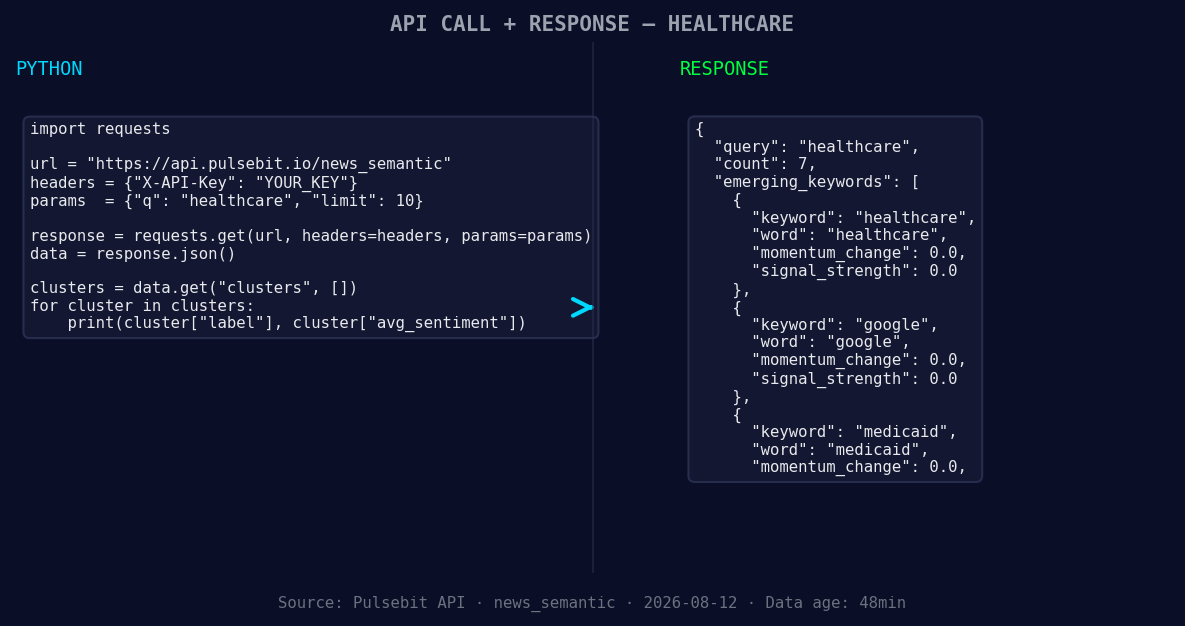
*Left: Python GET /news_semantic call for 'healthcare'. Right: returned JSON response structure (clusters: 3). Source: Pulsebit /news_semantic.*
# Assuming we get a momentum score, here's an example of how it looks:
momentum = -0.302
score = +0.156
confidence = 0.85
Next, we’ll run the cluster reason string back through our sentiment analysis endpoint to score the narrative:
# Cluster reason string
cluster_reason = "Clustered by shared themes: state, guidelines, advance, medical, directives."

# Make the sentiment analysis API call
sentiment_response = requests.post('https://api.pulsebit.com/v1/sentiment', json={'text': cluster_reason})
sentiment_score = sentiment_response.json()

print(f'Sentiment Score: {sentiment_score}')
This dual approach not only catches the current sentiment but also evaluates how the narrative is framed, allowing for deeper insights.
Three Builds Tonight
Let’s consider three specific builds we can create with this newfound pattern:
Geo-Filtered Alert System: Set a threshold where a momentum score drops below -0.2 in the healthcare topic for English articles. Use the geographic origin filter to alert your team when sentiment shifts quickly. This could be critical for healthcare policy changes.
Meta-Sentiment Dashboard: Build a dashboard that visualizes the sentiment score from the cluster reason strings in real-time. Whenever themes like "state, guidelines, advance" emerge, we can trigger deeper analysis based on historical sentiment responses.
Anomaly Detection Module: Create an anomaly detection module that flags significant shifts in sentiment (e.g., a drop of more than 0.25 in momentum) compared to mainstream conversations. This will help us align with pressing topics like Medicaid and Google’s involvement in healthcare.
Get Started
To dive deeper into these capabilities, check out our comprehensive guides at pulsebit.lojenterprise.com/docs. You can copy-paste and run the provided code in under 10 minutes, getting you up to speed with real-time sentiment analysis in no time.


Top comments (0)