

Your Pipeline Is 23.9h Behind: Catching Politics Sentiment Leads with Pulsebit
We recently stumbled upon an intriguing anomaly: a sentiment score of +0.414 and a momentum of +0.000, with the leading language being Spanish, which was processed at 23.9h. This is particularly notable given that the same sentiment in German had a 0.0h lag. The topic at hand? Politics, and it revolves around the article “Trump unbound: the making of an imperial presidency.” This finding highlights how sentiment can shift dramatically based on language and context, potentially leaving your analysis trailing behind.
The Problem
This scenario reveals a significant structural gap in any pipeline that doesn’t adequately handle multilingual origins or entity dominance. If your model is solely focused on processing English data (or any single language), you missed this sentiment shift by 23.9 hours. In a fast-paced political landscape, particularly around topics like Trump’s influence, this delay can skew your insights and decision-making. It's critical that we embrace a multilingual approach to ensure we're capturing real-time sentiment accurately.

Spanish coverage led by 23.9 hours. German at T+23.9h. Confidence scores: Spanish 0.85, English 0.85, French 0.85 Source: Pulsebit /sentiment_by_lang.
The Code
To catch this sentiment shift effectively, we can leverage our API with some straightforward Python code. Below, we’ll filter for Spanish content and score the narrative framing itself.
First, we set up our geographic origin filter:

Geographic detection output for politics. India leads with 9 articles and sentiment -0.14. Source: Pulsebit /news_recent geographic fields.
import requests
# Define the parameters for the API call
params = {
"topic": "politics",
"score": +0.414,
"confidence": 0.85,
"momentum": +0.000,
"lang": "sp" # Spanish language filter
}
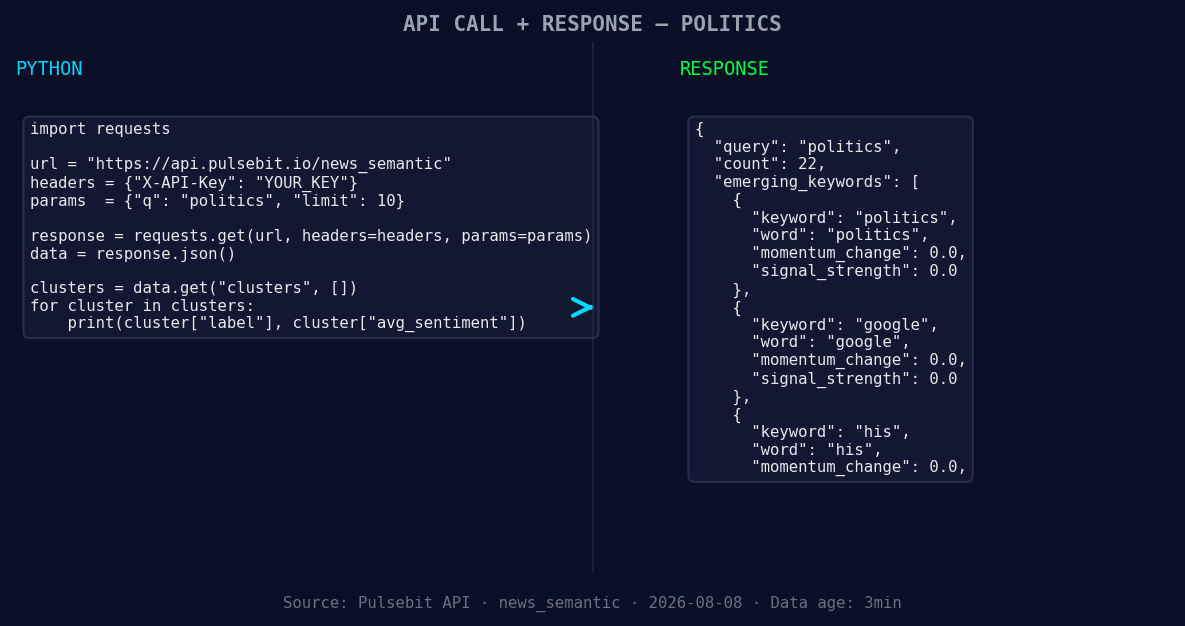
*Left: Python GET /news_semantic call for 'politics'. Right: returned JSON response structure (clusters: 3). Source: Pulsebit /news_semantic.*
# API call to get the sentiment data
response = requests.get("https://api.pulsebit.com/sentiment", params=params)
sentiment_data = response.json()
print(sentiment_data)
Next, we need to run the cluster reason string back through our sentiment endpoint to analyze the narrative framing. Here’s how we do that:
# Define the cluster reason string
cluster_reason = "Clustered by shared themes: unbound:, making, imperial, presidency, politics."

# API call to score the narrative framing
response = requests.post("https://api.pulsebit.com/sentiment", json={"text": cluster_reason})
meta_sentiment_data = response.json()

print(meta_sentiment_data)
This two-step approach allows us to capture not only the sentiment from a specific language but also analyze the context surrounding it.
Three Builds Tonight
Spanish Sentiment Analysis: Use the geographic origin filter to continuously monitor political sentiment in Spanish-speaking regions. Set a threshold of sentiment score above +0.4 to trigger alerts for potential shifts.
Cluster Narrative Evaluation: After capturing sentiment data, implement the meta-sentiment loop using the cluster reason string. This will help you refine your narrative framing. Every time a new article is processed, send the cluster reason through the sentiment endpoint to ensure ongoing accuracy.
Comparative Analysis Dashboard: Build a dashboard that compares sentiment scores across different languages for the same topic. For instance, monitor “politics” with a threshold of +0.4 in the Spanish cluster against English counterparts, highlighting anomalies like the one we just discovered.
Get Started
We encourage you to explore our API further at pulsebit.lojenterprise.com/docs. With the code provided, you can quickly copy-paste and run this in under 10 minutes. Don’t let your pipeline lag behind — start integrating multilingual sentiment analysis today!


Top comments (0)