

Your Pipeline Is 27.6h Behind: Catching Travel Sentiment Leads with Pulsebit
We recently uncovered a significant anomaly in our data: a 24h momentum spike of +0.255 in sentiment related to travel. This spike is not just a number; it’s a wake-up call for developers who are building sentiment-based models. If your pipeline isn’t accounting for multilingual sources, you might find yourself trailing behind by a staggering 27.6 hours. This was driven primarily by French press content, indicating a strong regional influence that your model could easily overlook.

French coverage led by 27.6 hours. Af at T+27.6h. Confidence scores: French 0.75, English 0.75, Spanish 0.75 Source: Pulsebit /sentiment_by_lang.
The Problem
This 27.6-hour lag highlights a critical gap in any pipeline that is not equipped to handle multilingual origins or dominant entities. If your model is only processing English-language content, you’re missing out on timely insights. In this instance, the leading language was French, and the dominant narrative was emerging from a cluster story titled "Travel Trend Report - Travel + Leisure." Your model missed this by 27.6 hours, which could mean losing out on critical decisions or actions based on outdated sentiment.
The Code
To catch this sentiment spike, you can leverage our API effectively. Below is the Python code that utilizes a geographic origin filter to query for French language content, assessing its sentiment score and momentum.

Geographic detection output for travel. India leads with 8 articles and sentiment +0.28. Source: Pulsebit /news_recent geographic fields.
import requests
# Parameters for querying the sentiment data
params = {
"topic": "travel",
"lang": "fr",
}
# API call to fetch the travel sentiment
response = requests.get("https://api.pulsebit.com/sentiment", params=params)
data = response.json()
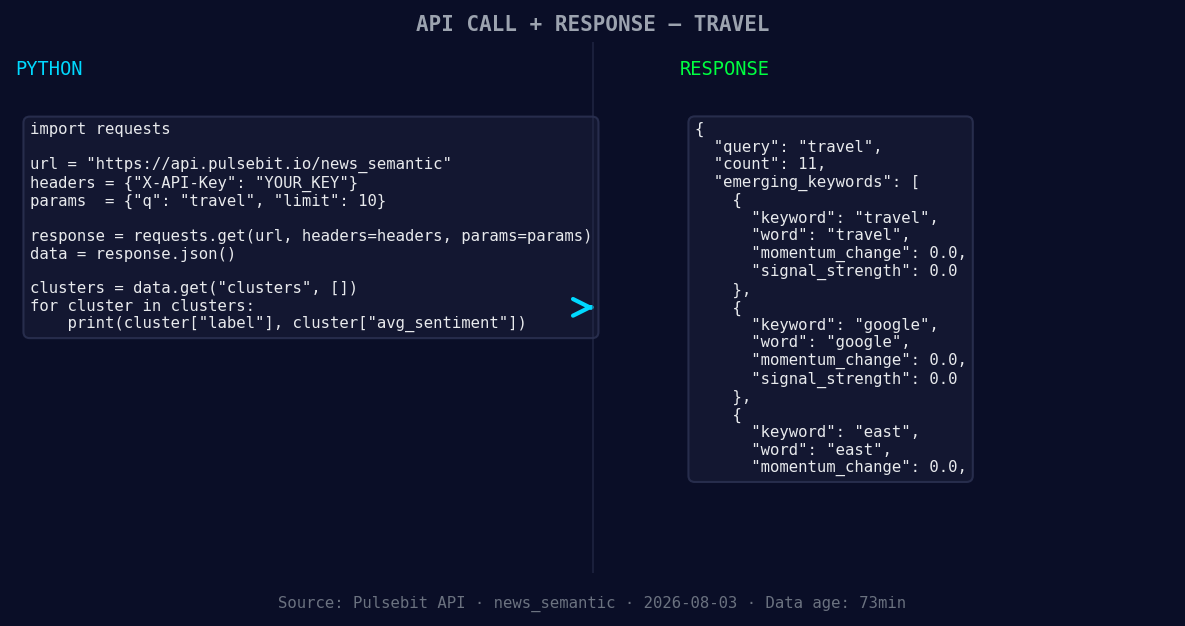
*Left: Python GET /news_semantic call for 'travel'. Right: returned JSON response structure (clusters: 3). Source: Pulsebit /news_semantic.*
# Display the result
print(data)
# Score the narrative framing
narrative = "Clustered by shared themes: travel, trend, report, leisure,"
sentiment_response = requests.post("https://api.pulsebit.com/sentiment", json={"text": narrative})
sentiment_score = sentiment_response.json()
# Display the meta-sentiment result
print(sentiment_score)
In this example, we query the sentiment around the topic of travel with a filter for French content. The second part of our code runs the cluster narrative through the sentiment endpoint to score its framing. This layered approach captures not just the surface level of sentiment but also the deeper narrative that shapes how sentiment is formed.
Three Builds Tonight
Here are three specific things we can build with this newfound pattern:
Geo-Filtered Alerts: Set up a webhook that triggers an alert when sentiment for travel in French exceeds a threshold (e.g., +0.20). This ensures you stay ahead of emerging trends from regions that might otherwise go unnoticed.
Meta-Sentiment Dashboard: Create a dashboard that visualizes sentiment scores alongside meta-sentiment narratives. Use the cluster narrative as a key input. For instance, if the cluster score for "Clustered by shared themes: travel, trend, report, leisure," hits above +0.15, display a highlighted alert in your UI.
Forming Gap Analysis: Build a report that compares forming themes (like travel, google, east) against mainstream narratives. Identify and score when forming themes start to gain momentum—this could be a signal to pivot strategy or focus resources on new opportunities.
Get Started
Ready to dive in? Visit our documentation at pulsebit.lojenterprise.com/docs. You can copy-paste this code and run it in under 10 minutes to start capturing these valuable insights. Don't let your sentiment analysis lag behind—leverage these techniques to stay ahead of the curve.


Top comments (0)