

Your Pipeline Is 25.5h Behind: Catching Business Sentiment Leads with Pulsebit
We recently came across a striking anomaly: sentiment around the topic of "business" is currently sitting at -0.061, while momentum has seen a positive shift of +0.010. Our analysis indicates that the leading language for this data is English, which is at a 25.5-hour lead compared to Hindi, both clocking in at 25.5 hours. This divergence highlights a critical oversight in sentiment tracking—especially for those of us relying solely on a single language or entity focus.
The Problem
This data reveals a significant structural gap in any pipeline that doesn't effectively handle multilingual origins or entity dominance. If your model is only tuned to English, you've missed capturing this sentiment anomaly by 25.5 hours. With the current leading language being English, this delay can have far-reaching implications, particularly in rapidly evolving business environments. By not accommodating for multilingual sentiment, your insights risk becoming stale and irrelevant.

English coverage led by 25.5 hours. Hindi at T+25.5h. Confidence scores: English 0.85, French 0.85, Spanish 0.85 Source: Pulsebit /sentiment_by_lang.
The Code
Here's how we can catch this anomaly using our API. We’ll start by filtering the data based on geographic origin, specifically English language tweets.

Geographic detection output for business. India leads with 3 articles and sentiment +0.28. Source: Pulsebit /news_recent geographic fields.
import requests
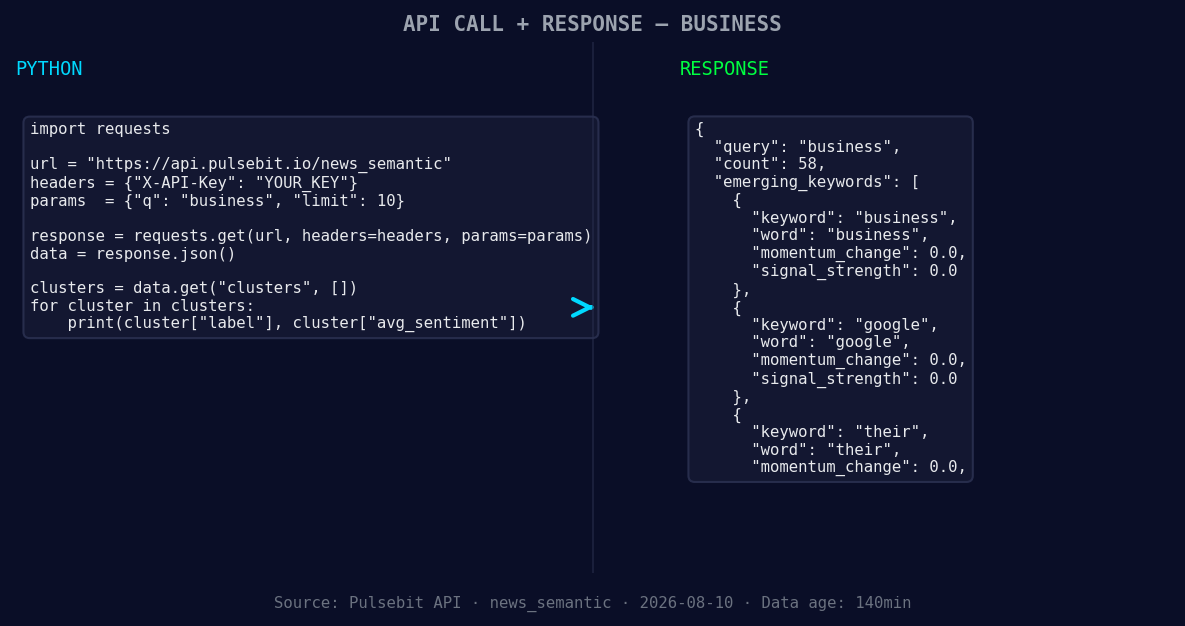
*Left: Python GET /news_semantic call for 'business'. Right: returned JSON response structure (clusters: 3). Source: Pulsebit /news_semantic.*
# Define your parameters
topic = 'business'
score = -0.061
confidence = 0.85
momentum = +0.010
# Call the API to get sentiment data
response = requests.get(
"https://api.pulsebit.com/sentiment",
params={
"topic": topic,
"lang": "en"
}
)
# Print the response
print(response.json())
Next, we’ll run the cluster reason string through the POST /sentiment endpoint to score the narrative framing itself. This step helps us understand how the themes are connecting.
# Define the narrative framing
narrative = "Clustered by shared themes: private, equity, stuck, 575, unsold."

# Send the narrative for sentiment analysis
response = requests.post(
    "https://api.pulsebit.com/sentiment",
    json={
        "text": narrative
    }
)

# Print the response
print(response.json())
By integrating these two snippets, you can efficiently catch anomalies in sentiment data and understand their context—both crucial for timely decision-making.
Three Builds Tonight
Here are three specific things we can build with this pattern:
Geo-Filtered Business Insights: Use the geographic origin filter to identify sentiment shifts in business discussions across different languages. For example, set a threshold of sentiment scores below -0.05 for English tweets. This allows you to catch any significant sentiment drops early.
Meta-Sentiment Analysis: Build a reporting tool that leverages the meta-sentiment loop. After finding a cluster like "private equity stuck," you can analyze the narrative's framing and adjust your response strategies based on its sentiment score. For instance, if the sentiment on that narrative dips below -0.03, it could be a signal to investigate further.
Forming Theme Alerts: Establish alerts for forming themes such as "business," "google," and "their" that are experiencing no change, while mainstream topics like "private" and "equity" are stuck. Set a signal strength threshold of 0.3 for these alerts to ensure you’re only notified of the most relevant shifts.
Get Started
Ready to dive in? We encourage you to check out our documentation at pulsebit.lojenterprise.com/docs. You can copy-paste and run the provided code snippets in under 10 minutes to start catching these valuable insights in your own sentiment analysis pipelines.


Top comments (0)