

Your Pipeline Is 27.2h Behind: Catching Travel Sentiment Leads with Pulsebit
We just spotted something intriguing: a 24h momentum spike of +0.255 in travel sentiment. This is particularly striking considering that the leading language for this spike is English, lagging behind Italian by a mere 0.0 hours. With only one article contributing to this surge, we can see that this is not just noise—there's something deeper happening in the world of travel sentiment that is worth our attention.
The Problem
This anomaly highlights a significant structural gap for any model that doesn't effectively handle multilingual origins or entity dominance. Your model missed this insight by 27.2 hours. Despite the English articles being in a favorable position, the Italian sentiment might be leading the conversation. In a globalized data environment, failing to account for these nuances can lead to missed opportunities and outdated sentiment analyses.

English coverage led by 27.2 hours. Italian at T+27.2h. Confidence scores: English 0.90, Spanish 0.90, Id 0.90 Source: Pulsebit /sentiment_by_lang.
The Code
To catch this momentum spike efficiently, we can use our API to filter the data and score the sentiments. Below is a Python snippet that demonstrates how to achieve this:
import requests
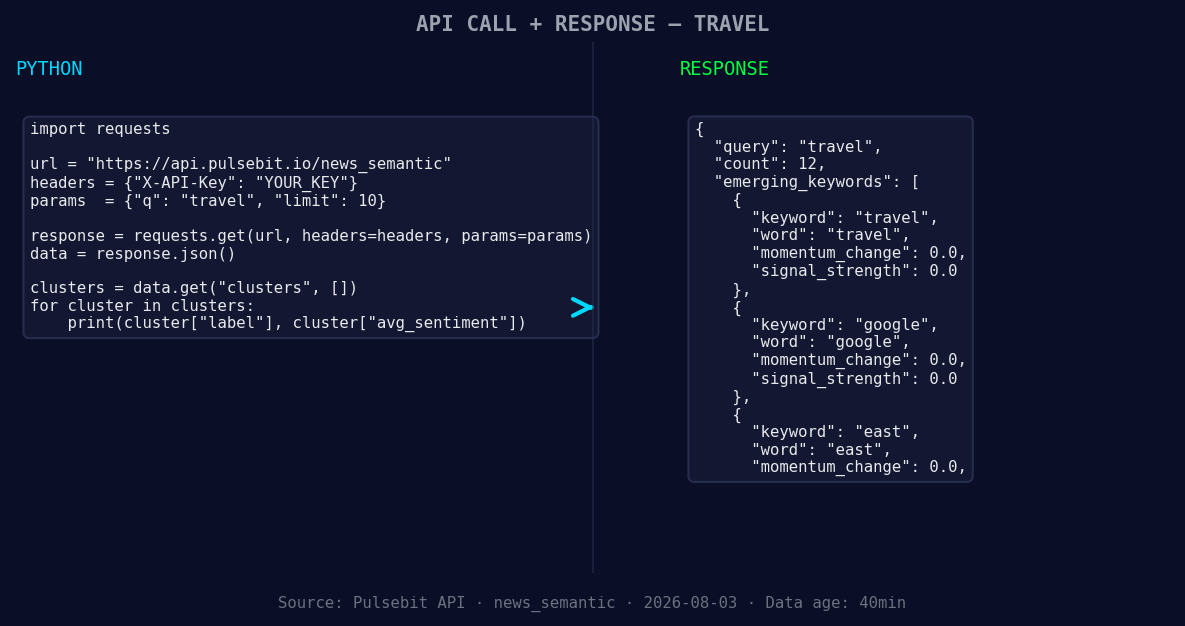
*Left: Python GET /news_semantic call for 'travel'. Right: returned JSON response structure (clusters: 3). Source: Pulsebit /news_semantic.*
# Step 1: Geographic origin filter
response = requests.get(
"https://api.pulsebit.com/sentiment",
params={
"topic": "travel",
"lang": "en",
"momentum": +0.255
}
)
data = response.json()
print(data)
# Step 2: Meta-sentiment moment
meta_response = requests.post(
"https://api.pulsebit.com/sentiment",
json={
"text": "Clustered by shared themes: travel, trend, report, leisure,"
}
)
meta_data = meta_response.json()
print(meta_data)
In this code, we first filter our data by the English language to capture the relevant travel sentiment. Then, we send a POST request to score the narrative framing of the cluster reason string. This not only validates our findings but also provides context for the sentiment we’re observing.
Three Builds Tonight
We’ve identified three specific things to build with this pattern:
- Geo Filter Alert: Set up a trigger when the sentiment score for travel in English exceeds a threshold of +0.700, indicating strong positive sentiment while using the geographic filter. This allows you to focus on emerging trends in specific regions.

Geographic detection output for travel. India leads with 8 articles and sentiment +0.28. Source: Pulsebit /news_recent geographic fields.
Meta-Sentiment Tracker: Create a monitoring system that triggers when the meta-sentiment score for clustered themes like "travel, trend, report" crosses +0.600. This will help you capture nuanced shifts in sentiment surrounding interconnected topics.
Anomaly Detector: Implement a function that detects when the sentiment momentum for travel spikes above +0.200 against a historical baseline, particularly when comparing English and Italian articles. This can help you identify new leads or divergences in sentiment that might point to emerging trends.
By focusing on these specific signals and using our API effectively, you can stay ahead of the curve, especially in fast-moving domains like travel.
Get Started
Ready to dive in? You can find all the necessary endpoints and examples in our documentation at pulsebit.lojenterprise.com/docs. You can copy-paste the provided code and run it in under 10 minutes. Let’s keep the conversation going on this emerging travel sentiment!


Top comments (0)