

Your Pipeline Is 13.3h Behind: Catching Law Sentiment Leads with Pulsebit
We recently stumbled upon an intriguing anomaly: a 24-hour momentum spike of +1.064 around the topic of law. This spike is particularly noteworthy as it reveals a surge of sentiment that you may have missed if you're not equipped to handle multilingual sources effectively. The leading language for this spike was Spanish press, which was notably ahead by 13.3 hours compared to Portuguese coverage.

Spanish coverage led by 13.3 hours. Portuguese at T+13.3h. Confidence scores: Spanish 0.85, English 0.85, French 0.85 Source: Pulsebit /sentiment_by_lang.
This situation exposes a significant structural gap in your pipeline if it doesn’t account for language or entity dominance. Your model missed this spike by a staggering 13.3 hours simply because it wasn’t tuned to recognize the Spanish coverage that was driving the sentiment. If you're only looking at mainstream English sources, you might be lagging behind critical developments that could inform your strategies.
To catch this momentum spike, here's a quick Python snippet that does exactly that. First, we’ll filter our data to only consider articles in Spanish, and then we’ll assess the sentiment of the narratives related to this spike.
import requests
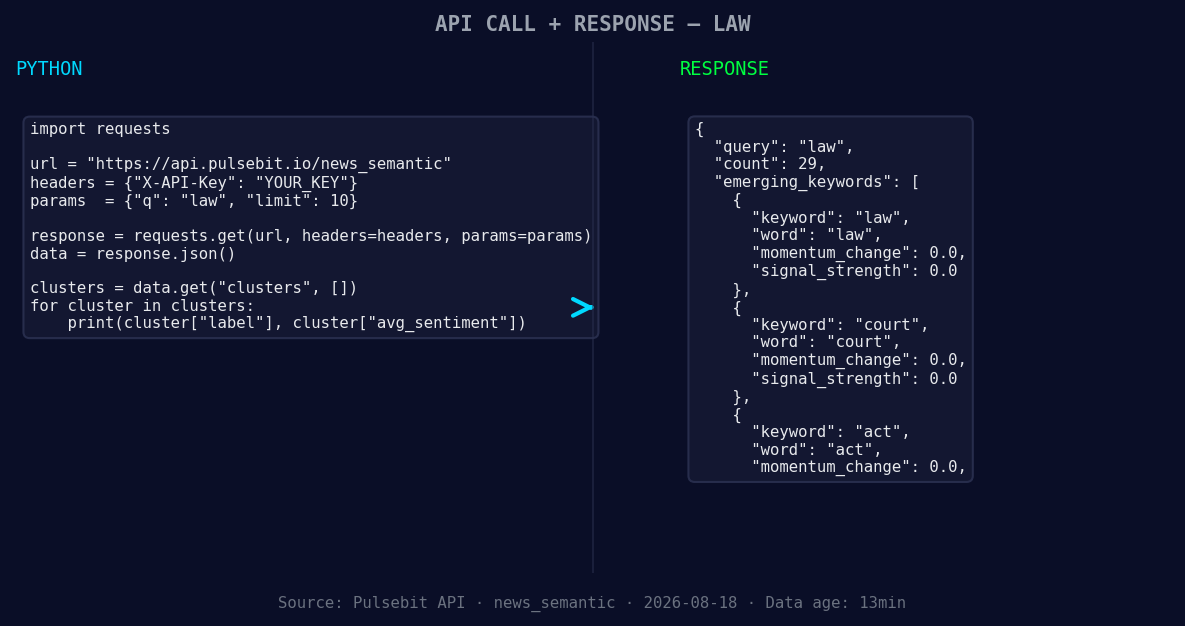
*Left: Python GET /news_semantic call for 'law'. Right: returned JSON response structure (clusters: 3). Source: Pulsebit /news_semantic.*
# Step 1: Geographic origin filter
response = requests.get("https://api.pulsebit.io/articles",
params={
"lang": "sp",
"topic": "law",
"momentum": "+1.064"
})
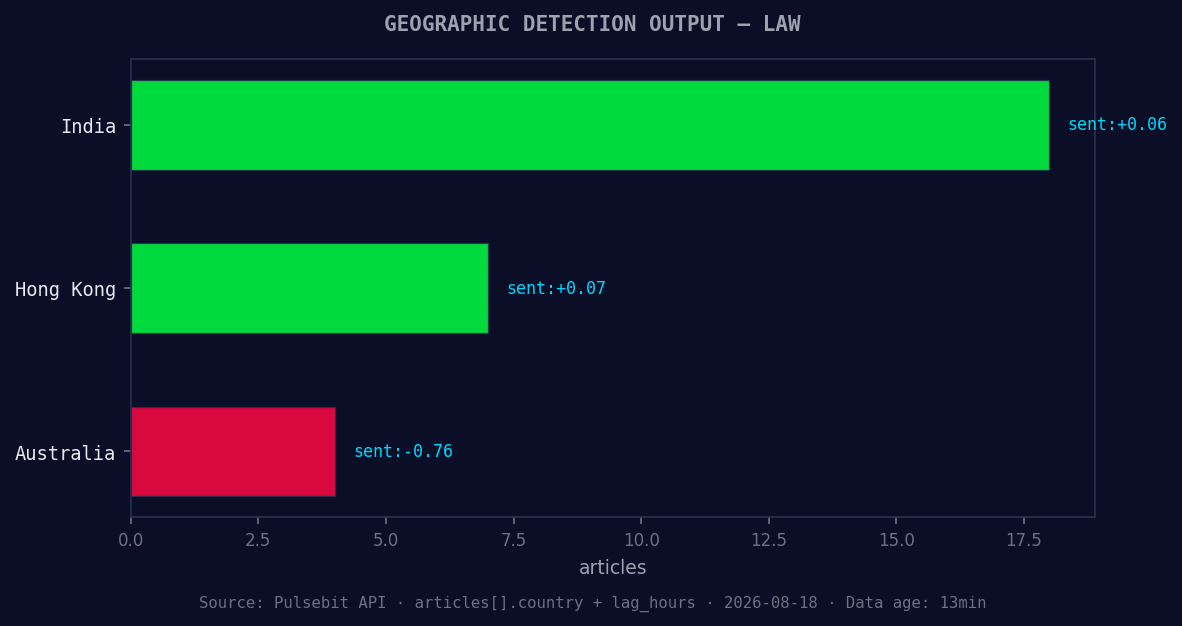
*Geographic detection output for law. India leads with 18 articles and sentiment +0.06. Source: Pulsebit /news_recent geographic fields.*
articles = response.json()
print("Spanish Articles:", articles)
# Step 2: Meta-sentiment moment
narrative = "Clustered by shared themes: act, taxation, payment, settlement, systems."
meta_response = requests.post("https://api.pulsebit.io/sentiment",
json={"text": narrative})
meta_sentiment = meta_response.json()
print("Meta-Sentiment Score:", meta_sentiment)
In this code:
- We query our API to fetch articles about the topic "law" in Spanish. The results will help us understand the context driving the sentiment spike.
- We then analyze the narrative framing itself by sending the cluster reason string through our sentiment analysis endpoint. This provides insight into how the themes are being perceived and can offer additional context for the spike.
Now that we’ve captured this spike, here are three specific builds you can implement using this pattern:
Spanish Language Filter: Use the geographic origin filter to build a real-time alert system that notifies you when sentiment spikes in any language you choose. Set a threshold at +1.0 momentum, ensuring you catch critical shifts early.
Meta-Sentiment Analysis: Create a dashboard widget that continually scores narratives based on emerging themes. For instance, when the topic is "law" and you receive a spike, automatically evaluate related narratives around "act", "taxation", and "payment" to surface insights.
Thematic Comparison: Build a comparative analysis tool that contrasts sentiment scores across languages. For instance, track sentiment trends in Spanish vs. Portuguese on the themes of "court" and "act," allowing you to gauge sentiment divergence and react accordingly.
If you want to get started with this powerful functionality, check out our documentation at pulsebit.lojenterprise.com/docs. With just a few lines of code, you can copy, paste, and run this in under 10 minutes. Don’t let your models fall behind—get ahead of the curve!


Top comments (0)