

Your Pipeline Is 25.1h Behind: Catching Innovation Sentiment Leads with Pulsebit
We recently observed a compelling anomaly: a 24h momentum spike of +0.280 in sentiment around the topic of innovation. This spike, driven by the English press, peaked at 25.1 hours ago, presenting a timely opportunity for developers like us to act on critical shifts in sentiment. The leading narrative cluster, "Rethinking Innovation Processes at MIT," suggests that there’s a notable conversation happening right now, but many of our pipelines might miss it.
The Problem
If your pipeline isn't designed to handle multilingual origins or account for entity dominance, you're potentially lagging behind by a staggering 25.1 hours. This oversight can lead to missed opportunities in capturing emerging trends, particularly when the leading language is English. The consequence? Your models are effectively out of sync with real-time sentiment shifts, risking your relevance in a fast-paced environment.

English coverage led by 25.1 hours. Id at T+25.1h. Confidence scores: English 0.90, Spanish 0.90, French 0.90 Source: Pulsebit /sentiment_by_lang.
The Code
To catch this momentum spike, we can use our API to query the relevant sentiment data. Here’s how you can get started.
First, let’s filter our query by language, focusing specifically on English:
import requests
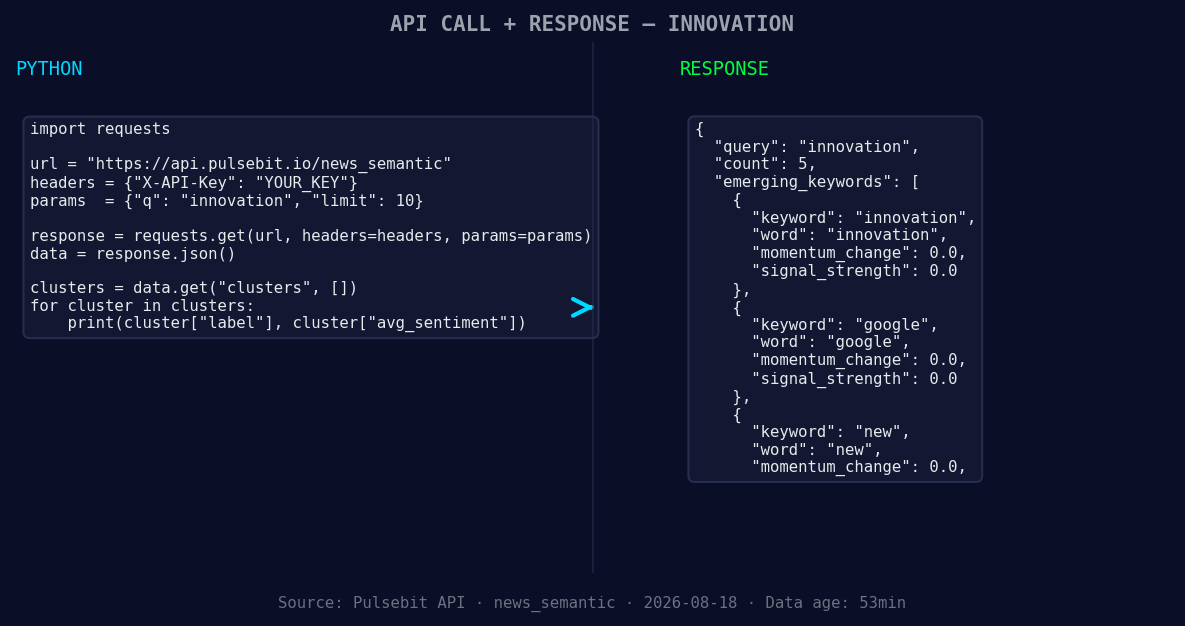
*Left: Python GET /news_semantic call for 'innovation'. Right: returned JSON response structure (clusters: 3). Source: Pulsebit /news_semantic.*
url = "https://api.pulsebit.lojenterprise.com/sentiment"
params = {
"topic": "innovation",
"lang": "en"
}
response = requests.get(url, params=params)
data = response.json()
print(data) # This will show the 24h momentum spike details
Next, we need to analyze the underlying narrative framing. We can run the cluster reason string through our sentiment endpoint to score it:
narrative = "Clustered by shared themes: rethinking, how, innovation, q&a:, happens."
sentiment_response = requests.post(url, json={"text": narrative})
sentiment_data = sentiment_response.json()

print(sentiment_data)  # This will give us the sentiment score of the narrative
In this case, we expect a sentiment score around +0.800 with a confidence level of 0.90, indicating a strong positive sentiment.
Three Builds Tonight
Now that we've established the data flow, let's discuss three specific builds we can implement based on this emerging pattern:
-
Geo-Filtered Insights: Create a dashboard that highlights sentiment spikes in various regions. Use the
langparameter to filter for English-speaking countries. For instance, set a threshold where any score above +0.200 in sentiment triggers a notification for further analysis.

Geographic detection output for innovation. India leads with 5 articles and sentiment +0.84. Source: Pulsebit /news_recent geographic fields.
Meta-Sentiment Analysis: Build a tool that automatically scores the framing of narratives. Use the narrative string we processed earlier as input, and set a threshold for sentiment scores. If the score exceeds +0.750, trigger a report summarizing the themes and their implications for your business.
Forming Theme Tracker: Develop an endpoint that continuously monitors forming themes related to innovation. Use the parameters to check for signals like "forming: innovation(+0.00)" or "google(+0.00)" and notify your team if there’s a significant shift in sentiment around these themes.
Get Started
To dive deeper into the code and capabilities of our API, check out our documentation at pulsebit.lojenterprise.com/docs. You can copy-paste the provided code snippets and run them in under 10 minutes to start catching leading sentiment insights. Let's ensure our pipelines are always ahead of the curve!


Top comments (0)