

Your Pipeline Is 28.8h Behind: Catching Healthcare Sentiment Leads with Pulsebit
We just spotted a notable anomaly: a 24h momentum spike of +0.305 in the healthcare sentiment. This spike is not just a number; it indicates a rising interest in healthcare, led by Spanish press coverage with a 28.8-hour lead time. Given that this momentum is triggered by just one article that clusters around themes like health and systems, it’s a clear signal that something important is happening in this sector—and you might be missing out if your pipeline isn’t equipped to handle it.
The Problem
This discovery reveals a significant structural gap in any pipeline that doesn’t incorporate multilingual origin or entity dominance. If your model isn't set up to catch these nuances, you could easily miss critical shifts in sentiment—like the one we just identified—by 28.8 hours. The leading language here is Spanish, and if you're solely focusing on English, you could be lagging behind in capturing vital healthcare narratives that may influence your strategies.

Spanish coverage led by 28.8 hours. Ro at T+28.8h. Confidence scores: Spanish 0.90, English 0.90, French 0.90 Source: Pulsebit /sentiment_by_lang.
The Code
To catch this spike in sentiment, we can use a simple Python script that leverages our API. Here’s how you can do it:
import requests
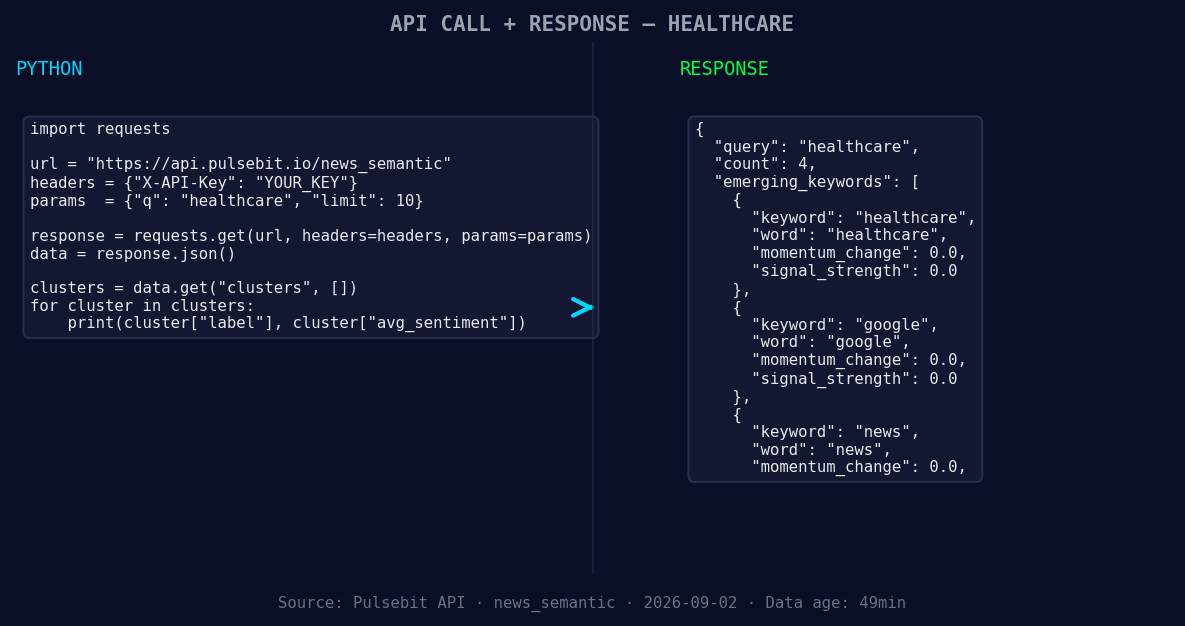
*Left: Python GET /news_semantic call for 'healthcare'. Right: returned JSON response structure (clusters: 3). Source: Pulsebit /news_semantic.*
# Step 1: Geographic origin filter
url = "https://pulsebit.lojenterprise.com/api/v1/sentiment"
params = {
"topic": "healthcare",
"score": +0.306,
"confidence": 0.90,
"momentum": +0.305,
"lang": "sp"
}
response = requests.get(url, params=params)
healthcare_data = response.json()
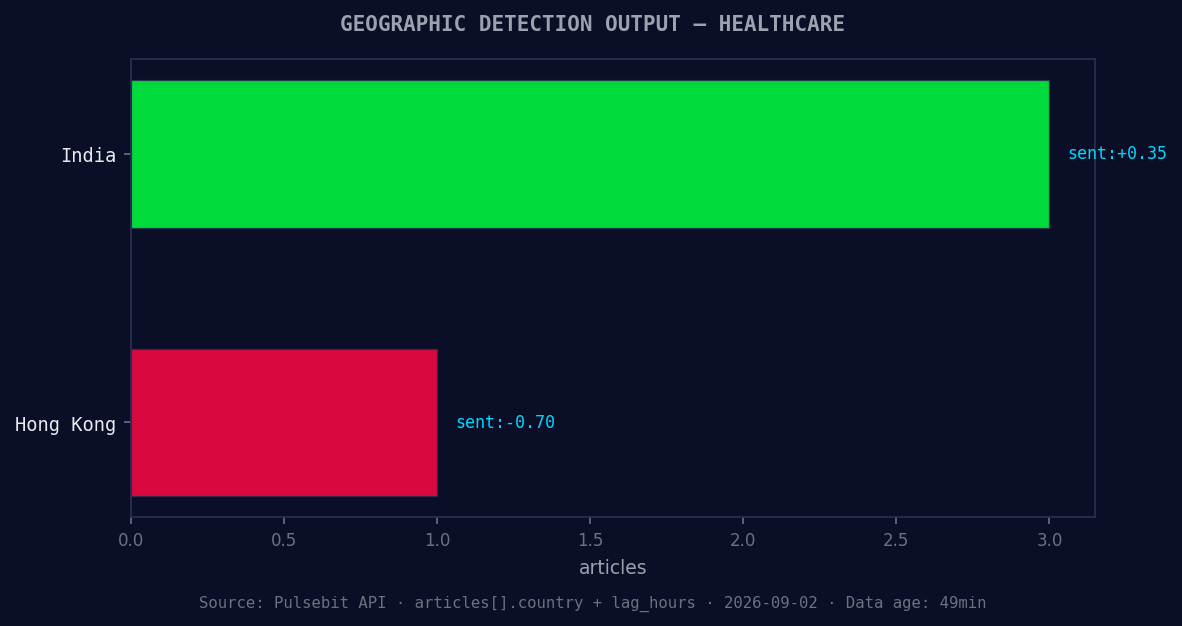
*Geographic detection output for healthcare. India leads with 3 articles and sentiment +0.35. Source: Pulsebit /news_recent geographic fields.*
# Step 2: Meta-sentiment moment
reason_string = "Clustered by shared themes: health, systems, participate, wells, fargo."
sentiment_response = requests.post(url, json={"text": reason_string})
meta_sentiment = sentiment_response.json()
print("Healthcare Data:", healthcare_data)
print("Meta Sentiment Score:", meta_sentiment)
In the first part, we filter the sentiment data by language using lang: "sp" to specifically target the Spanish sentiment. The second part runs the cluster reason string back through our /sentiment endpoint to score the narrative framing itself. This is crucial for understanding how the themes are being perceived.
Three Builds Tonight
Here are three specific builds you can implement based on this pattern:
Geo-Filtered Alerts: Set a signal threshold that alerts you when the momentum exceeds +0.3 for healthcare stories in Spanish. This allows you to catch any incoming spikes early on, ensuring you’re always in the loop.
Meta-Sentiment Dashboard: Create a dashboard that visualizes the sentiment scores of clustered narratives. You should be able to filter by themes like healthcare, google, and news. Use the meta-sentiment score to assess how the framing of narratives can affect your decision-making.
Dynamic Content Feed: Build a dynamic feed that pulls in articles around health, systems, and participate whenever the sentiment score for these terms is rising. This can help you stay updated with the latest themes and trends that are forming in real-time.
Get Started
Ready to implement these insights? Visit our documentation at pulsebit.lojenterprise.com/docs. With just a few lines of code, you can copy, paste, and run this in under 10 minutes to start catching those critical sentiment leads.


Top comments (0)