

Your pipeline is 20.5 hours behind in recognizing a significant sentiment spike around a film review, with a sentiment score of +0.47 and momentum of +0.00. This anomaly surfaced in the Spanish press, where a review titled "Buddy" is stirring up discussions about children’s TV turning into a nightmare of control. The lag in identifying this sentiment could mean missing critical insights that could impact your decisions or strategies.
This data highlights a structural gap in any pipeline that fails to account for multilingual origins or dominant entities. If your model isn't set up to handle this, you might have missed the sentiment shift by a staggering 20.5 hours, with the leading language being Spanish. How can you stay ahead when crucial narratives are developing in languages that your system might not be tracking effectively?

Spanish coverage led by 20.5 hours. Tl at T+20.5h. Confidence scores: Spanish 0.85, English 0.85, French 0.85 Source: Pulsebit /sentiment_by_lang.
To catch this sentiment spike, let's dive into some Python code that leverages our API. We’ll start by querying the sentiment data specifically for the Spanish language.
import requests
# Query parameters
topic = 'film'
lang = 'sp'
sentiment_threshold = 0.470
confidence_threshold = 0.85
# API call to get sentiment score
response = requests.get(f'https://api.pulsebit.com/sentiment?topic={topic}&lang={lang}')
data = response.json()
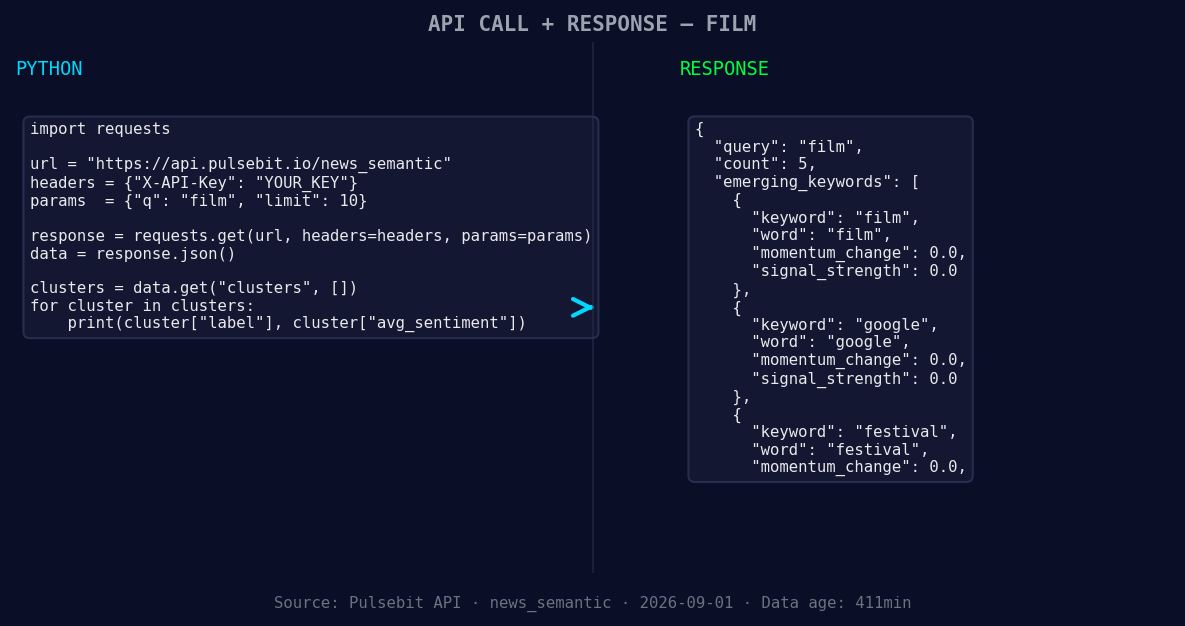
*Left: Python GET /news_semantic call for 'film'. Right: returned JSON response structure (clusters: 3). Source: Pulsebit /news_semantic.*
# Check if sentiment meets our thresholds
if data['sentiment_score'] >= sentiment_threshold and data['confidence'] >= confidence_threshold:
print("Sentiment detected:", data)
else:
print("No significant sentiment detected.")
Next, we’ll run the cluster reason string through our POST /sentiment endpoint to score the framing narrative itself. This is the meta-sentiment moment that adds depth to our analysis.
# Meta-sentiment input
cluster_reason = "Clustered by shared themes: review:, 'buddy', turns, children’s-tv, cheer."

# API call to get sentiment score for the cluster reason
meta_response = requests.post('https://api.pulsebit.com/sentiment', json={'text': cluster_reason})
meta_data = meta_response.json()

print("Meta-sentiment score:", meta_data)
Now that we’ve caught this significant spike, let’s think about three specific builds that can enhance your pipeline tonight:
- Geo-Filter for Spanish Language Films: Utilize the geographic origin filter with our sentiment endpoint to catch specific film-related sentiments in Spanish-speaking regions. Set a signal strength threshold of 0.25 to focus on notable shifts.

Geographic detection output for film. Hong Kong leads with 2 articles and sentiment +0.35. Source: Pulsebit /news_recent geographic fields.
Meta-Sentiment for Thematic Analysis: Implement the meta-sentiment loop using the cluster reason to analyze narratives around key films. Set a confidence threshold of 0.80 to ensure you’re acting on reliable insights.
Forming Themes Monitoring: Create a monitoring system for forming themes in the film space. Focus on the signals for "film" (+0.00), "google" (+0.00), and "festival" (+0.00). Set alerts for sentiment changes above +0.25, enabling you to react quickly to emerging trends.
By integrating these capabilities, you’ll not only catch anomalies like this one in real-time but also build a more robust sentiment analysis framework.
To get started, visit pulsebit.lojenterprise.com/docs. You can copy-paste the code above and have it running in under 10 minutes. Let’s sharpen our insights and reduce those lag times!


Top comments (0)