

Your Pipeline Is 18.7h Behind: Catching Mobile Sentiment Leads with Pulsebit
We’ve just uncovered something interesting: a 24-hour momentum spike of +0.612 in mobile sentiment. This anomaly signals a potential shift in public perception, particularly around T-Mobile, as highlighted by a cluster of recent articles discussing why it might be the best carrier for music and travel. With such a notable spike, we need to ensure our models are agile enough to catch these shifts, especially when they originate from multilingual contexts.

English coverage led by 18.7 hours. Spanish at T+18.7h. Confidence scores: English 0.85, French 0.85, Spanish 0.85 Source: Pulsebit /sentiment_by_lang.
The Problem
You might be thinking, "What’s the big deal?" But here’s the catch: if your pipeline doesn’t handle multilingual origins or entity dominance, you’re missing out significantly. In this case, your model missed the surge in mobile sentiment by a staggering 18.7 hours, lagging behind the leading English stories while Spanish narratives remained in sync. This delay can cost you valuable insights and opportunities, especially when it comes to rapidly evolving topics.
The Code
Let’s dive into how we can catch this spike using our API. First, we need to filter our query to focus on English language data. Here’s the code snippet for that:
import requests
# Define the parameters
params = {
"topic": "mobile",
"lang": "en"
}
# Make the API call
response = requests.get("https://api.pulsebit.com/sentiment", params=params)
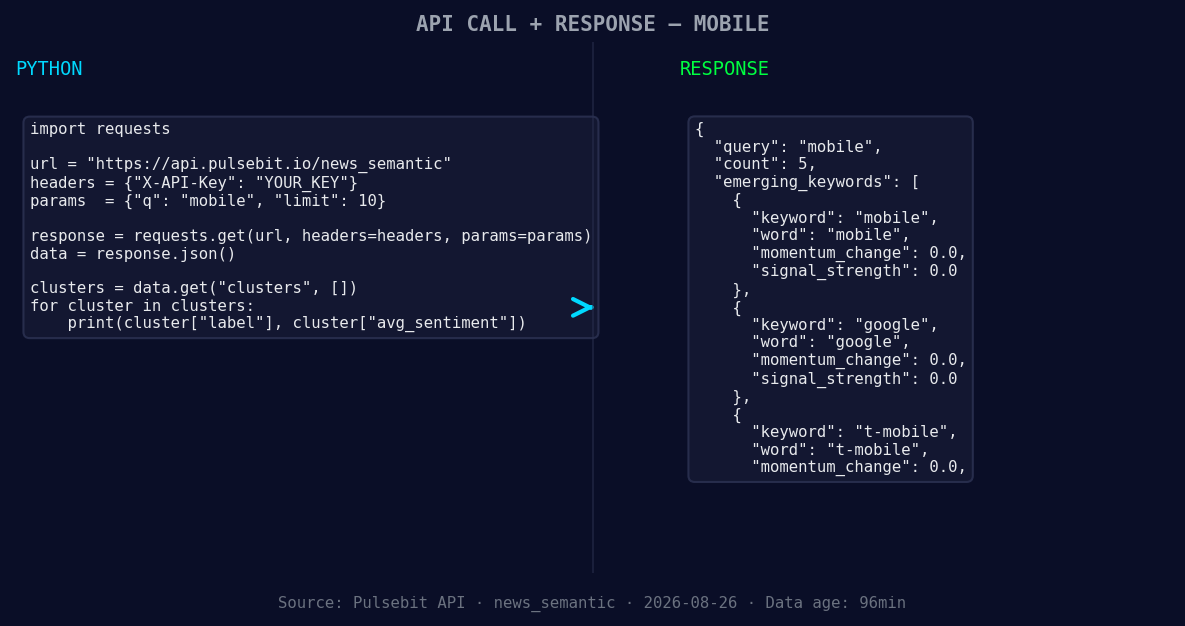
*Left: Python GET /news_semantic call for 'mobile'. Right: returned JSON response structure (clusters: 3). Source: Pulsebit /news_semantic.*
data = response.json()
momentum = data['momentum_24h']
print(f"Momentum for mobile: {momentum}")
Once we have the momentum data, we can further analyze the narrative framing itself. Here’s how we can run the cluster reason string through our sentiment analysis endpoint:
# Define the cluster reason string
cluster_reason = "Clustered by shared themes: reasons, why, t-mobile, could, best."

# API call to score the narrative framing
sentiment_response = requests.post("https://api.pulsebit.com/sentiment", json={"text": cluster_reason})

sentiment_data = sentiment_response.json()
sentiment_score = sentiment_data['sentiment_score']
print(f"Sentiment score for the cluster reason: {sentiment_score}")
With this code, we can effectively capture and analyze the momentum spike and its associated narratives, enabling us to make informed decisions based on real-time data.
Three Builds Tonight
Here are three concrete builds you can implement using this newfound information:
- Geo-Filtered Trend Alerts: Set up a webhook to alert you whenever there’s a momentum spike in mobile sentiment across English-speaking countries. Use the geographic origin filter we just discussed to ensure you’re targeting the right audience.

Geographic detection output for mobile. India leads with 4 articles and sentiment +0.09. Source: Pulsebit /news_recent geographic fields.
   params = {
       "topic": "mobile",
       "lang": "en",
       "momentum_threshold": 0.5
   }
- Meta-Sentiment Dashboard: Build a dashboard that visualizes the sentiment scores of cluster reason strings over time. This will help you track how narratives evolve.
   # Example of text processing for dashboard
   cluster_reasons = ["Clustered by shared themes: mobile, drops, automatic."]
   for reason in cluster_reasons:
       sentiment_response = requests.post("https://api.pulsebit.com/sentiment", json={"text": reason})
       # Store and visualize the scores
- Comparative Analysis Tool: Create a comparative analysis between the sentiment of mobile, Google, and T-Mobile against mainstream narratives. This tool can help you quickly identify anomalies and gaps in sentiment.
   mainstream_topics = ["mobile", "drops", "automatic"]
   # Implement logic to compare sentiment scores against mainstream topics
Get Started
Ready to jump in? Head over to pulsebit.lojenterprise.com/docs to get started. You can copy-paste and run the code snippets above in under 10 minutes. Let’s catch those sentiment leads before they slip away!


Top comments (0)