

Your Pipeline Is 25.9h Behind: Catching Investing Sentiment Leads with Pulsebit
We just stumbled upon a significant anomaly: a 24-hour momentum spike of +0.316 in the investing space. This spike reflects a notable shift in sentiment, particularly around Nvidia’s major investments in data centers. With two articles clustered around this narrative, it's clear that something is brewing, and the leading language is English with a 25.9-hour lead time.
But here's the kicker: if your pipeline isn't equipped to handle multilingual origins or entity dominance, you might have missed this momentum shift by a staggering 25.9 hours. Imagine being caught off-guard as your competitors capitalize on a trend while your model remains oblivious, tethered to stale data. In this case, the dominant entity is Nvidia, but what if the next spike is about Google or another tech giant?

English coverage led by 25.9 hours. Da at T+25.9h. Confidence scores: English 0.85, French 0.85, Ca 0.85 Source: Pulsebit /sentiment_by_lang.
To catch these emerging trends, we can leverage our API to effectively filter and analyze sentiment data. Here’s how you can capture that momentum spike in real-time:
import requests
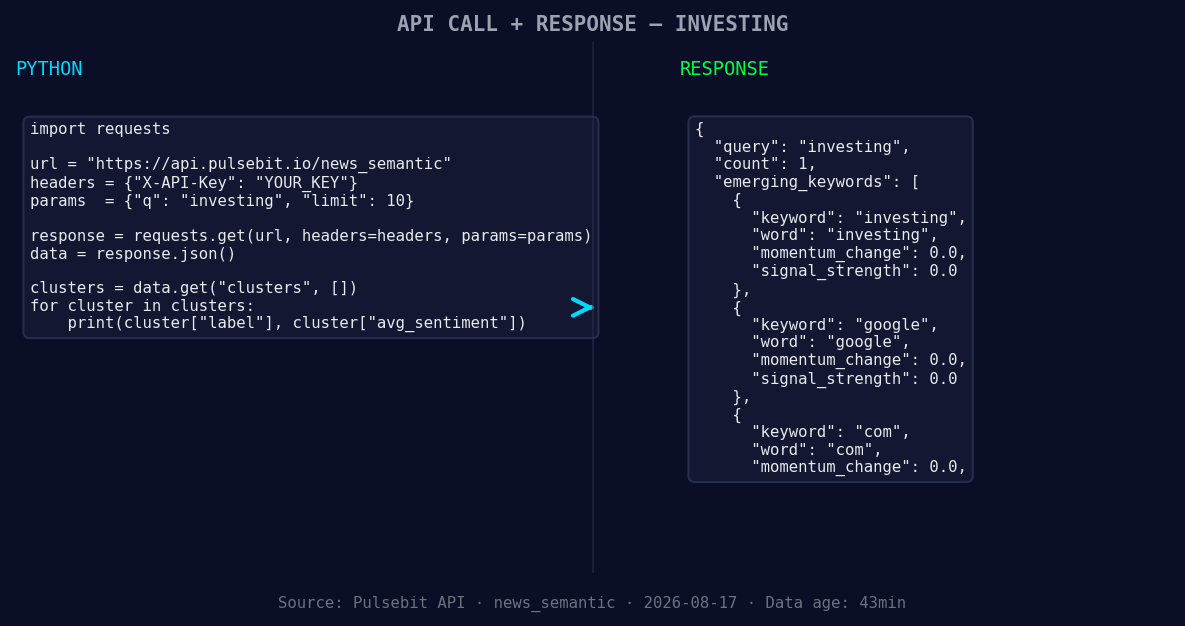
*Left: Python GET /news_semantic call for 'investing'. Right: returned JSON response structure (clusters: 3). Source: Pulsebit /news_semantic.*
# Define your parameters
topic = 'investing'
score = +0.310
confidence = 0.85
momentum = +0.316
# Geographic origin filter: Fetch articles in English
url = "https://api.pulsebit.com/v1/articles"
params = {
"topic": topic,
"lang": "en", # Filter by English language
"momentum": momentum,
}
response = requests.get(url, params=params)
articles = response.json()
# Print fetched articles
print(articles)
# Meta-sentiment moment: Score the narrative framing
narrative = "Clustered by shared themes: ridge, director, john, mccartney, buys."
sentiment_url = "https://api.pulsebit.com/v1/sentiment"
sentiment_response = requests.post(sentiment_url, json={"text": narrative})
sentiment_score = sentiment_response.json()
# Print sentiment score
print(sentiment_score)
In the code above, we first set up a request to fetch articles related to the topic of interest, filtering specifically for English language content. This ensures that we're tapping into the most relevant sentiment data. Then, we run the narrative through our sentiment scoring endpoint, allowing us to evaluate the underlying themes that may be shaping public perception around the cluster story.
Now that we have the tools, what can we build? Here are three actionable signals to consider:
- Signal: Investing Momentum — Set a threshold for a momentum spike of +0.3. Whenever this threshold is crossed, trigger an alert. Implement the geographic filter to ensure you’re only capturing English-language articles.

Geographic detection output for investing. India leads with 1 articles and sentiment +0.70. Source: Pulsebit /news_recent geographic fields.
Meta-Sentiment Analysis — Whenever you detect a cluster, use the meta-sentiment loop to analyze the narrative surrounding the cluster. For example, if you see themes such as "Google", "AI" or "data centers", run those through our sentiment endpoint and gauge public sentiment.
Forming Themes Tracking — Monitor themes that are forming but haven’t yet broken into mainstream discourse. For instance, if the sentiment for "investing" is flat but you see a spike in Google or OpenAI discussions, create a watchlist for articles that discuss these topics.
By integrating these signals into your pipeline, you can stay ahead of the curve and avoid the pitfalls of lagging sentiment analysis.
To dive deeper, check out our documentation at pulsebit.lojenterprise.com/docs. You can copy-paste and run this in under 10 minutes—let's get to work.


Top comments (0)