

Your Pipeline Is 27.9h Behind: Catching World Sentiment Leads with Pulsebit
We just spotted a 24h momentum spike of +0.387 in global sentiment, specifically focused on the theme of "Global Rejection of Divisive Politics." This anomaly, led by the Spanish press with a 27.9-hour lead time, highlights a critical insight that could easily slip through the cracks in any sentiment analysis pipeline. With two articles clustering around this theme, you can see how fast-moving sentiment can be if you’re not keeping pace with multilingual sources.

Spanish coverage led by 27.9 hours. Nl at T+27.9h. Confidence scores: Spanish 0.92, English 0.92, French 0.92 Source: Pulsebit /sentiment_by_lang.
Your model missed this by 27.9 hours. If you’re relying on a single language or not considering entity dominance, you’re already behind. The leading language in this case is Spanish, which means you need to be on top of multilingual data flows to capture emerging narratives effectively. Ignoring this gap can lead to missed opportunities and outdated insights.
Here's how we can catch this spike using our API. First, let’s filter the data by language to focus on the Spanish press. We’ll fetch articles related to the topic "world" with a score of +0.113 and a confidence of 0.92.
import requests
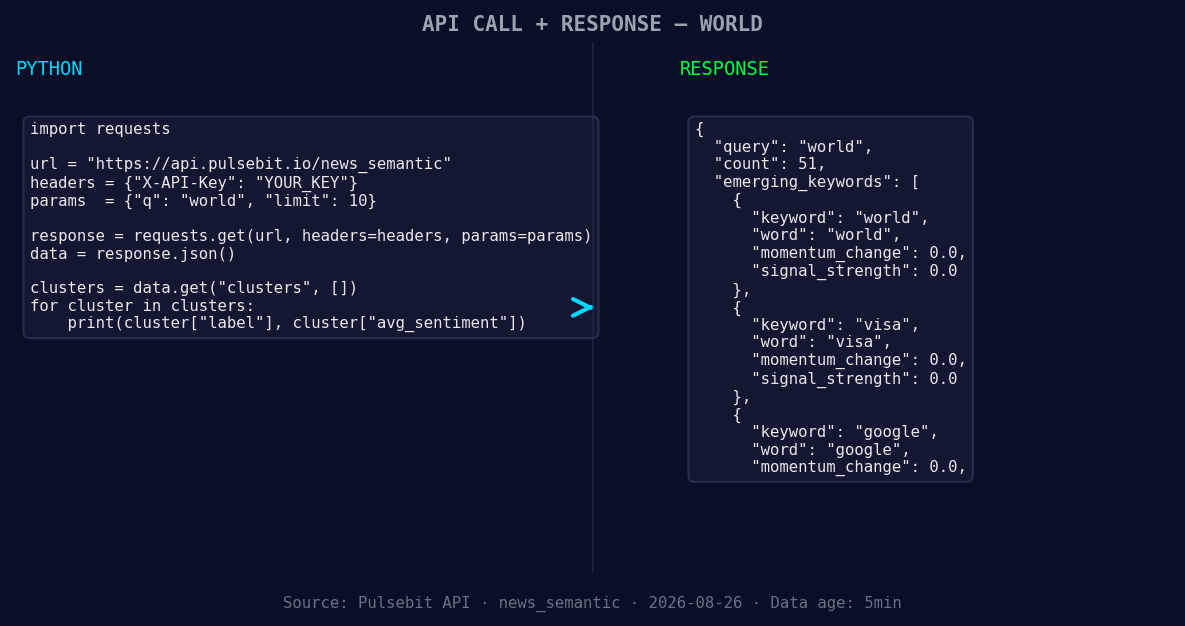
*Left: Python GET /news_semantic call for 'world'. Right: returned JSON response structure (clusters: 3). Source: Pulsebit /news_semantic.*
url = "https://api.pulsebit.com/v1/articles"
params = {
"topic": "world",
"score": "+0.113",
"confidence": "0.92",
"momentum": "+0.387",
"lang": "sp" # Filtering for Spanish language articles
}
response = requests.get(url, params=params)
articles = response.json()
Next, we need to run the narrative framing back through our sentiment analysis endpoint. This will help us understand the broader context of the cluster reason string: "Clustered by shared themes: world, chess, its, total, championship." Here’s how to do that:
sentiment_url = "https://api.pulsebit.com/v1/sentiment"
cluster_reason = "Clustered by shared themes: world, chess, its, total, championship."

sentiment_response = requests.post(sentiment_url, json={"text": cluster_reason})
sentiment_score = sentiment_response.json()
By utilizing both the geographic origin filter and the meta-sentiment loop, we can enhance our understanding of emerging narratives.

Geographic detection output for world. India leads with 32 articles and sentiment +0.25. Source: Pulsebit /news_recent geographic fields.
Now, what can we build from this insight? Here are three specific ideas:
Geo-Filtered Alerts: Set up a real-time alert system for sentiment spikes in specific languages. For example, if the sentiment score for "world" in Spanish exceeds +0.2, trigger an alert for your team to investigate further. Use the geo filter to ensure you're only looking at relevant articles.
Meta-Sentiment Dashboard: Create a dashboard that visualizes the sentiment scores of cluster narratives over time. By continuously running the cluster reason strings through our sentiment endpoint, you can capture how narratives evolve. For instance, track the sentiment of "Global Rejection of Divisive Politics" and related themes to identify shifts in public opinion.
Comparative Analysis Framework: Build an analytical framework that compares sentiment between different languages or entities. For instance, analyze how sentiment around "world" compares between Spanish and English sources, especially when there's a spike in one language. This can reveal underlying trends that you might otherwise miss.
If you want to get started, check out our documentation at pulsebit.lojenterprise.com/docs. You can copy-paste the provided code and run it in under 10 minutes to catch similar spikes in your own sentiment analysis. Don’t let your pipeline fall behind.


Top comments (0)