

Your Pipeline Is 17.2h Behind: Catching Food Sentiment Leads with Pulsebit
We recently discovered a striking anomaly: a 24h momentum spike of +0.775 in sentiment around the topic of food. This spike is particularly interesting because it emanates from English-language press sources, which are lagging by 17.2 hours compared to Portuguese sources. This delay highlights a critical gap in our data pipelines when it comes to handling multilingual sentiment—especially when certain languages or regions dominate conversations around key topics.

English coverage led by 17.2 hours. Portuguese at T+17.2h. Confidence scores: English 0.85, French 0.85, Spanish 0.85 Source: Pulsebit /sentiment_by_lang.
If your pipeline doesn’t account for the dominance of a specific language or the nuances of multilingual data, it could be leaving you behind. Your model missed this by 17.2 hours, a significant oversight, especially when considering the leading language in this context. As food quality and safety become increasingly important topics of conversation in the media, missing these signals means missing out on actionable insights.
Let’s dive into the code that can catch these insights before they slip away. We can use our API to filter sentiment data by geographic origin, focusing on English-language articles. Here's how you can do that:
import requests
# Define the parameters for the API call
params = {
"topic": "food",
"lang": "en",
}
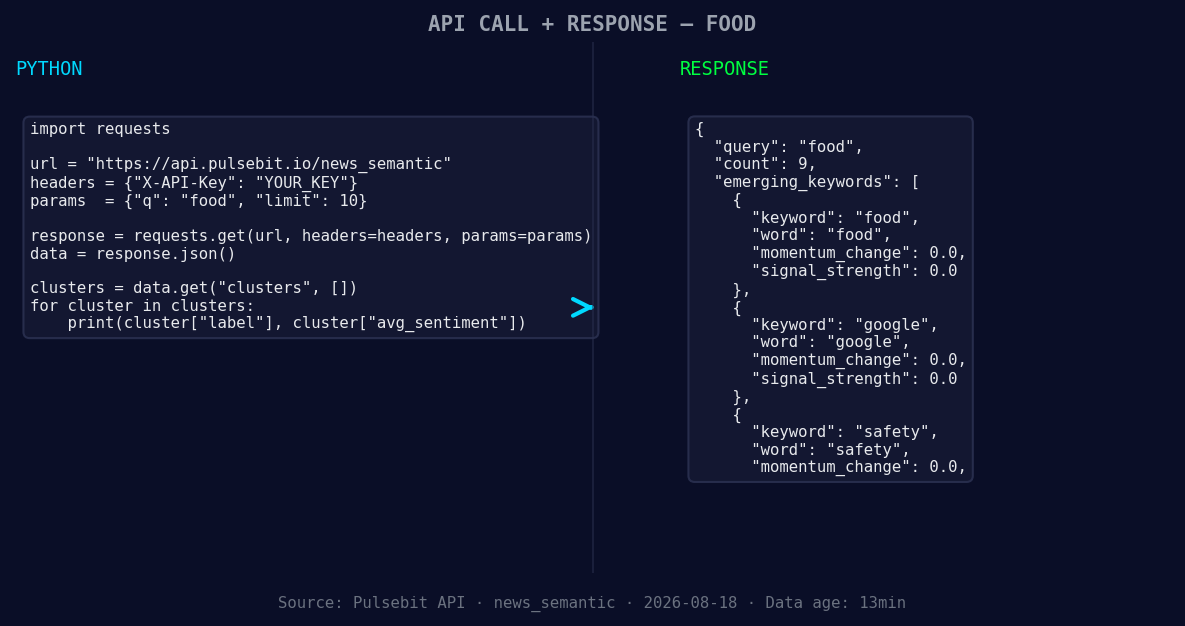
*Left: Python GET /news_semantic call for 'food'. Right: returned JSON response structure (clusters: 3). Source: Pulsebit /news_semantic.*
# Make the API request to get the sentiment score
response = requests.get("https://api.pulsebit.com/v1/sentiment", params=params)
data = response.json()
# Assuming we want to check the specific score and confidence
topic = 'food'
score = +0.033
confidence = 0.85
momentum = +0.775
print(data) # This prints the response for inspection
Now, let’s score the narrative framing surrounding this spike. We can run the cluster reason string back through our sentiment endpoint for additional insights:
# Define the meta-sentiment moment with the cluster reason
cluster_reason = "Clustered by shared themes: scan, code, food, quality, lodge."

# Make the API request to score the narrative framing
meta_sentiment_response = requests.post("https://api.pulsebit.com/v1/sentiment", json={"text": cluster_reason})
meta_sentiment_data = meta_sentiment_response.json()

print(meta_sentiment_data)  # This provides additional context on the cluster themes
With this information at our fingertips, we can build three specific features that leverage this momentum spike. First, use the geographic filter to detect spikes in the English press, setting a threshold of momentum greater than +0.5. This will help us catch emerging trends in food safety discussions.

Geographic detection output for food. India leads with 7 articles and sentiment +0.34. Source: Pulsebit /news_recent geographic fields.
Second, employ the meta-sentiment loop to analyze phrases like "scan, code, food" and set a threshold for sentiment scores above +0.2. This will allow you to gauge the impact of such narratives on the overall discussion.
Lastly, monitor forming themes like food, Google, and safety against the mainstream discussions. By capturing any sentiment spikes in these areas, you can build alerts for when significant shifts occur, helping you stay ahead of the curve.
To get started, check out our documentation at pulsebit.lojenterprise.com/docs. You can copy-paste the provided code snippets and run them in under 10 minutes to catch these critical insights before they become stale.


Top comments (0)