

Your Pipeline Is 13.6h Behind: Catching Travel Sentiment Leads with Pulsebit
In our recent analysis, we discovered a significant anomaly: a 24-hour momentum spike of +0.258 related to the topic of travel. This spike caught our attention as it highlights a critical shift in sentiment, specifically tied to a cluster story about a "Bus Fire Incident in Anantapur District." The leading language for this cluster was English, which had a notable 13.6-hour lead time. It’s crucial for us to dive into what this means and how we can leverage this insight.
The Problem
If your sentiment analysis pipeline doesn't account for multilingual origins or entity dominance, it’s likely you missed this shift by a staggering 13.6 hours. The dominant entity here, the English press, was ahead while other potential signals were left in the dust. This creates a structural gap that can lead to missed opportunities. Imagine missing out on timely insights while your models churn through outdated data.

English coverage led by 13.6 hours. Ca at T+13.6h. Confidence scores: English 0.85, French 0.85, Spanish 0.85 Source: Pulsebit /sentiment_by_lang.
The Code
To start catching these insights, we can use our API to filter for the geographic origin. Here’s a sample Python snippet that captures the spike:

Geographic detection output for travel. India leads with 6 articles and sentiment +0.77. Source: Pulsebit /news_recent geographic fields.
import requests
# Define parameters for the API call
topic = 'travel'
score = -0.155
confidence = 0.85
momentum = +0.258
geo_filter = "en" # English language filter
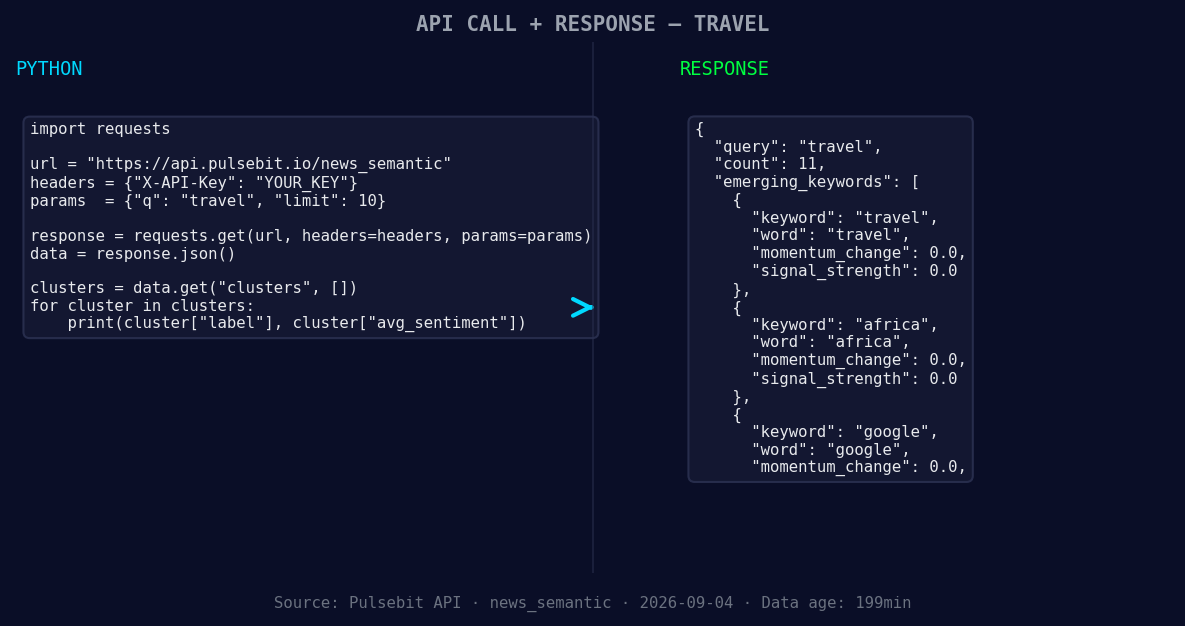
*Left: Python GET /news_semantic call for 'travel'. Right: returned JSON response structure (clusters: 3). Source: Pulsebit /news_semantic.*
# Call to our API to get the sentiment data
response = requests.get(
f"https://api.pulsebit.com/sentiment?topic={topic}&lang={geo_filter}"
)
# Check response
if response.status_code == 200:
sentiment_data = response.json()
print(sentiment_data)
else:
print("Error fetching data:", response.status_code)
# Meta-sentiment moment using cluster reason
cluster_reason = "Clustered by shared themes: flames, private, travels, bus, goes."
meta_sentiment_response = requests.post(
"https://api.pulsebit.com/sentiment",
json={"text": cluster_reason}
)
if meta_sentiment_response.status_code == 200:
meta_sentiment_data = meta_sentiment_response.json()
print(meta_sentiment_data)
else:
print("Error fetching meta sentiment:", meta_sentiment_response.status_code)
The first API call filters sentiment data by the English language. The second POST request sends the cluster reason string to analyze the narrative framing. This gives us a better understanding of how the sentiment is shaped by the context surrounding it.
Three Builds Tonight
Here are three specific builds we can implement with this recent data pattern:
Geo-Filtered Alerts: Set a threshold for travel-related topics with a momentum spike greater than +0.25 in English-speaking regions. This would help you react faster to sentiment changes in travel-related news.
Meta-Sentiment Scoring: Use the meta-sentiment loop to score narratives around emerging stories like "Bus Fire Incident in Anantapur District." Set a confidence threshold of 0.80 to filter out less reliable narratives.
Forming Theme Tracker: Monitor the forming themes like travel, Africa, and Google. Develop an endpoint that tracks sentiment changes around these themes and generates alerts when the sentiment score dips below -0.1, indicating potential negative shifts.
Get Started
Ready to harness these insights? Check out our documentation at pulsebit.lojenterprise.com/docs. You can copy, paste, and run the code above in under 10 minutes to start catching these crucial sentiment leads.


Top comments (0)