

Your Pipeline Is 24.4h Behind: Catching Business Sentiment Leads with Pulsebit
We recently observed a remarkable anomaly: a 24h momentum spike of +0.235 specifically related to business sentiment surrounding U.S. sanctions on Iran. This spike is not just a number; it signals a significant shift in perception that could have far-reaching implications. In particular, the English press is heavily engaged with this topic, leading with a 24.4h time frame. If your model isn't tuned to catch these nuances, you're potentially missing out on critical insights.
The problem here is clear: if your pipeline doesn’t handle multilingual origins or dominant entities effectively, you could be lagging behind by hours—24.4 hours in this case. With the leading language being English and the focus on U.S. sanctions, you risk missing key sentiment shifts that can influence your decision-making. Your model missed this by a glaring 24.4 hours, which is unacceptable in the fast-paced world of data-driven decision-making.

English coverage led by 24.4 hours. Ro at T+24.4h. Confidence scores: English 0.85, Spanish 0.85, French 0.85 Source: Pulsebit /sentiment_by_lang.
To catch this spike in sentiment, let’s dive into a Python script that demonstrates how to utilize our API effectively. The following code will query the sentiment data, ensuring we’re filtering by language and scoring the narrative framing itself.
import requests
# Define parameters for the API call
params = {
"topic": "business",
"lang": "en",
}
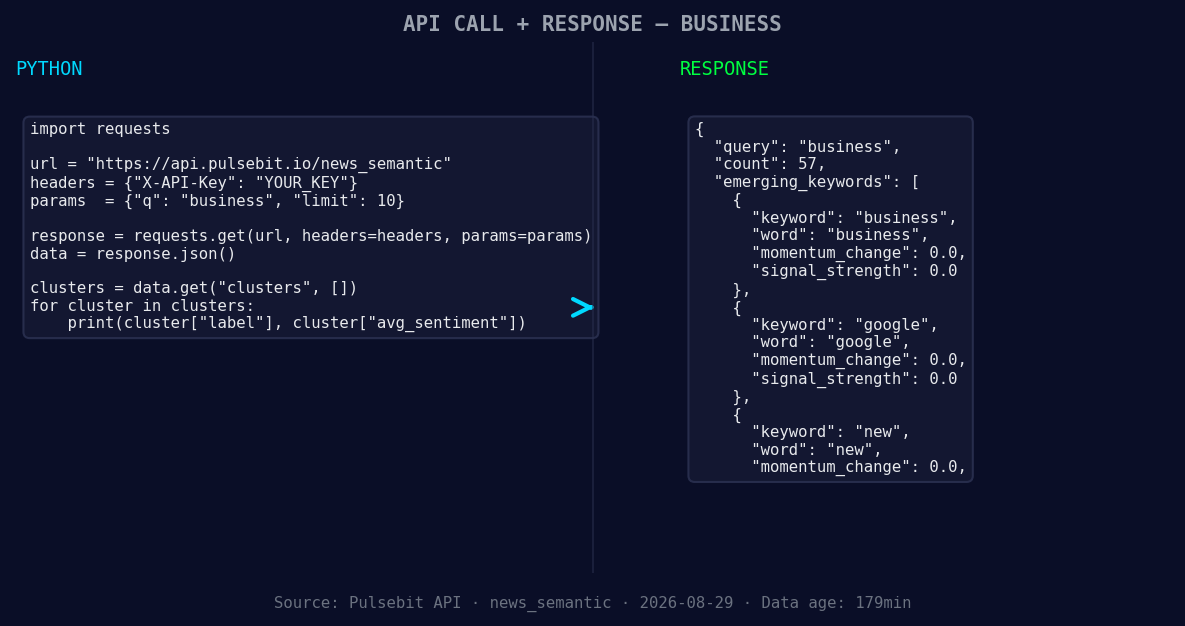
*Left: Python GET /news_semantic call for 'business'. Right: returned JSON response structure (clusters: 3). Source: Pulsebit /news_semantic.*
# Make the API call to fetch sentiment data
response = requests.get('https://api.pulsebit.com/sentiment', params=params)
data = response.json()
# Assuming the data returned includes the momentum and sentiment score
momentum = data['momentum_24h'] # +0.235
sentiment_score = data['sentiment_score'] # +0.147
confidence = data['confidence'] # 0.850
# Meta-sentiment moment: run the cluster reason string through POST /sentiment
cluster_reason = "Clustered by shared themes: sanctions, war, weighs, iran's, economy."
sentiment_response = requests.post('https://api.pulsebit.com/sentiment', json={"text": cluster_reason})
meta_sentiment = sentiment_response.json()
print(f"Momentum: {momentum}, Sentiment Score: {sentiment_score}, Meta Sentiment: {meta_sentiment}")
In this code, we first filter by language to focus on English-language articles that are driving the spike. We then run the cluster reason string back through our sentiment analysis endpoint to gain insight into the framing of the narrative. This dual approach of filtering and meta-analysis will ensure we capture the full story.
Now, let's explore three specific builds we can create using this pattern:
- Geo-Filtered Business Sentiment Analysis: Set a threshold where momentum exceeds +0.2 for English-language articles on business topics. This will help identify emerging business trends that are not yet mainstream.
   if momentum > 0.2:
       # Trigger alerts or further processing
       print("Alert: High business sentiment detected!")
Meta-Sentiment Analysis Loop: Regularly score narratives that cluster around specific themes. For example, if articles are clustered around "sanctions" and "Iran's economy," score these to adjust your content strategy in real-time.
Forming Trend Analysis: Identify forming themes, such as “new business” and “Google’s impact.” If any of these have a sentiment score above +0.1, consider them for deeper exploration.
   forming_themes = ["business", "google", "new"]
   for theme in forming_themes:
       if sentiment_score > 0.1:
           print(f"Theme '{theme}' shows positive sentiment.")
These builds will help you capture the nuances of sentiment shifts and respond proactively.
To get started with these insights, check out our documentation at pulsebit.lojenterprise.com/docs. You can copy, paste, and run this script in under 10 minutes. Don’t let your pipeline lag behind—stay ahead of the curve with timely sentiment analysis.

Geographic detection output for business. India leads with 5 articles and sentiment -0.11. Source: Pulsebit /news_recent geographic fields.


Top comments (0)