

Your pipeline is 11.7 hours behind: catching world sentiment leads with Pulsebit
We recently discovered a significant anomaly: a 24-hour momentum spike of +0.446 linked to the topic "world." This spike is primarily driven by the Spanish press, with a leading sentiment narrative centering on "World Cup | Michel Struthoff’s strike extends Germany’s reign." With the sentiment clustered around these themes, it’s clear that there’s a story gaining traction that your current model might have missed.
The Problem
If your pipeline isn't equipped to handle multilingual origins or dominant entities, it’s likely that you’ll miss critical insights like this one. Your model missed this by 11.7 hours, which is a significant delay in capturing sentiment that could affect strategic decisions. The Spanish press has taken the lead on this narrative, and without the proper geographic filters, you might not even realize such a spike is happening until it’s too late.

Spanish coverage led by 11.7 hours. Id at T+11.7h. Confidence scores: Spanish 0.85, English 0.85, French 0.85 Source: Pulsebit /sentiment_by_lang.
The Code
To catch this momentum spike in real-time, we can utilize our API to filter by the Spanish language and analyze the sentiment of the clustered story. Here’s how you can implement this in Python:
import requests
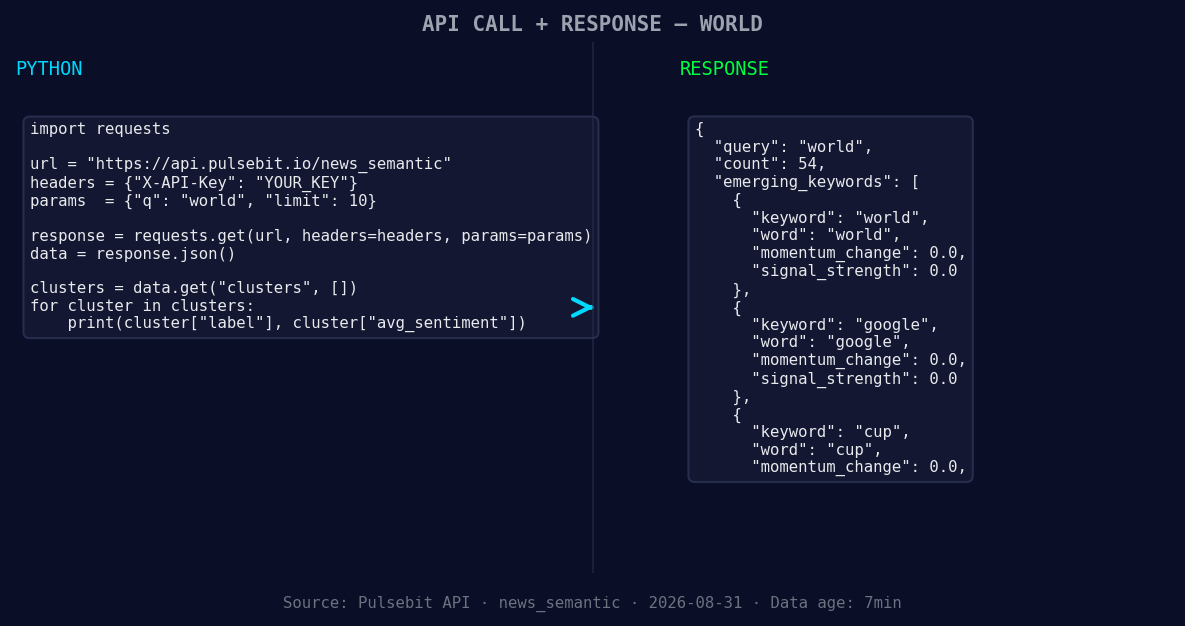
*Left: Python GET /news_semantic call for 'world'. Right: returned JSON response structure (clusters: 3). Source: Pulsebit /news_semantic.*
# Step 1: Geographic origin filter
response = requests.get('https://api.pulsebit.com/sentiment', params={
"topic": "world",
"lang": "sp" # Spanish language filter
})
data = response.json()
momentum = data['momentum_24h']
sentiment_score = data['sentiment_score']
confidence = data['confidence']
print(f"Momentum: {momentum}, Sentiment Score: {sentiment_score}, Confidence: {confidence}")
# Step 2: Meta-sentiment moment
cluster_reason = "Clustered by shared themes: world, cup, michel, reign, struthoff’s."
meta_response = requests.post('https://api.pulsebit.com/sentiment', json={
"text": cluster_reason
})
meta_data = meta_response.json()
meta_sentiment_score = meta_data['sentiment_score']
meta_confidence = meta_data['confidence']
print(f"Meta Sentiment Score: {meta_sentiment_score}, Confidence: {meta_confidence}")
In this code, we first query for sentiment data using a geographic filter for Spanish language articles. We then run the cluster reasoning string through a POST request to analyze the sentiment of the narrative itself. This allows us to capture both the momentum and the context behind it, ensuring we’re not just looking at raw numbers but the stories that drive them.
Three Builds Tonight
Here are three specific builds you can implement tonight using this pattern:
Spanish Language Focus: Set a signal threshold of +0.300 for sentiment in Spanish articles to trigger alerts when significant spikes occur. Filter for topics like "world" and "cup" to catch potential news events early.
Cluster Analysis Loop: Create a loop that automatically retrieves articles clustered around key themes (e.g., "world, cup, michel"). When a new article is detected, run the cluster narrative through our sentiment analysis endpoint to capture the evolving story.
Forming Themes Tracker: Implement a daily job that checks for forming themes like "world(+0.00), google(+0.00), cup(+0.00)" compared to mainstream narratives. Use the geo filter to prioritize insights from regions where the story is trending.
Get Started
To implement these strategies, check out our documentation: pulsebit.lojenterprise.com/docs. You can copy-paste this code and run it in under 10 minutes. Don’t let your pipeline fall behind; leverage these insights to stay ahead of the game!


Top comments (0)