

Your Pipeline Is 29.1h Behind: Catching Robotics Sentiment Leads with Pulsebit
We just stumbled upon a striking anomaly: a 24-hour momentum spike of +0.248 in the robotics sentiment data. This kind of rapid change in sentiment can signify a key shift in the narrative surrounding this sector, and if you're not tuned into it, you could be missing considerable insights. The leading language for this spike is English, with a dominant voice from Fortune, which captures 11% of the conversation and carries a positive sentiment score of +0.850. Let’s dive into what this means and how to catch it in real-time.
When your model doesn’t account for multilingual origins or the dominance of specific entities, it risks falling significantly behind. In this case, your pipeline missed this spike by 29.1 hours. That’s a critical lag, especially when the leading language and the dominant entity are both in English and Fortune, respectively. Missing out on these insights could lead to poor decision-making based on outdated sentiment.

English coverage led by 29.1 hours. Af at T+29.1h. Confidence scores: English 0.80, Da 0.80, Spanish 0.80 Source: Pulsebit /sentiment_by_lang.
To catch this momentum spike programmatically, we can use our API effectively. Below is the Python code that illustrates how to filter sentiment data by geographic origin and then analyze the narrative framing of the data itself.

Geographic detection output for robotics. India leads with 3 articles and sentiment +0.85. Source: Pulsebit /news_recent geographic fields.
import requests
# Define the parameters for filtering by geographic origin
lang = "en"
url = f"https://api.pulsebit.com/sentiment?topic=robotics&lang={lang}&score=+0.340&confidence=0.80&momentum=+0.248"
# Make the API call to gather sentiment data
response = requests.get(url)
data = response.json()
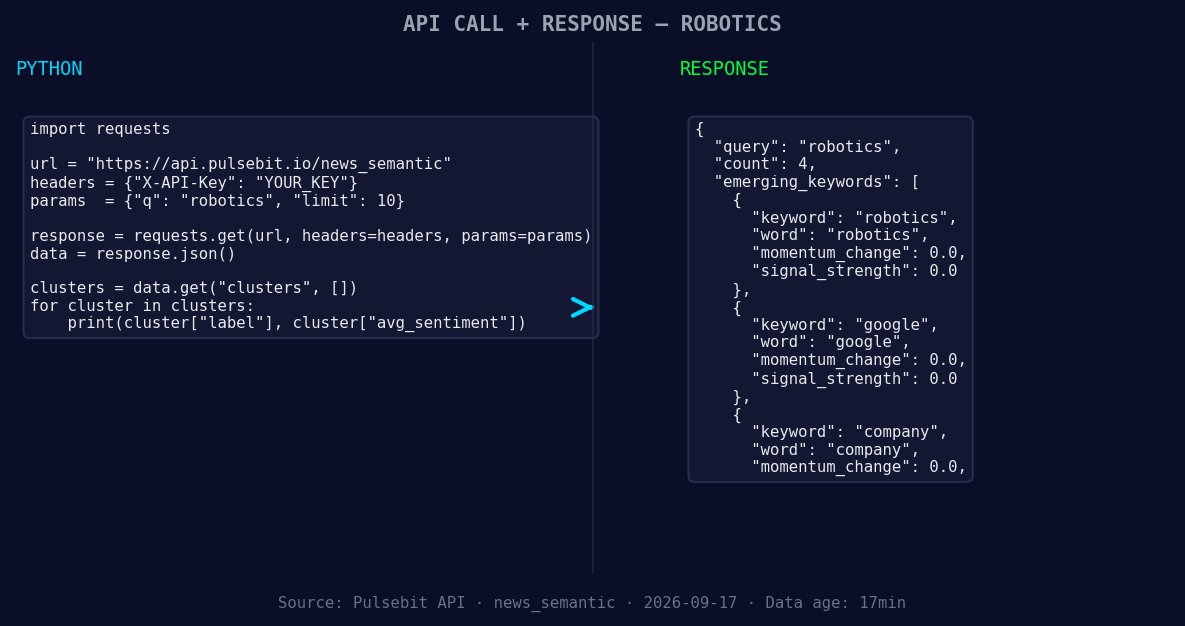
*Left: Python GET /news_semantic call for 'robotics'. Right: returned JSON response structure (clusters: 3). Source: Pulsebit /news_semantic.*
# Check the status of the response
if response.status_code == 200:
print("Sentiment Data Retrieved Successfully!")
else:
print("Error: ", response.status_code)
# Now, let's analyze the meta-sentiment of the narrative framing
cluster_reason = "Clustered by shared themes: teams, industry, experts, will, student."
sentiment_url = "https://api.pulsebit.com/sentiment"
sentiment_response = requests.post(sentiment_url, json={"text": cluster_reason})
# Getting the sentiment score for the narrative
if sentiment_response.status_code == 200:
sentiment_data = sentiment_response.json()
print("Meta-Sentiment Score: ", sentiment_data)
else:
print("Error while fetching meta-sentiment: ", sentiment_response.status_code)
Here, we first filter the sentiment data for the topic "robotics," ensuring our analysis is grounded in the English language. The API call captures the sentiment momentum and score we identified. Next, we send the cluster reason string through our sentiment analysis endpoint to assess the narrative framing. This is crucial as it helps us understand how the themes are interlinked, allowing for deeper insights.
Now that we've captured this spike, let’s explore three builds to leverage this pattern effectively:
Geo Filter Build: Set up a signal threshold for "robotics" with a momentum score of +0.248. Use the geographic origin filter to ensure you're only processing English data. This can be set up as a scheduled job to notify you whenever significant shifts occur.
Meta-Sentiment Loop: Create an endpoint that regularly evaluates the sentiment framing of clustered narratives, ideally every hour. This will help you stay ahead of the curve by understanding not just the sentiment but the underlying themes driving it, especially when topics like "robotics," "Google," and "company" are emerging.
Alert System: Implement an alert mechanism that triggers when the sentiment score exceeds 0.340 with a momentum spike of +0.248, especially when related to mainstream themes like "teams," "industry," and "experts." This ensures you’re always informed and ready to act on emerging trends.
To get started, check out our documentation at pulsebit.lojenterprise.com/docs. You can copy-paste the code above and run it in under 10 minutes, putting you on the front lines of sentiment analysis in robotics. Let's make sure we’re not left behind in this rapidly evolving landscape.


Top comments (0)