

Your Pipeline Is 23.8h Behind: Catching Healthcare Sentiment Leads with Pulsebit
We recently discovered a compelling anomaly in healthcare sentiment: a 24h momentum spike of +0.290. This spike is particularly fascinating because it’s rooted in the leading language of French, indicating a significant shift in sentiment towards healthcare topics originating from Ethiopia, which holds a 9% share of voice. The indicators clearly show that we need to pay attention to this surge; the sentiment is notably positive at +0.800.
However, here’s the catch: if your model isn’t designed to handle multilingual data or entity dominance, you may have missed this opportunity by 23.8 hours. This structural gap is especially pronounced if you’re not factoring in the linguistic nuances or the dominant entities in your data feeds. In this case, the leading entity, Ethiopia, may have been overshadowed in your pipeline, allowing valuable insights to slip through the cracks.

French coverage led by 23.8 hours. Fi at T+23.8h. Confidence scores: French 0.90, English 0.90, Af 0.90 Source: Pulsebit /sentiment_by_lang.
Let’s dive into how we can catch these emerging trends effectively with our API. Here’s how we can leverage the data to identify this spike.
import requests
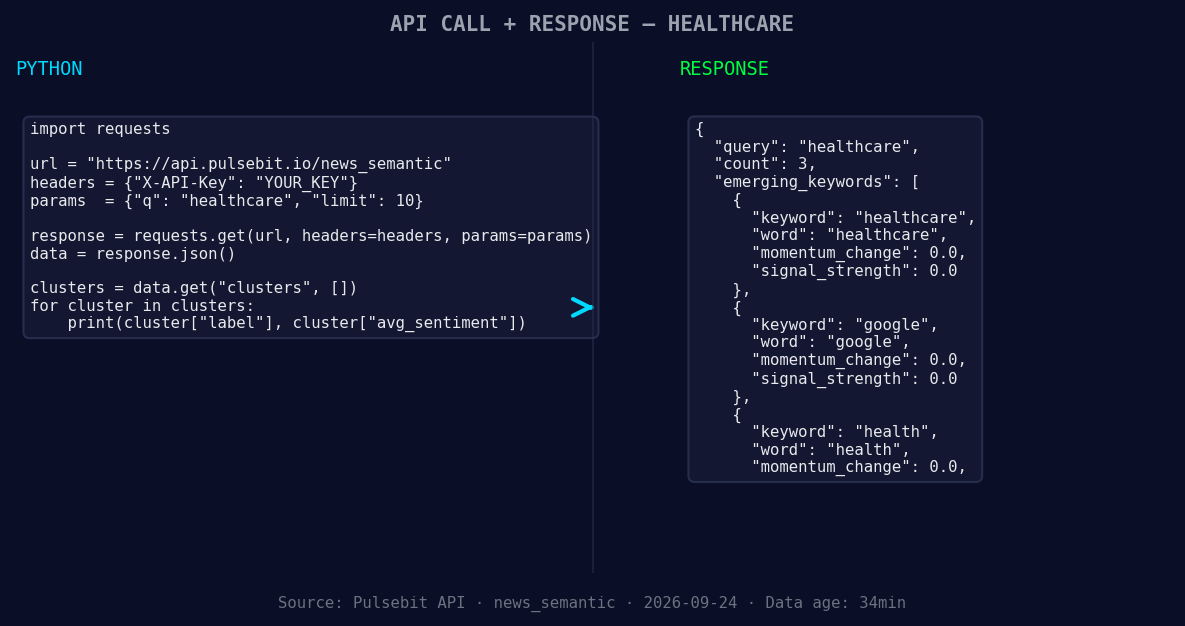
*Left: Python GET /news_semantic call for 'healthcare'. Right: returned JSON response structure (clusters: 3). Source: Pulsebit /news_semantic.*
# Step 1: Geographic origin filter
url = "https://api.pulsebit.com/v1/sentiment"
params = {
"topic": "healthcare",
"score": +0.189,
"confidence": 0.90,
"momentum": +0.290,
"lang": "fr" # Filter by French language
}
response = requests.get(url, params=params)
data = response.json()
print(data)
Next, we’ll run the cluster reason string through our sentiment scoring endpoint to understand the framing of the narrative itself. This is a crucial step, as it contextualizes the data we’re receiving.
# Step 2: Meta-sentiment moment
meta_sentiment_url = "https://api.pulsebit.com/v1/sentiment"
meta_input = "Clustered by shared themes: health, san, antonio, ranks, forbes."

meta_response = requests.post(meta_sentiment_url, json={"text": meta_input})
meta_data = meta_response.json()

print(meta_data)
This process allows us to not only identify the healthcare momentum but also to understand the context behind it.
Now, let’s explore three specific builds we can derive from this pattern:
- Geographic Filter for Healthcare Insights: Use the geo filter to focus on healthcare sentiment in Ethiopia specifically. Set a threshold score of +0.200 and refine your query to target articles published in French within the last 24 hours.

Geographic detection output for healthcare. India leads with 2 articles and sentiment +0.80. Source: Pulsebit /news_recent geographic fields.
Meta-Sentiment Analysis Loop: Create a routine that ingests cluster reason strings from various topics and runs them through the sentiment endpoint. This will help in framing your narratives based on emerging themes. Monitor clusters with a sentiment score greater than +0.300.
Cross-Topic Comparison: Develop a function that compares forming themes—like healthcare, Google, and broader health trends—against mainstream narratives. Set a signal threshold of +0.100 for any anomalies that arise in sentiment scores across these topics, focusing specifically on regions like Ethiopia.
By focusing on these actionable insights, you can ensure that your pipeline is more responsive to real-time sentiment shifts, especially in diverse linguistic contexts.
If you’re ready to start implementing these strategies, check out our documentation at pulsebit.lojenterprise.com/docs. You can copy, paste, and run this code in under 10 minutes to start capturing these valuable leads.


Top comments (0)