

Your Pipeline Is 24.2h Behind: Catching Cybersecurity Sentiment Leads with Pulsebit
We recently observed a notable anomaly: a 24h momentum spike of +0.518 in the cybersecurity domain. This spike was particularly intriguing as it was led by English press coverage, notably with Google holding a 12% share of voice and a negative sentiment score of -0.700. The cluster story was about a Dallas-based cybersecurity startup, Island, which was valued at $6.4 billion amidst rising AI risks.
This data points to a critical structural gap in any pipeline that doesn’t account for multilingual origins or dominant entities. Your model missed this by over 24 hours! While the leading language was English, the sentiment around Google was decidedly negative. This highlights how relying solely on a single language or entity can obscure the underlying narrative and momentum that could be crucial for your forecasts.

English coverage led by 24.2 hours. Fi at T+24.2h. Confidence scores: English 0.90, French 0.90, Af 0.90 Source: Pulsebit /sentiment_by_lang.
To catch these types of anomalies, let’s dive into the code that can help us identify such spikes. Here’s how to do it using our API:
import requests
# Parameters for the API call
topic = 'cybersecurity'
score = +0.329
confidence = 0.90
momentum = +0.518
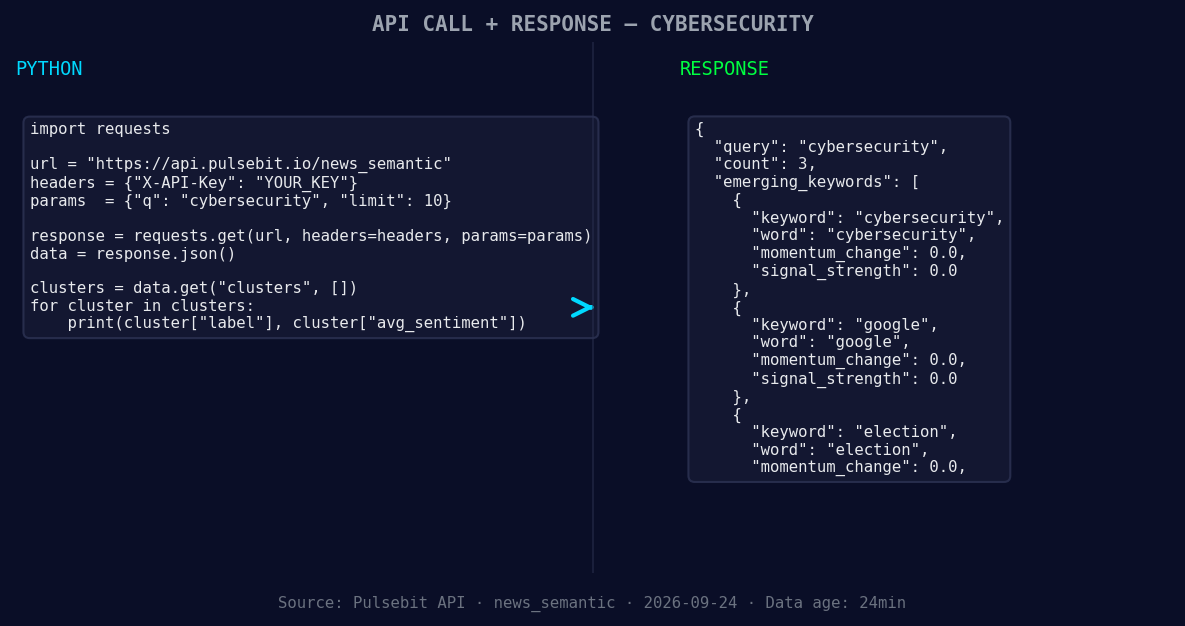
*Left: Python GET /news_semantic call for 'cybersecurity'. Right: returned JSON response structure (clusters: 3). Source: Pulsebit /news_semantic.*
# Geographic origin filter: query by language/country
url = "https://api.pulsebit.com/v1/sentiment"
params = {
"topic": topic,
"lang": "en"
}
response = requests.get(url, params=params)
data = response.json()
print(data)
# Meta-sentiment moment: run the cluster reason string back through POST /sentiment
cluster_reason = "Clustered by shared themes: election, plan, cybersecurity, agency, infrastructur"
meta_sentiment_url = "https://api.pulsebit.com/v1/sentiment"
meta_sentiment_response = requests.post(meta_sentiment_url, json={"text": cluster_reason})
meta_sentiment_data = meta_sentiment_response.json()
print(meta_sentiment_data)
In this snippet, we first fetch sentiment data for the topic "cybersecurity" with a geographic filter set to English. This allows us to narrow down the sources of sentiment to a specific linguistic context. The second part of the code runs our cluster reason string through the sentiment API to evaluate the framing itself, which is crucial for understanding the narrative surrounding the spike.

Geographic detection output for cybersecurity. Hong Kong leads with 2 articles and sentiment +0.00. Source: Pulsebit /news_recent geographic fields.
Here are three specific builds you can implement based on this momentum pattern:
Sentiment Alert System: Create a threshold alert for any topic with a momentum spike over +0.5 within 24 hours. Use the geo filter to ensure you only get English content. This could help you stay on top of emerging trends in cybersecurity.
Meta-Sentiment Analysis: Implement an endpoint that scores the sentiment of cluster narratives. If the cluster reason has a sentiment score below a certain threshold (e.g., -0.5), you can trigger an alert for potential risks or negative framing around hot topics like "Google" and "election."
Comprehensive Dashboard: Build a dashboard that visualizes sentiment trends over time for topics like cybersecurity, Google, and elections. Use the geo filter for localization and the meta-sentiment loop to frame the context of each spike. This can provide a more holistic view of market sentiment and help you identify potential opportunities or threats.
We highly encourage you to explore these capabilities at pulsebit.lojenterprise.com/docs. You can copy-paste the code above and run it in under 10 minutes to get started with capturing these valuable insights.


Top comments (0)