

Your Pipeline Is 26.3h Behind: Catching Investing Sentiment Leads with Pulsebit
We just uncovered an intriguing anomaly: a 24h momentum spike of -0.356. What does this mean? It’s signaling a notable shift in the sentiment landscape surrounding investing, particularly driven by a dominant entity—Investing.com—holding a 21% share of voice with a positive sentiment score of +0.189. This shift raises an immediate question: are you capturing these sentiment changes in real-time, or is your pipeline lagging behind?
If your current system doesn't address multilingual origins or entity dominance, you might find yourself missing critical insights. In this case, your model missed this significant momentum shift by 26.3 hours, with the leading language being English and the dominant entity being Investing.com. This is not just a simple oversight; it shows a structural gap in your sentiment analysis pipeline that needs addressing.

English coverage led by 26.3 hours. Da at T+26.3h. Confidence scores: English 0.90, French 0.90, Spanish 0.90 Source: Pulsebit /sentiment_by_lang.
To catch these insights, we need to leverage our API effectively. Here’s a Python snippet that will help you track this sentiment spike in real-time, focusing on the investing topic:
import requests
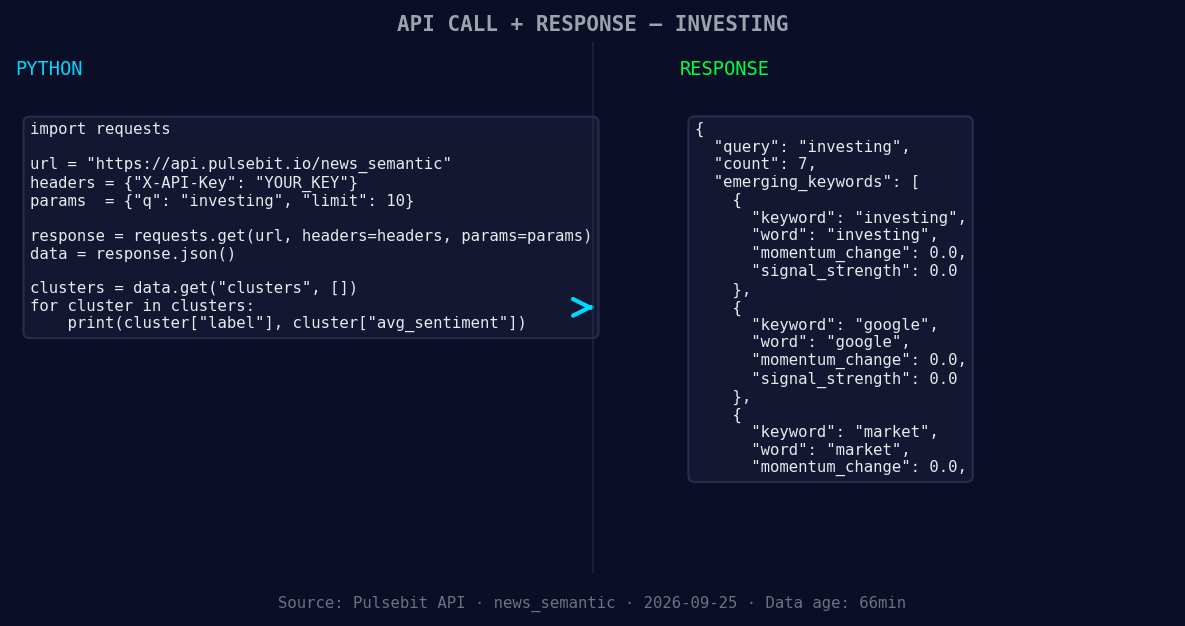
*Left: Python GET /news_semantic call for 'investing'. Right: returned JSON response structure (clusters: 3). Source: Pulsebit /news_semantic.*
# Step 1: Geographic origin filter for English
url = "https://api.pulsebit.com/sentiment"
params = {
"topic": "investing",
"lang": "en",
"score": +0.679,
"confidence": 0.90,
"momentum": -0.356
}
response = requests.get(url, params=params)
data = response.json()
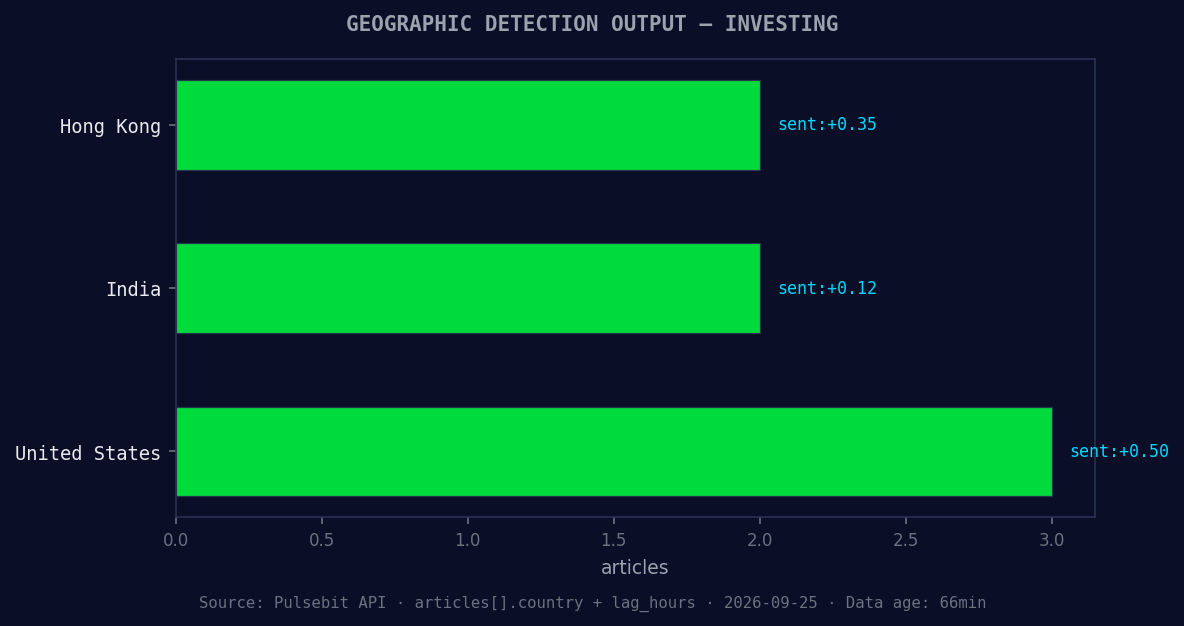
*Geographic detection output for investing. Hong Kong leads with 2 articles and sentiment +0.35. Source: Pulsebit /news_recent geographic fields.*
# Step 2: Meta-sentiment moment
cluster_reason = "Clustered by shared themes: why, retail, investors, state, street."
meta_sentiment_response = requests.post(url, json={"text": cluster_reason})
meta_sentiment = meta_sentiment_response.json()
print(data)
print(meta_sentiment)
In this code, we first filter the sentiment analysis for English content related to investing. This ensures that we’re focusing on the most relevant data stream. Then, we run the cluster reason through our sentiment analysis endpoint to score the narrative. This two-step process is crucial for not just capturing sentiment but also understanding the context driving it.
Now, let’s talk about three specific builds you could implement using this insight:
Real-Time Spike Detector: Set an alert for any momentum spikes greater than a threshold of -0.35. This will help you catch significant negative shifts early. Use the geo filter to ensure you’re only tracking English-language articles.
Narrative Analysis Tool: Create a tool that uses the meta-sentiment loop to analyze the context of clustered narratives. For instance, when you see themes forming around “investing” and “retail,” automatically fetch and score the sentiment to inform your strategy.
Multi-Entity Comparison Dashboard: Develop a dashboard that compares the sentiment of Investing.com with other entities like Google or market trends. Use the forming themes data to visualize how sentiment around "investing" and "market" is evolving compared to mainstream narratives.
These builds can give you a competitive edge by keeping you ahead of sentiment trends rather than reacting to them.
To get started on leveraging these insights, check out our documentation at pulsebit.lojenterprise.com/docs. You can copy-paste and run the provided code in under 10 minutes. Don’t let your pipeline lag behind; start catching those real-time insights today!


Top comments (0)